On this page
Too long? Read this
- A WhatsApp broadcast sends one message to many people as individual private chats; the app caps it at 256 saved contacts, the API removes the cap but requires an approved template and opt-in
- Setup on the API: connect the number, approve a template, import an opted-in list, build the audience, review cost and headroom, send paced
- India cost in 2026: Rs 0.8631 per marketing message, Rs 0.115 per utility message, billed by Meta; suppressed and failed rows are not billed
- Delivery is governed by messaging tiers, the per-user frequency cap, quality rating and template pausing; the guide explains each and the recipient statuses you will see
A WhatsApp broadcast is one message delivered to many people as separate private chats: each recipient sees only your message, not the other recipients. The WhatsApp Business app does this with broadcast lists capped at 256 saved contacts. The WhatsApp Business API does it with template campaigns to any number of opted-in contacts, within Meta's messaging tiers, with delivery reporting, scheduling and personalisation. This guide covers both, the setup on the API step by step, what a broadcast costs in India in 2026, the rules that decide delivery, and how to read the results.
Broadcast on the app vs broadcast on the API
| WhatsApp Business app broadcast list | WhatsApp Business API broadcast | |
|---|---|---|
| Recipients | Up to 256 per list, must have your number saved | Any number within Meta tiers, no saving needed |
| Message | Free text, media | Approved template with variables, media header, buttons |
| Opt-in | Implied by saved contact; no record | Required and recorded per contact |
| Personalisation | None | Variables per recipient |
| Scheduling | None | Once, recurring, send-time optimised |
| Reporting | Ticks only | Sent, delivered, read, replied, clicked, failed, suppressed per recipient |
| Opt-out handling | Manual | Automatic on STOP and Meta preferences |
| Cost | Free | Meta per-message rate plus platform fee |
| Risk | Bans for spammy use | Managed by quality rating and tiers |
Keep the app for a handful of regulars. For anything that resembles marketing, use the API; with coexistence you can keep the app too.
Setting up an API broadcast, step by step
Step 1: an opted-in list
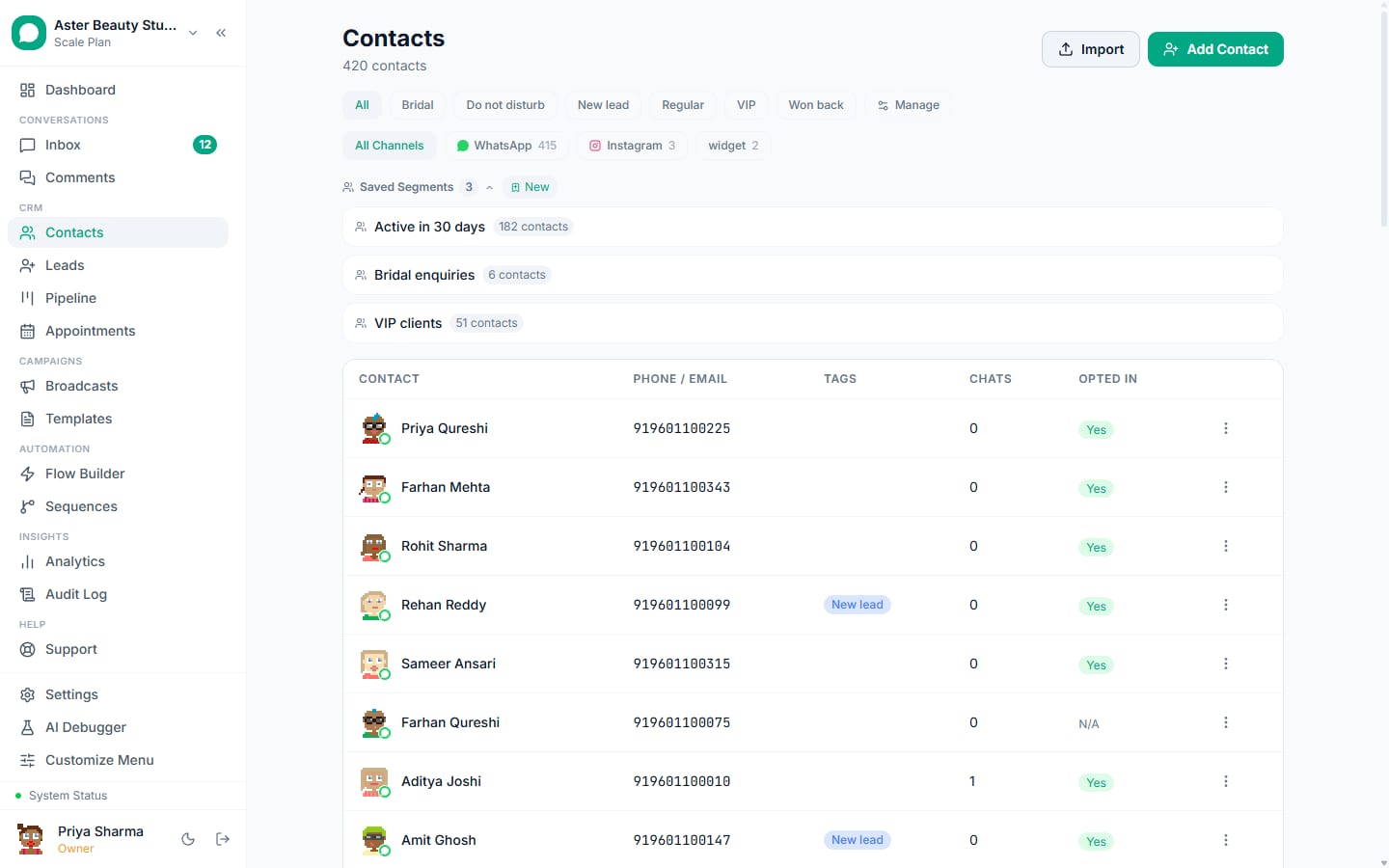
Sources that count: a checkbox on your website and order forms, a click-to-WhatsApp ad (the click and first message), a QR code followed by a message, "reply YES" in an existing chat, and customers who messaged you before. Tag every contact with its source; you will segment by it later.
Step 2: an approved template
Broadcasts are business-initiated, so they need a template. Templates, New Template (or pick one from the library): name in lowercase with underscores, category (marketing for promotion, utility for transactional), body with variables {{1}}, {{2}}, optional media header and buttons, sample values for each variable. Submit; approval usually takes minutes to a few hours. The validator flags what Meta rejects before you submit.
Example
Marketing: "Hi {{1}}, our Diwali collection is live with 20% off till Sunday. Reply SHOP for the catalogue or STOP to opt out." Utility: "Hi {{1}}, your {{2}} appointment is tomorrow at {{3}}. Reply to reschedule."
Step 3: import or segment the audience
Contacts, Import: a CSV with a phone column (country code, digits only) and any fields you will personalise with. The importer normalises Indian numbers, drops duplicates and invalid rows, and keeps opted-out contacts out. Or build a saved segment: tag is "visited-2026", last message within 90 days, city is Ahmedabad.
Step 4: build the broadcast
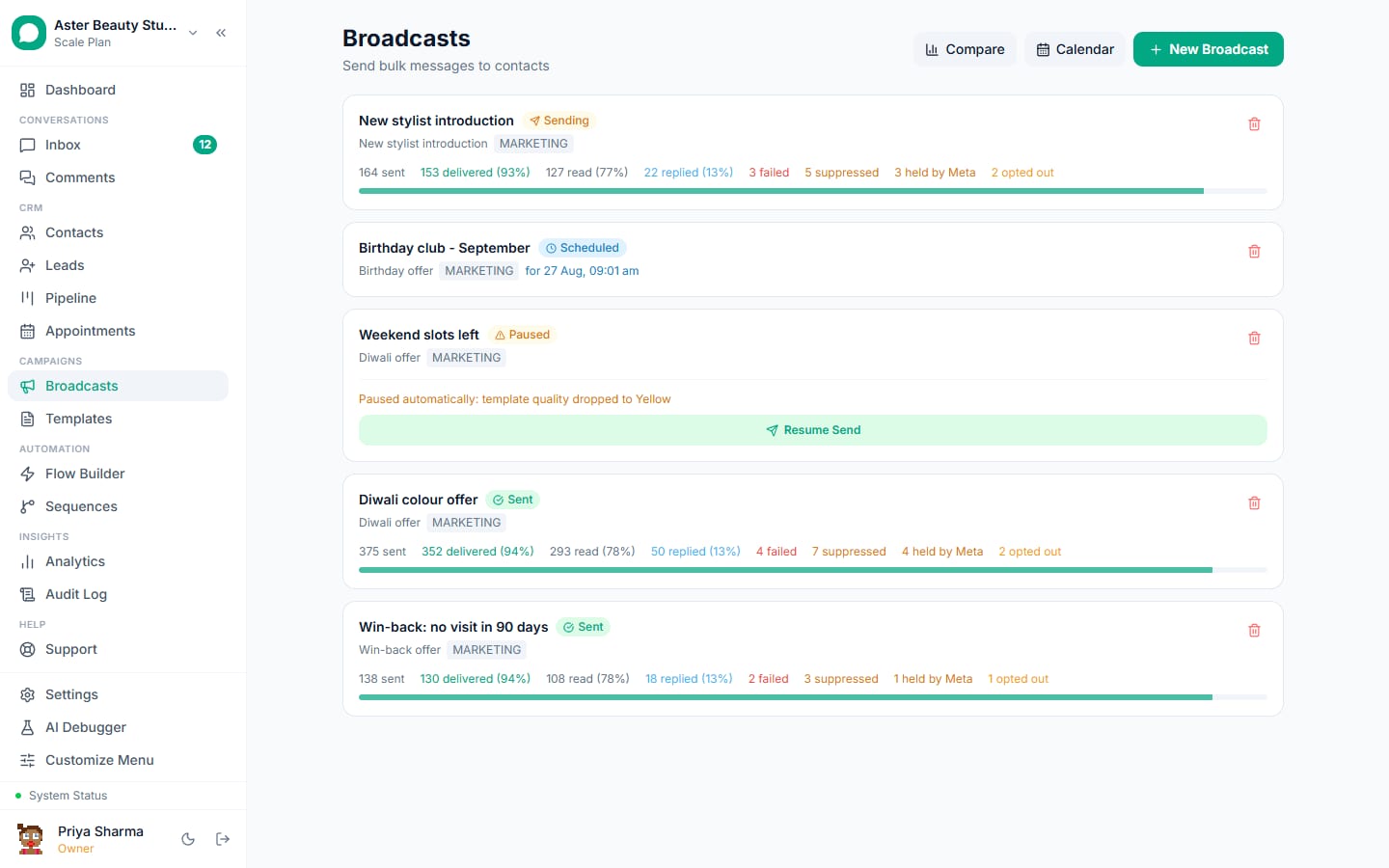
Broadcasts, New Broadcast:
- Audience: choose all contacts, a tag or a saved segment, and optionally "leave people out" who were messaged in the last N days. The recipient count updates live after suppression.
- Message: pick the template, map each variable to a contact field or a fixed value, set a fallback for empty fields, and check the preview rendered against real contacts.
- Schedule: send now, at a time, or on a recurring cadence; turn on A/B testing or send-time optimisation if you want them.
- Review and send: the review screen states the exact recipient count, the estimated Meta cost, how much of your daily headroom the send will use, and what will be skipped and why.
Step 5: send, and watch the statuses
Sending runs at a paced rate (50 messages a second per number by default, slower on a lower quality rating). The campaign page updates live. Each recipient gets a real status:
| Status | Meaning | What to do |
|---|---|---|
| Sent | Meta accepted the message | Wait for delivery |
| Delivered | Reached the phone | Wait for read |
| Read | Opened (blue ticks) | Retarget later with a follow-up |
| Failed | Meta rejected it or delivery failed later, with the error code | Fix the cause (bad number, template issue), then retry |
| Suppressed | The platform refused to attempt it: opt-out, blocked, no WhatsApp, marketing-stopped, capped, US pause | Nothing; never retry |
| Held | Accepted but withheld by template pacing | It resolves on its own |
| Skipped (quota) | The daily tier ran out and auto-continue is off | Resend the remainder next window |
What it costs
Meta bills per delivered template message to your Meta Business account:
| Category | India rate (April 2026) | 1,000 recipients | 10,000 recipients |
|---|---|---|---|
| Marketing | Rs 0.8631 | Rs 863 | Rs 8,631 |
| Utility | Rs 0.115 | Rs 115 | Rs 1,150 |
Suppressed and failed rows are not billed; replies inside the 24-hour window that a reply opens are free. Platform fees vary: resellers add 10 to 25 percent to Meta's rate; VGraple CRM charges a flat plan fee with no markup. Estimate a campaign with the pricing calculator.
The rules that decide delivery
Messaging tiers. Unique customers you can start conversations with per rolling 24 hours: 250 (unverified), 1,000, 10,000, 100,000, unlimited; per business portfolio since October 2025. A platform that budgets the tier parks a campaign when headroom runs out and resumes when the window reopens.
Per-user frequency cap. Meta limits how many marketing messages a user receives from all businesses; at the cap your marketing message is not delivered (131049). Utility messages are not capped. Engaged segments see far fewer caps than cold lists.
Quality rating. Blocks and reports lower the number's rating; Low lowers the tier and can restrict the account. The habits that protect it: opt-in only, sensible hours, one ask, an opt-out line, weekly at most for promotions.
Template pausing. Complaints pause a template for 3 hours, then 6, then disable it (132015). Delivery protection parks the campaign and resumes it; see delivery protection.
Quiet hours and frequency caps you set. Hold campaigns overnight and cap how many marketing broadcasts one contact can receive in a window.
Reading the results
A healthy first send to an opted-in Indian list: 92 to 97 percent delivered, 60 to 80 percent read in 24 hours, 3 to 10 percent replied for a marketing template with a clear ask, blocks under 0.2 percent. Use the cohorts: retarget readers who did not reply with a second template two days later; move repliers into a sequence or the sales pipeline; export the recipient list as CSV for finance. Revenue attributed per campaign is the number that settles next month's budget.
Ten broadcast ideas that work in India
- Salon: monthly offer to clients seen in the last 90 days, with a "Book" button.
- Clinic: seasonal health camp to patients who opted in.
- Coaching: batch-start reminder to enquirers, fee deadline to enrolled students (utility).
- Real estate: new tower launch to enquirers tagged with the location.
- D2C: new drop to past buyers, back-in-stock (utility) to waitlists.
- Restaurant: weekend menu, festival thali pre-orders.
- Travel: monsoon packages to past travellers.
- Gym: renewal reminder (utility), referral month (marketing).
- Jewellery: Akshaya Tritiya and Dhanteras collections to past buyers.
- B2B: webinar invitation to customers, renewal reminders (utility).
Mistakes that get broadcasts blocked
Buying lists; sending promotions as utility; blasting the whole database; sending at 11 pm; no opt-out line; retrying suppressed recipients; ignoring a yellow quality rating; one number for ten brands. Recovery steps are in why WhatsApp blocks broadcast senders.
What VGraple CRM does here
Audience building with suppression, live cost and headroom review, template validator and gallery, paced sending with tier budgeting and auto-park, per-recipient statuses with the Meta reason, retarget cohorts, A/B tests, send-time optimisation, quiet hours, frequency caps and revenue attribution are on every plan including Free, with no cap on how many conversations you have. Meta's charges are billed by Meta with no markup.