On this page
- What you get
- How it works
- How does a lead become a WhatsApp contact?
- How does campaign-to-pipeline mapping work?
- What sources feed the pipeline, and how do they differ?
- How does the lead score help prioritize the pipeline?
- Can I track a lead's activity and notes in one place?
- With VGraple CRM vs a spreadsheet or a generic CRM
- Who uses it
- What Meta allows
- Plans and limits
- Recent improvements
In short
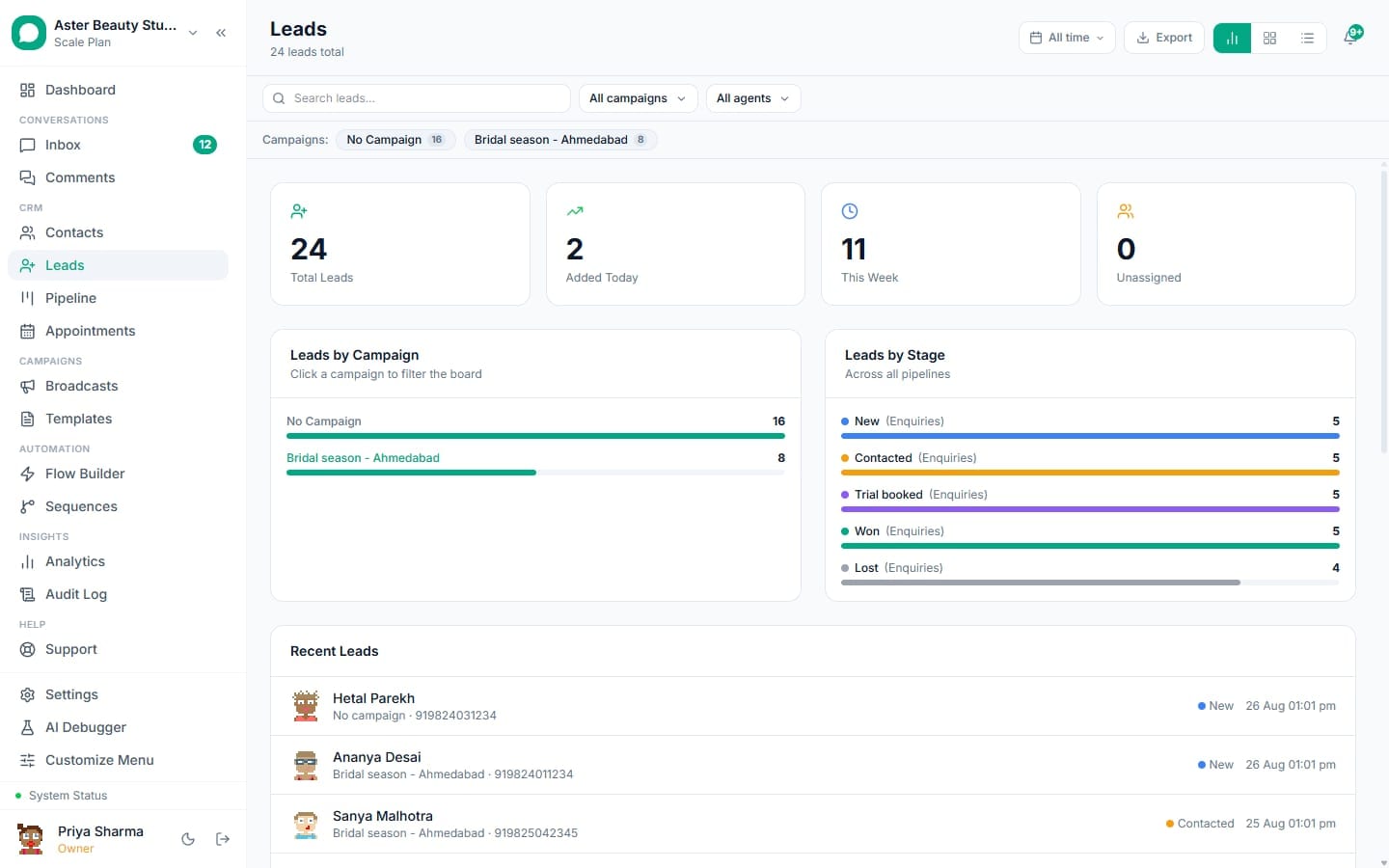
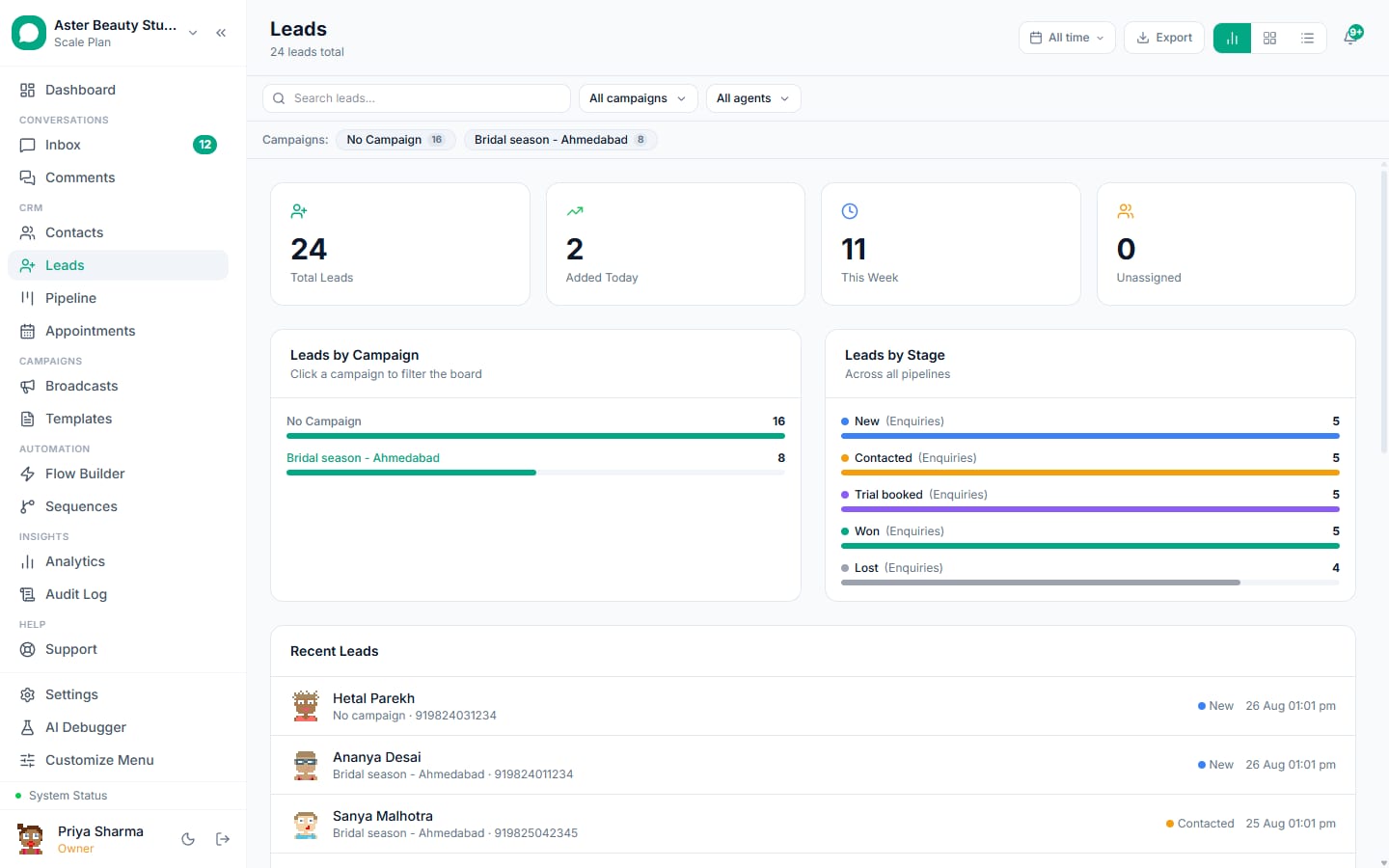
- Multiple pipelines with custom stages, viewed as a Kanban board, a table, or a stats dashboard
- Leads arrive from WhatsApp, web forms, WhatsApp Flows, Facebook Lead Ads, Calendly, comment-to-DM capture and manual entry, and link to a WhatsApp contact automatically once a usable phone number is found
- A 0-100 lead score with a visible factor breakdown shows on every card, row and detail panel
A leads pipeline is where every inbound inquiry lands before it becomes a paying customer, whether it came from a WhatsApp message, a website form, a Facebook ad, or a booked call. VGraple CRM's leads module pulls all of it into Kanban pipelines with custom stages, scores each lead automatically, and links it to the actual WhatsApp conversation the moment a phone number is available, so a lead record is never a dead end disconnected from the messaging that's actually happening.
What you get
- Multiple pipelines, each with its own custom stages, and campaign-to-pipeline mapping to route ad leads automatically
- Three views: a stats Dashboard, a drag-and-drop Kanban Board, and a sortable List (table)
- Six lead sources captured automatically: Meta Lead Ad, Web Form, WhatsApp Form, Calendly, Comment Rule, and Chatbot, plus manual entry
- Automatic linking to a WhatsApp contact once a usable phone number exists, no separate conversion step
- A 0-100 lead score with a visible factor breakdown on every card, row and detail view
- A Sequences tab per lead showing every sequence enrollment, status and step progress in one place
How it works
- A lead arrives from any connected source. A Facebook Lead Ad submission, a website form, a WhatsApp Flow answer, a Calendly booking, or a comment-to-DM capture all create a lead record automatically, tagged with its source, campaign name and form name where applicable.
Automation rules route it, if you've set any up. The instant the lead is created, any matching automation rule assigns it, enrolls it in a sequence, or sends an instant template, before anyone on your team has opened it.
It's scored and placed in a pipeline stage. A lead score computes immediately from contactability, source quality, form completeness and any early engagement signals, and the lead lands in its pipeline's first stage (or wherever a campaign mapping routed it).
Your team works it from the board, table, or detail panel. Drag a card between stages, or open the detail panel to see contact details, form answers, notes, sequence enrollments, and reassign or change pipeline directly.
The moment there's a usable phone number, it's a WhatsApp contact too. No manual conversion step; the pipeline stays connected to the actual conversation happening on WhatsApp, so a reply in the inbox and a stage move on the board reflect the same relationship.
Score, notes and sequence status stay current. The score recalculates on creation and on inbound replies, and again on a background sweep for time-based signals like recency; notes and sequence progress are visible without leaving the lead.
How does a lead become a WhatsApp contact?
There is no manual "Convert to Contact" button because the linkage happens automatically. If the lead already has a contact_id, it's used directly. If not, VGraple CRM looks up the lead's phone number against existing contacts (matching even a number typed without a country code), and if nothing matches, creates a new WhatsApp contact from it. Leads with no usable phone at all (an early chatbot capture with only an email, for instance) stay pipeline-only until a phone number is added or the person messages your WhatsApp number directly, at which point deferred enrollments and links resolve automatically.
Example
A travel agent's website chat widget captures a lead with just an email and a question. When that same visitor later messages the business's WhatsApp number, the existing lead record links to the new contact automatically instead of creating a duplicate.
How does campaign-to-pipeline mapping work?
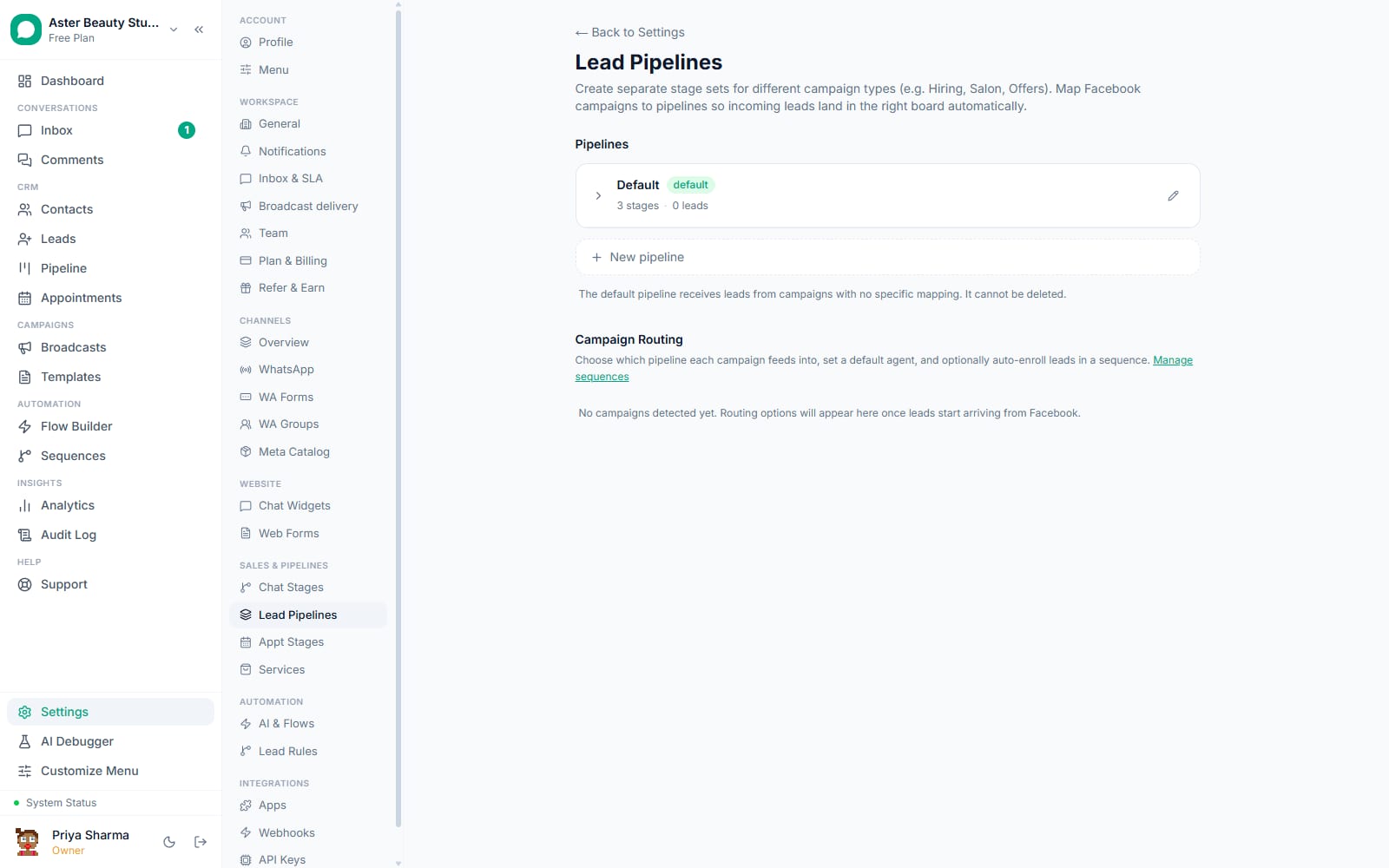
A Facebook or Instagram Lead Ad campaign can be mapped directly to a specific pipeline, and optionally to a specific team member and a specific sequence, so every lead from that campaign is routed, assigned and enrolled the moment it arrives, without needing a separate automation rule to do the same job. This is distinct from automation rules: campaign mapping is a one-to-one link on the campaign itself, while automation rules can match on any combination of source, campaign, form, pipeline or chatbot.
Example
A real-estate agency runs a lead ad for one specific project. Mapping that campaign to a "Project X Buyers" pipeline and a project-specific sequence means every lead from that ad lands in the right pipeline with the right nurture sequence already running, with zero manual setup per lead.
What sources feed the pipeline, and how do they differ?
Meta Lead Ad leads arrive through Facebook's instant-form webhook with campaign and ad-level attribution attached. Web Form and WhatsApp Form leads come from forms built inside the platform, with every answer stored and searchable, including phone numbers extracted from an answer even when the form has no dedicated phone field. Calendly leads come from a booked call, carrying the booking phone number if the booker provided one. Comment Rule leads come from a monitored Facebook or Instagram post, captured the moment a comment matches a keyword rule. Chatbot leads come from a website chat widget conversation, and can be scoped per widget for routing purposes. Manual leads are added directly by your team.
How does the lead score help prioritize the pipeline?
Every lead carries a 0-100 score visible as a colored badge (red for hot, amber for warm, blue for cold) on its Kanban card, its table row, and a full factor breakdown in the detail panel with a manual recalculate button. The score weighs contactability, lead source quality, form completeness, engagement (whether they've opted in, replied, and how recently), how far along their pipeline stage they are, and whether they've booked an appointment or generated revenue. This turns "which lead should I call first" from a guess into a sortable, visible number. Full mechanics are on the lead scoring page.
Can I track a lead's activity and notes in one place?
Yes. The lead detail panel has a Notes timeline for anything your team logs manually (a call summary, a follow-up reminder), a Form Data tab showing the raw submitted answers where relevant, and a Sequences tab listing every sequence the lead has ever been enrolled in with its current status and how many steps have actually been sent. Between the pipeline stage history, notes, and sequence enrollments, you get a working activity trail without a separate CRM activity-log feature to maintain.
With VGraple CRM vs a spreadsheet or a generic CRM
| Spreadsheet or generic CRM | VGraple CRM leads | |
|---|---|---|
| Capturing a Facebook Lead Ad submission | Manual export or a third-party sync tool | Instant webhook capture with campaign attribution |
| Linking a lead to its WhatsApp conversation | Separate systems, manual cross-reference | Automatic once a usable phone number exists |
| Prioritizing which lead to call first | Gut feel or manual scoring in a spare column | 0-100 score with a visible factor breakdown |
| Routing leads from a specific ad campaign | Manual sorting and reassignment | Campaign-to-pipeline mapping, automatic |
| Starting a follow-up sequence | Copy contacts into a separate email tool | Enrolled by an automation rule or one click |
| Seeing every sequence a lead is in | Check each tool separately | One Sequences tab per lead |
Who uses it
Real-estate agencies run one pipeline per active project, each fed by its own Facebook Lead Ad campaign mapping, so buyer interest never gets mixed across listings. See WhatsApp automation for real estate.
Coaching institutes use the Chatbot source to separate leads by which course-specific widget captured them, scoring and routing each differently. See WhatsApp automation for education and coaching.
Clinics capture leads from Calendly bookings and web forms into a single pipeline, with automation rules sending an instant confirmation template the moment someone books. See WhatsApp automation for healthcare.
D2C stores track Meta Lead Ad campaigns per product launch, using the lead score to identify which high-intent leads to follow up with personally versus leave to the automated sequence. See WhatsApp automation for ecommerce.
What Meta allows
VGraple CRM stores lead-ad answers the same way it stores any personally identifiable contact data, encrypted at rest, and only uses the phone number to establish the WhatsApp conversation the lead itself initiated interest in by submitting the form.
Plans and limits
The leads pipeline itself is available on every plan, including Free, with no separate cap on lead count or pipeline count. What limits volume in practice is your plan's contact limit and monthly conversation quota, since a lead that becomes a WhatsApp contact and starts messaging counts against those the same as any other contact (Free: 500 contacts, unlimited conversations/month; Starter: 5,000 contacts, unlimited conversations; Growth: 25,000 contacts, unlimited conversations; Scale: unlimited).
Recent improvements
- 2026-08: Lead score now recalculates on inbound replies in addition to lead creation, and a periodic sweep keeps recency-based factors current without rescoring the whole table on every tick.
- 2026-07: Fixed lead phone extraction to check form answers for a phone-shaped value even on forms without a dedicated phone field.
- 2026-07: Chatbot condition on automation rules lets multi-widget orgs route each widget's leads independently.
- 2026-06: Fixed an N+1 query pattern in the cron jobs that check segment and appointment-based triggers touching lead records.