On this page
- What you get
- How it works
- What is the difference between the three ways to send a product?
- How does a flow send the right product automatically?
- How does availability and pricing stay accurate?
- Is there a separate catalog for service businesses?
- Who uses it
- What Meta allows
- Plans and limits
- Recent improvements
In short
- Connect your Meta product catalog once through OAuth, and VGraple CRM syncs name, price, image, availability and category for every product
- Send a single product, a multi-product list grouped into sections, or a browsable "View catalog" message, straight from the inbox
- A flow can send a specific product automatically, with the product chosen by a variable, so a chatbot can reply with the exact item someone asked about
- Product availability (in stock, out of stock) syncs from Meta's own catalog data, refreshed on every re-sync
WhatsApp Catalog and Product Sharing in VGraple CRM connects your existing Meta product catalog to WhatsApp, so an agent or an automated flow can send a product, a curated list of products, or your entire browsable catalog inside a chat, with the customer never leaving WhatsApp to see a price or a photo. What changes for a business that already lists products in Meta Commerce Manager is not having to rebuild that catalog anywhere else: connect once, and every product's name, price, image and stock status is available to send from the inbox or reference inside a chatbot flow.
What you get
- One-time OAuth connection to your Meta Business catalog, no separate product database to maintain inside VGraple CRM
- Full catalog sync, name, description, price, currency, image, availability, condition and category, refreshed on demand
- Three ways to send products in chat: a single product card, a multi-product list grouped into sections, or a browsable full-catalog message
- A searchable product browser in Settings, filterable by name and availability, for confirming what is synced
- A Flow Builder step that sends a specific product automatically, chosen by a variable, from inside any automated conversation
- An optional add-to-cart toggle so customers can build an order from WhatsApp's native cart and send it to your inbox
- A separate internal Service Catalog for businesses that sell services or appointments rather than physical products
How it works
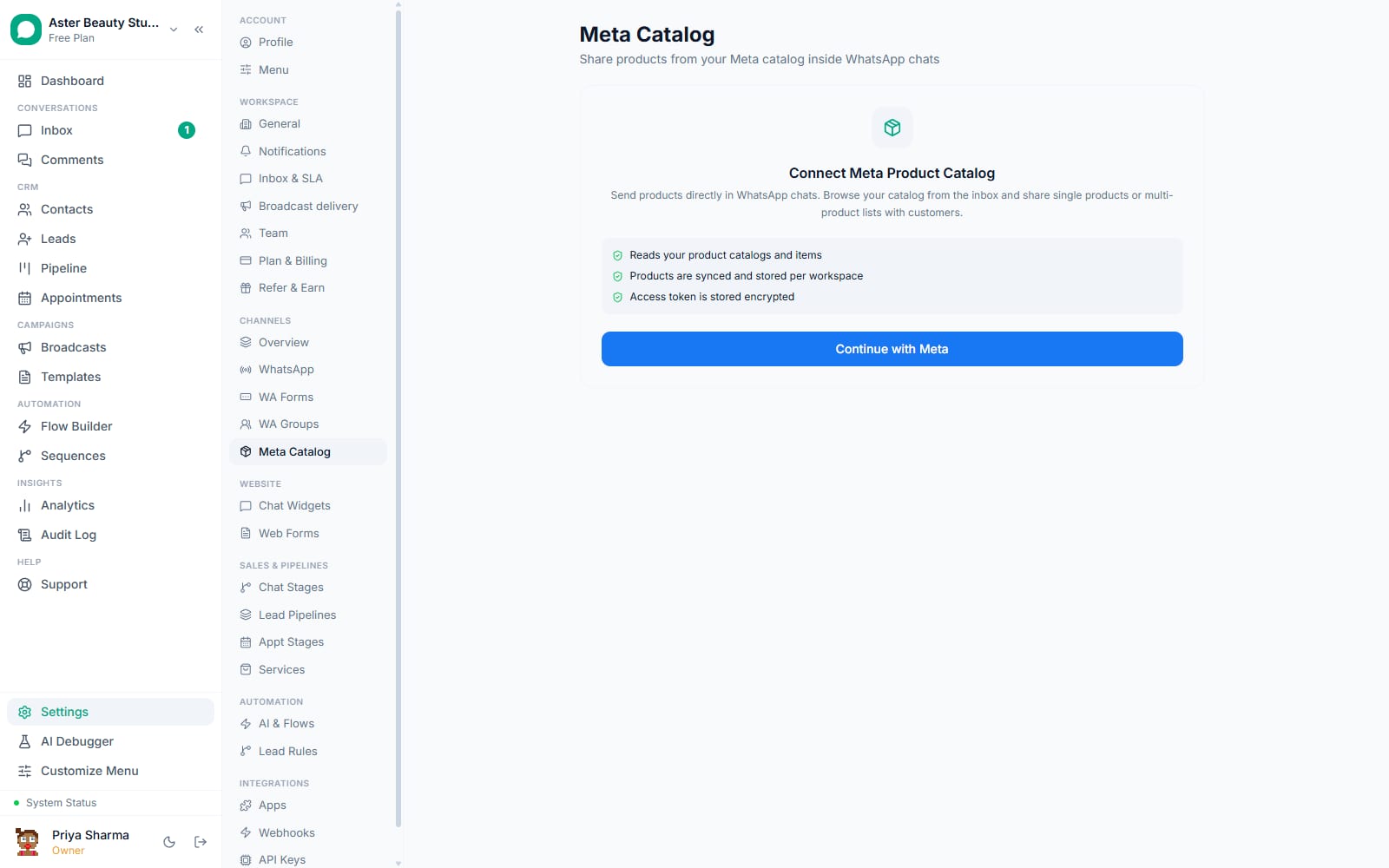
- Connect your catalog. From Settings > Meta Catalog, continue with Meta. VGraple CRM lists every catalog your Meta Business account has access to; pick the one to connect.
The initial sync runs. Every product's retailer ID, name, description, price, currency, image URL, availability, condition and category is pulled in a paginated read of your full catalog and stored against your workspace.
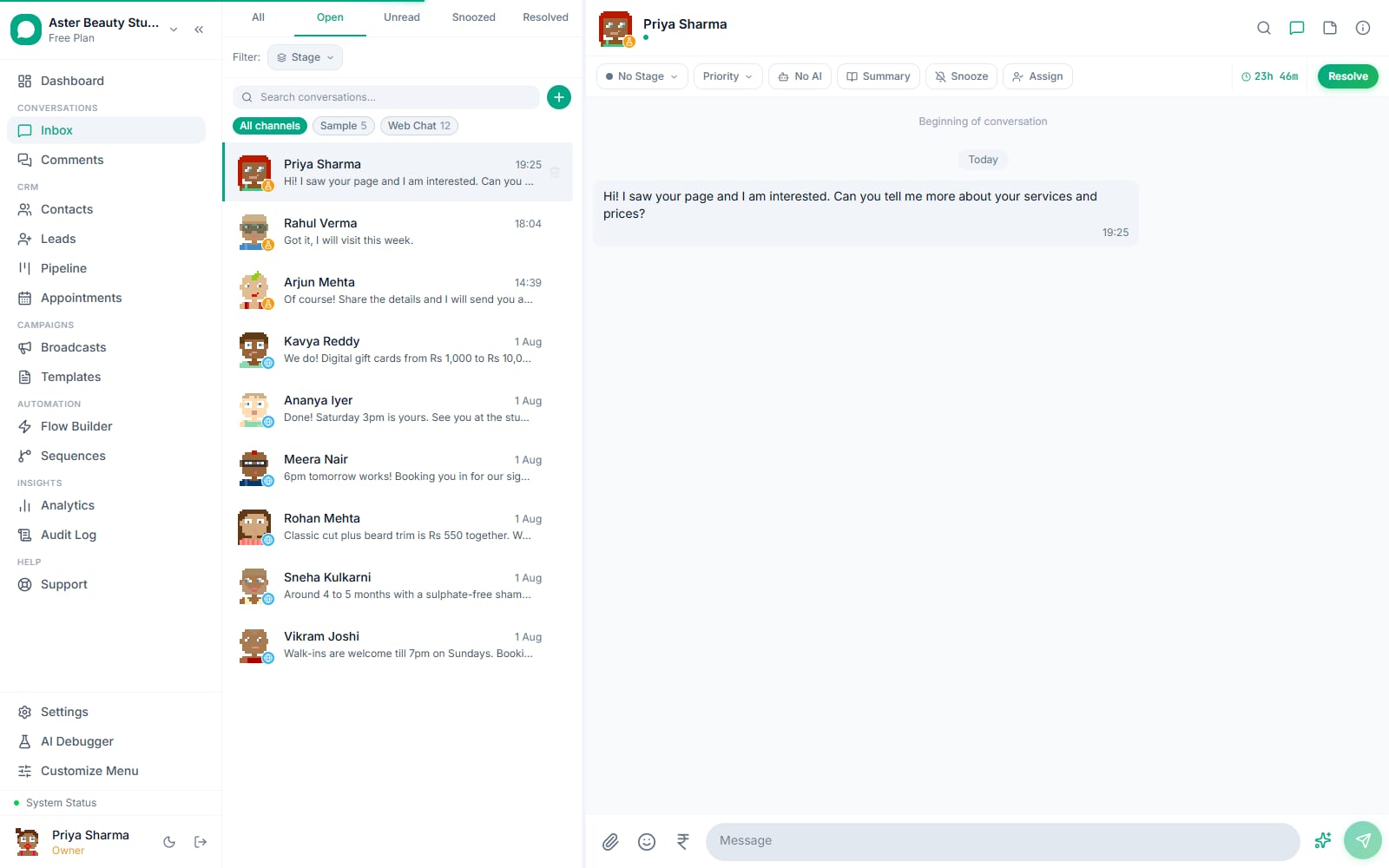
Turn on catalog access for agents. The Catalog enabled toggle puts a shop icon in the inbox composer so agents can browse and send products from any conversation; the separate Allow add-to-cart toggle lets customers build an order using WhatsApp's native cart.
Send a product from the inbox. From an open conversation, an agent opens the catalog picker, searches or filters by availability, and sends either a single product, several products grouped into named sections, or the whole catalog as a browsable message.
Or let a flow send it automatically. In Flow Builder, a Send Product step takes a catalog and a retailer ID, either fixed or built from a variable, so a chatbot can reply with the exact product a customer asked about by name, or the product tied to a button they tapped.
Re-sync whenever your Meta catalog changes. A Re-sync button pulls the latest prices, availability and any new or removed products, upserting existing rows instead of duplicating them, and a sync history log records who synced and how many products changed.
What is the difference between the three ways to send a product?
Sending the wrong message shape for the situation, one product when someone wants to compare three, or the full catalog when someone asked about one specific item, wastes the conversation's momentum. A single product message shows one item's image, name, price and a View button, the right shape when a customer already knows what they want or asked about a specific item by name. A multi-product message adds a header and body text plus up to 30 products organised into named sections, letting a customer compare several options, "Colour options" or "Under Rs 2,000," in one message instead of five separate ones. A full catalog message shows a "View catalog" button that opens your entire browsable catalog inside WhatsApp's native interface, the right shape when someone wants to browse rather than be shown a curated shortlist.
| Message type | Shows | Best for |
|---|---|---|
| Single product | One product with image, price, View button | A specific item someone asked about |
| Multi-product list | Header, body, up to 30 products in named sections | Comparing a curated set of options |
| Full catalog | "View catalog" button opening the whole browsable catalog | Open-ended browsing |
Example
A salon's WhatsApp bot detects the word "facial" in an inbound message and replies with a multi-product list titled "Facial Treatments" grouped into "Under 45 minutes" and "Deep cleanse packages," rather than dumping the entire 60-item service catalog on someone who asked about one category.
How does a flow send the right product automatically?
A chatbot that can only send a fixed, hardcoded product is not much more useful than a static price list. The Send Product step in Flow Builder accepts a catalog and a retailer ID field that supports the same variable interpolation used everywhere else in flows, meaning the retailer ID can come from what the customer typed, a button payload they tapped, or a value set earlier in the conversation. If the referenced catalog or product cannot be resolved at execution time, for example a product was deleted from Meta's catalog after the flow was built, the step logs a warning and the flow continues to its next step rather than sending a broken message or halting the whole conversation.
This means a single flow, not thirty separate hardcoded flows, can serve "show me the product for whatever the customer just picked," which is the pattern that scales past a handful of SKUs.
How does availability and pricing stay accurate?
A product message showing a price that changed last week, or an item marked in stock that sold out yesterday, erodes trust fast. VGraple CRM does not manage inventory or pricing itself, deliberately: it treats Meta Commerce Manager as the single source of truth and re-reads price, availability and condition directly from Meta's catalog API on every sync. There is no separate price field to remember to update inside VGraple CRM, and no risk of the two systems disagreeing, because there is only one system of record.
The tradeoff is honesty about latency: what a customer sees in WhatsApp is as current as your last re-sync, not live at the second someone messages. For most businesses running a manual or scheduled re-sync covers this fine; a business updating stock multiple times a day should re-sync at the same cadence, using the Re-sync button in Settings > Meta Catalog.
Is there a separate catalog for service businesses?
Not every business selling through WhatsApp has physical products to list in a Meta catalog, a salon sells appointment slots, a clinic sells consultations, a coaching institute sells course seats. For exactly this case, Settings > Catalog offers an internal Service Catalog, unrelated to the Meta product catalog: services, products or packages with a name, category, exact or ranged pricing, duration and an optional deposit amount, plus which staff members offer each one. This catalog exists specifically to supply variables to booking flows and WhatsApp Flow forms, name, price, duration, rather than to send catalog-style product messages, since WhatsApp's native product message format assumes a Meta catalog behind it. A business that books appointments through Calendly integration does not need an entry here at all; it becomes useful the moment a flow needs to reference a service's name or price by variable.
Example
A tattoo studio lists "Fine Line Tattoo, Small" as a service with a price range of Rs 3,000 to Rs 8,000, a 90-minute duration and two assigned artists. A WhatsApp Flow booking form pulls that name, price range and duration into the confirmation message automatically, without anyone typing it by hand into the flow.
Who uses it
D2C stores send multi-product lists grouped by category in response to common questions, "what skincare do you have for oily skin," letting a customer compare four products without an agent typing four separate replies. See WhatsApp CRM for D2C.
Salons and spas use the internal Service Catalog to power appointment-booking flows with accurate service names, durations and pricing, while sending their retail product line (shampoos, styling products) through the Meta catalog as ordinary product messages. See WhatsApp CRM for salons.
Tattoo and piercing studios list services with price ranges and staff assignment in the Service Catalog, since a custom tattoo rarely has one fixed price the way a retail product does. See WhatsApp CRM for tattoo studios.
Travel agents send a full-catalog "View catalog" message for a season's package listings, letting a customer browse every destination in one tap rather than describing five packages in a wall of text. See WhatsApp CRM for travel agencies.
What Meta allows
VGraple CRM reads and displays whatever your Meta catalog contains; it performs no content moderation of its own on top of Meta's commerce review, since duplicating that check would only create a second, inconsistent gate on the same products.
Plans and limits
Catalog connection, product sync, and sending products from the inbox or from flows are available on every plan, including Free, with no cap on the number of synced products, catalog messages sent, or connected catalogs. The internal Service Catalog is likewise available on every plan.
Recent improvements
- 2026-06-16: Catalog settings routes were renamed as part of a wider URL consistency audit, so the Meta product catalog and the internal Service Catalog now sit at clearly distinct, self-explanatory paths in Settings.
- 2026-06-11: Catalog product prices were moved to a fixed-precision decimal type instead of a floating-point number, fixing rounding drift that could otherwise show a synced price a fraction of a rupee off from what Meta reports.
- 2026-06-11: Meta Catalog self-service shipped in full: OAuth connection with CSRF-protected state, catalog picker, product browser and toggles, catalog product sync, and sending a single product from a Flow Builder step with a variable-driven retailer ID.