On this page
In short
- A keyword rule replies publicly to a comment and follows up with a private DM, both within Meta's comment-to-DM allowance
- Moderate every comment across your connected Pages from one live feed: reply, hide, unhide or delete without opening Facebook or Instagram
- The private DM lands as a real conversation in your shared inbox, ready for a human agent or a flow to take over
- This is a live, approved feature, not an early-access or waitlisted capability
Every comment on a Facebook or Instagram post is a visible sign of interest, and VGraple CRM turns it into a tracked conversation automatically: a keyword rule replies publicly within seconds, follows up with a private DM on the same platform, and the DM lands in your shared inbox ready for a human or a flow to take over. What changes for a business running ads or organic posts is that "price please" in a comment thread stops being something a social media manager checks once a day; it becomes a lead the moment it is typed.
What you get
- Comment monitoring across every connected Facebook Page and Instagram Business Account
- Keyword-triggered automation rules with a public reply and a private DM follow-up, per platform or both
- A once-per-user option so repeat commenters do not get repeat private messages
- Optional automatic lead creation from a matching comment, straight into your pipeline
- A live moderation feed: reply, hide, unhide or delete any comment without opening Facebook or Instagram
- Bulk moderation actions and a keyboard shortcut for fast triage of a busy post
- Private DM replies that land as real conversations in your shared team inbox, taggable and assignable like any other thread
How it works
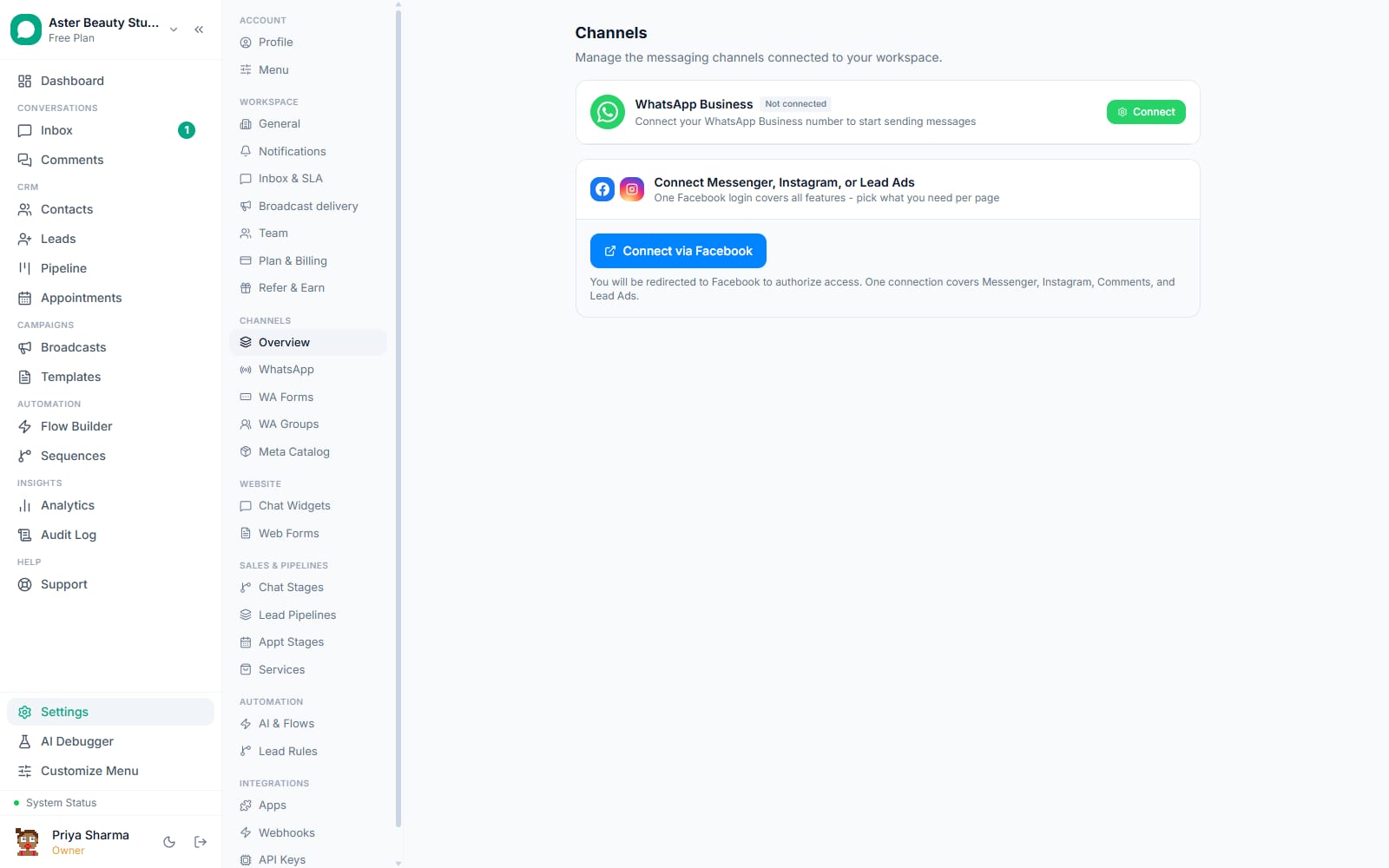
- Connect your Facebook and Instagram pages. In Settings, connect the Facebook Page and linked Instagram Business Account you want monitored. VGraple CRM starts watching comments on every post from those pages once connected.
Create a comment automation rule. Choose the channel (Facebook, Instagram or both), optionally scope it to a single post, set keywords with contains or exact matching (or leave them blank to match every comment), and write the public reply and the private DM message that follows it.
Turn on lead creation, if you want it. Set the rule to create a lead in a chosen pipeline the moment it matches, so an interested commenter is tracked as a deal from the first reply.
Watch it run. A matching comment gets an instant public reply, a private DM lands in the commenter's Messenger or Instagram inbox, and that DM opens as a conversation in your shared team inbox with the comment and post it came from attached for context.
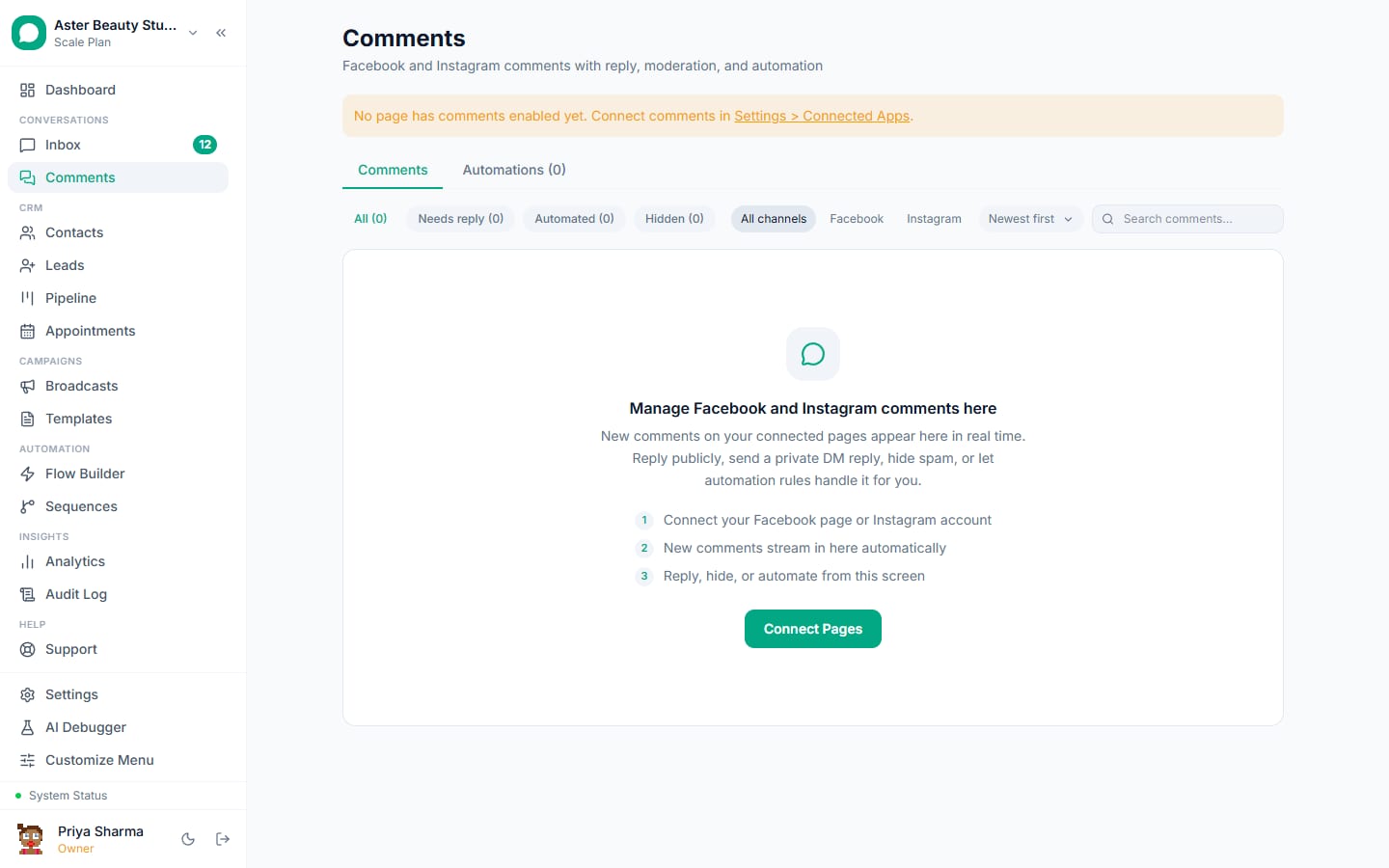
Moderate from one feed. Open Comments to see every comment across your connected pages in one live list. Reply, hide, unhide or delete individually or in bulk, and use the keyboard shortcut to hide a comment instantly while scanning a busy post.
How does the public reply plus private DM pattern actually work?
When a comment matches a rule, VGraple CRM does two things in sequence. First, it posts the configured public reply as a threaded response beneath the comment, visible to everyone, which is how a keyword-triggered "price please -> check your DMs!" pattern typically reads. Second, it sends a private reply, a DM that Meta explicitly allows a Page or Instagram account to send in response to a public comment, one per comment, which is the mechanism that lets you move the conversation private without the commenter having messaged you first.
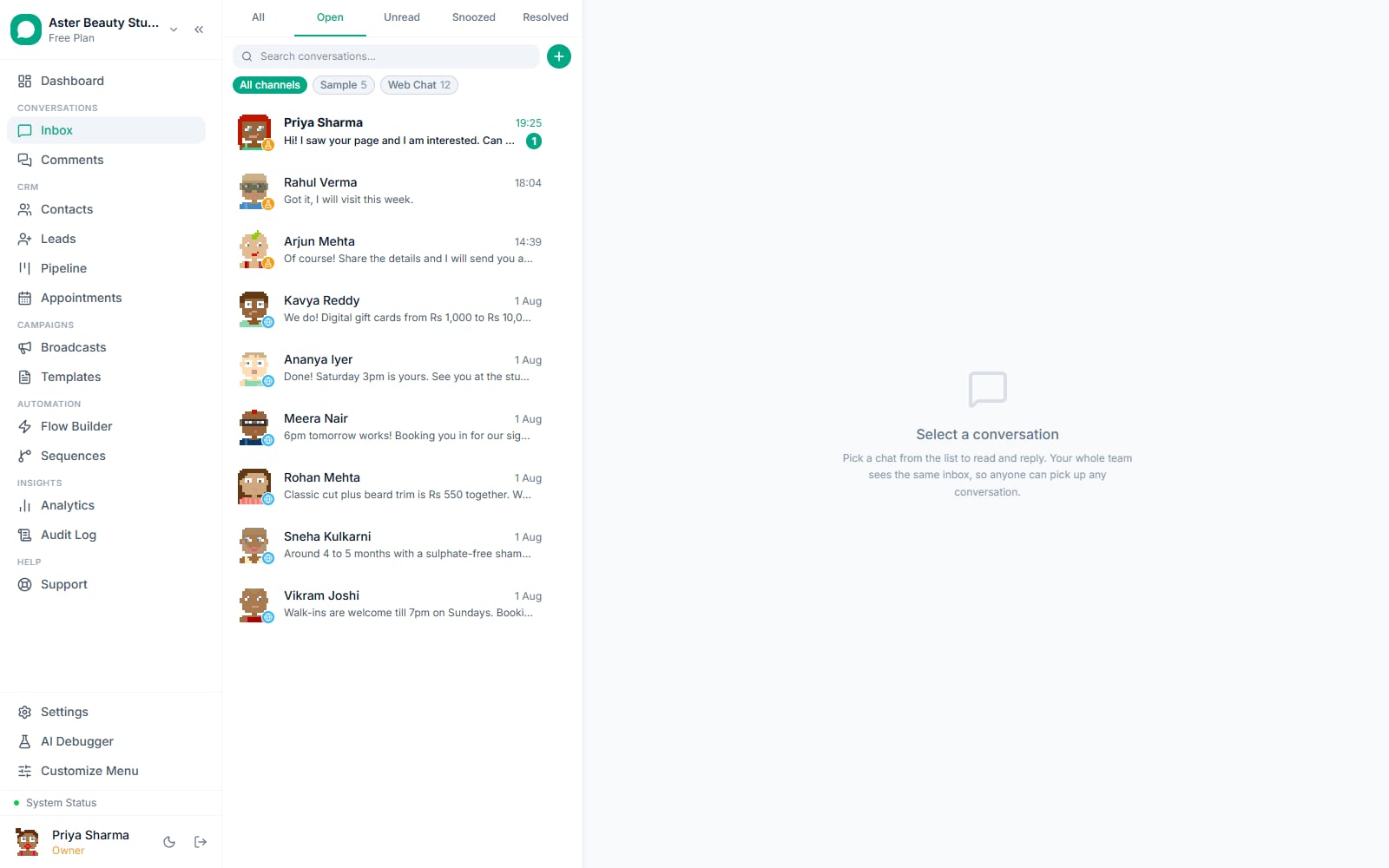
The private DM opens (or continues) a real conversation in your shared inbox on the matching channel, Messenger for a Facebook comment, Instagram DM for an Instagram comment, with the original comment and post linked for context, so an agent picking it up sees exactly what prompted the message.
Example
A retail brand runs a giveaway post asking people to comment "ENTER". A rule matching that keyword posts a public "Thanks for entering, check your DM for the next step!" and privately messages each commenter the entry instructions, with once-per-user turned on so someone commenting five times only gets messaged once.
How does duplicate protection work?
Meta itself only allows one private reply per comment, so a rule always sends at most one DM per matching comment regardless of settings. The "once per user" option goes further: it checks whether this rule has already acted on this same commenter across any of their earlier comments, and skips them if so, which stops a person who comments "interested" on five different posts from getting five separate private messages from the same rule. Public replies are not affected by this setting and can still post on every matching comment, since a public reply carries no messaging-consent implications the way a DM does.
What moderation can I do without leaving VGraple CRM?
The Comments view pulls every comment from every connected page into one feed, newest first, with reply, hide, unhide and delete actions available directly on each row. Hiding a comment removes it from public view on the post without deleting it, which is the standard way to deal with spam or an off-topic comment while keeping a record; deleting removes it permanently. Bulk selection lets you hide, unhide or delete several comments at once, and a single keyboard shortcut hides the currently focused comment, which matters when a viral post brings in comments faster than a mouse can keep up.
| Action | Effect |
|---|---|
| Reply | Posts a threaded public reply, same as commenting back manually |
| Hide | Removes the comment from public view; recoverable with unhide |
| Unhide | Restores a previously hidden comment |
| Delete | Removes the comment permanently |
Who uses it
D2C brands run keyword rules on giveaway and launch posts, turning "price?" and "want this" comments into private DMs with a product link and a tracked lead. See WhatsApp CRM for D2C.
Real-estate agencies reply to "interested" comments on a new-listing post with a private DM asking budget and preferred locality, creating a lead automatically. See WhatsApp CRM for real estate.
Coaching institutes catch enrolment-intent comments on ad posts ("how to join", "fees?") and move the conversation to a private DM where a WA Flow can qualify the lead further. See WhatsApp CRM for education.
Marketing agencies manage comment moderation and auto-reply for multiple client pages from one screen, instead of logging into each client's Facebook Business Suite separately. See WhatsApp CRM for marketing agencies.
With VGraple CRM vs checking comments by hand
| Checking Facebook and Instagram manually | VGraple CRM comment automation | |
|---|---|---|
| Response time | Whenever someone checks, often hours | Seconds, automatically, any time of day |
| Moving to a private conversation | A manual DM, easy to forget | Automatic private reply, one per comment, every time |
| Duplicate messages | Easy to accidentally repeat | Once-per-user option prevents it |
| Multiple pages | Switch between Facebook and Instagram apps | One feed across every connected page |
| Lead tracking | A comment is just a comment | Automatic lead creation into your pipeline |
| Moderation | Native app tools only | Reply, hide, unhide, delete and bulk actions in one screen |
What Meta allows
Comment automation runs on the official Facebook and Instagram Graph API, using the same connected-page permissions as the rest of VGraple CRM's Meta DM channels; there is no separate app review track for comments beyond the standard Page and Instagram messaging permissions already covering the rest of the platform.
Plans and limits
Comment monitoring, automation rules, moderation and the private-DM pattern are available on every plan, including Free, with no cap on the number of rules or connected pages. Where a rule creates a lead, that lead counts against your plan's contact limit the same as any other lead source; where a private DM opens a new conversation, it counts toward your plan's monthly conversation quota the same as any other new conversation, WhatsApp, Instagram, Messenger or web chat alike.
Recent improvements
- 2026-07-15: The app-wide dropdown and settings-tab consistency sweep reached the Comments moderation feed and the rule builder.
- 2026-07-13: The Zapier integration and outbound webhook event API shipped, giving comment and lead-creation events a path to external tools.
- 2026-07-05: The Comments page moved to real server-side pagination and sorting, with a moderation permission fix, so a high-comment-volume page loads and moderates reliably at scale.
- 2026-07-03: Real profile photos now show for Meta channel contacts in the inbox and comment feed, instead of a generic placeholder avatar.