On this page
- What you get
- How it works
- How does collision detection actually work?
- What happens when a human takes over from the AI?
- How does SLA tracking work, and what counts as a breach?
- What message formats does the inbox actually show?
- How does realtime sync survive a dropped connection?
- Who uses it
- What Meta allows
- Plans and limits
- Recent improvements
In short
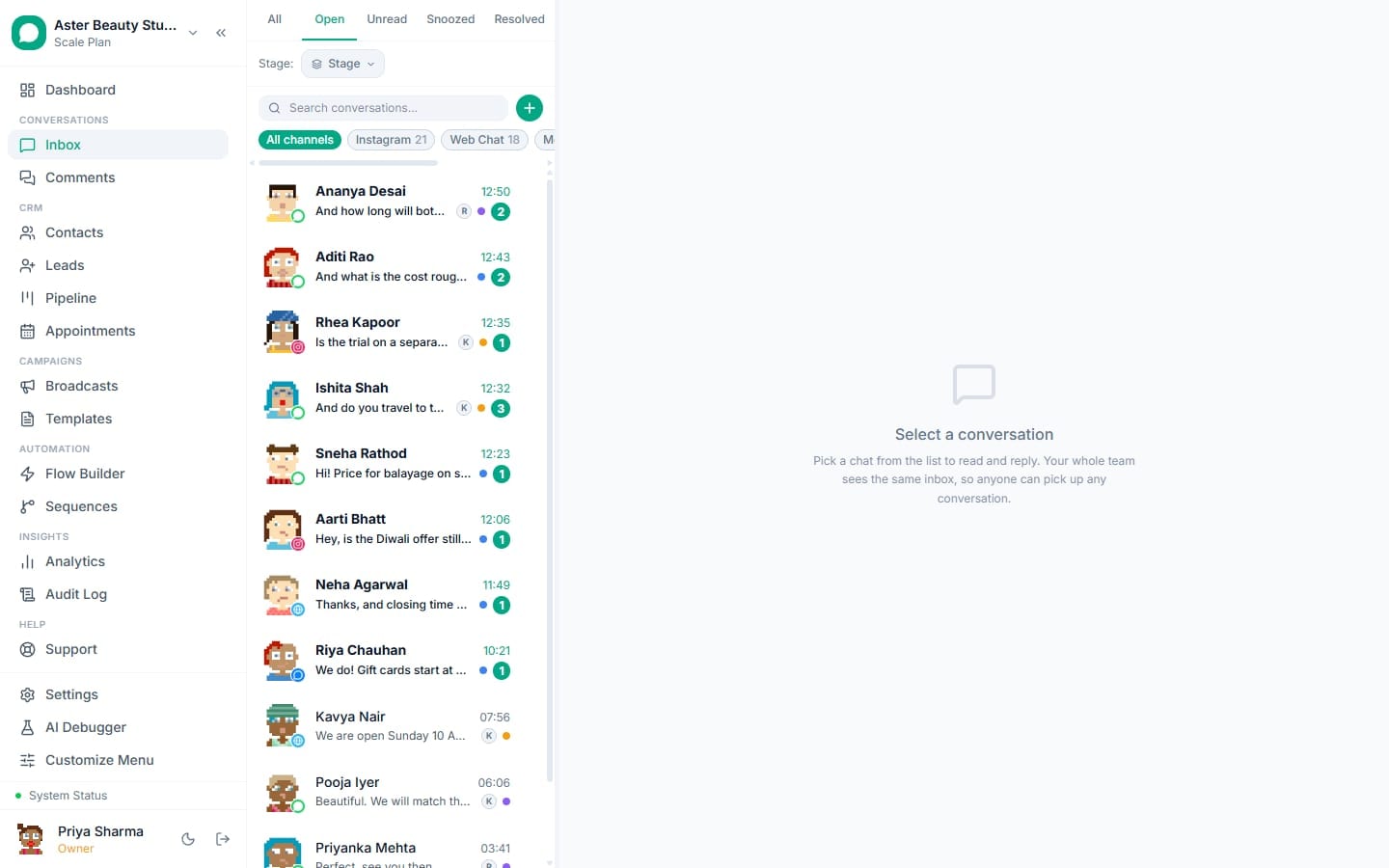
- One WhatsApp number, Instagram DM, Messenger, web chat and comment thread, all in one inbox
- Auto-assignment gives every new conversation to the agent with the fewest open chats, not the fastest clicker
- A collision warning shows when a teammate is already looking at the same conversation
- Every reply from a human pauses the AI bot for that thread automatically
A shared team inbox lets every agent on your team send and receive from the same WhatsApp number, Instagram account, Messenger page and website chat widget from one screen, with conversations assigned, tagged and tracked so nothing sits unanswered and no two agents reply to the same customer at once. What changes for a business moving off a phone or a single-login WhatsApp Business app is accountability: every conversation has an owner, a status and a response-time target, visible to the whole team.
What you get
- One inbox for WhatsApp, Instagram DM, Messenger, web chat and Facebook/Instagram comment threads
- Auto-assignment by current workload, plus manual reassignment and a live collision warning
- SLA targets with breach alerts, so a slow first response gets flagged before the customer complains
- Internal notes, tags and pipeline-style chat stages that stay invisible to the customer
- Canned replies (quick replies) shared across every channel, searchable from the composer
- Full rendering of WhatsApp message types: reactions, quoted replies, voice notes, documents, stickers, locations and contact cards
- AI conversation summaries and reply suggestions that pause automatically the moment a human replies
- Realtime sync with gap recovery, so a dropped connection never silently loses a message, on both web and the Android app
How it works
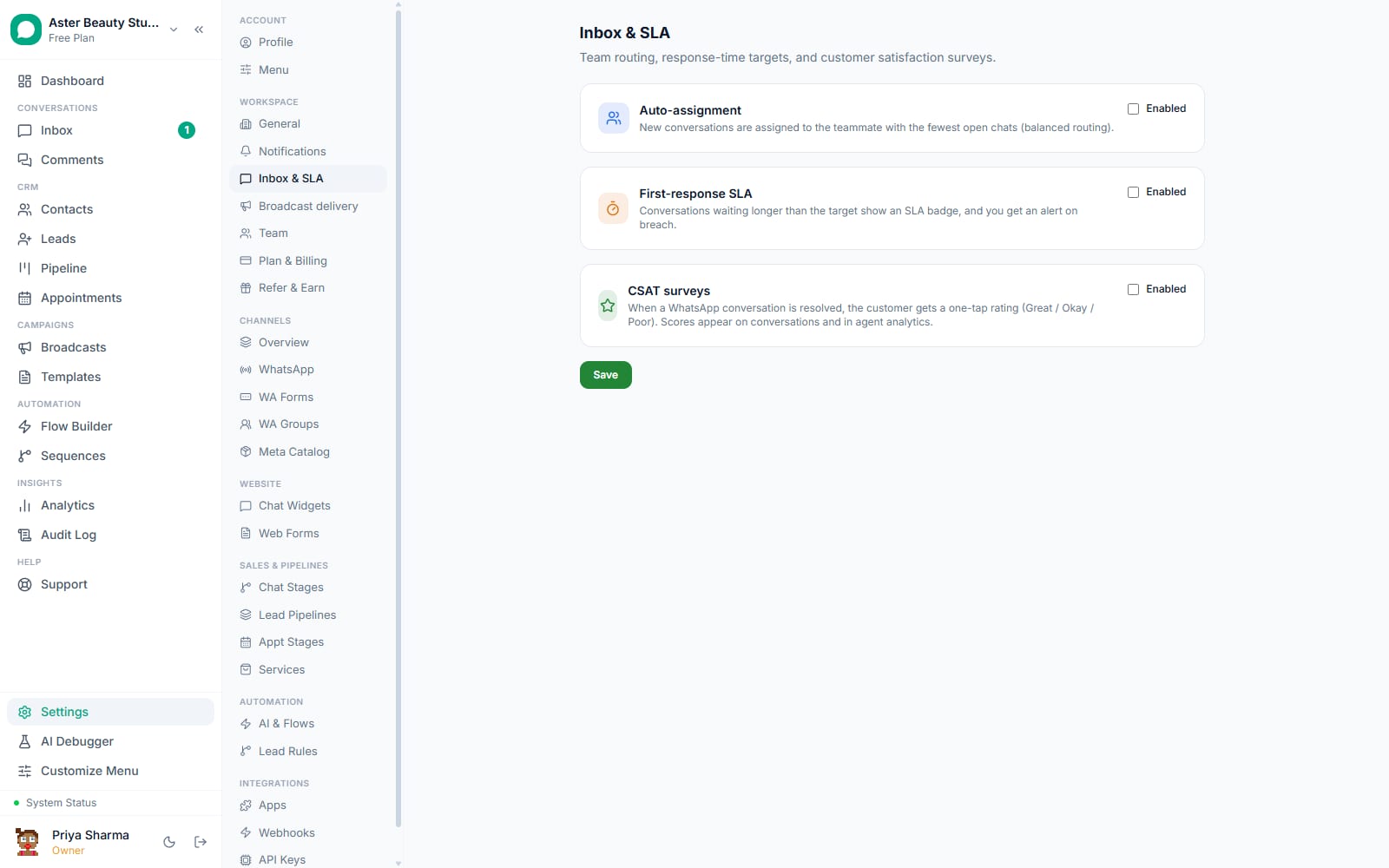
- A new message arrives and gets assigned. When auto-assign is on, a new conversation goes to the org member with the fewest currently open assigned conversations, with ties broken by who was assigned least recently, so workload stays balanced rather than going to whoever is fastest to claim it. Deactivated team members are never assigned new work.
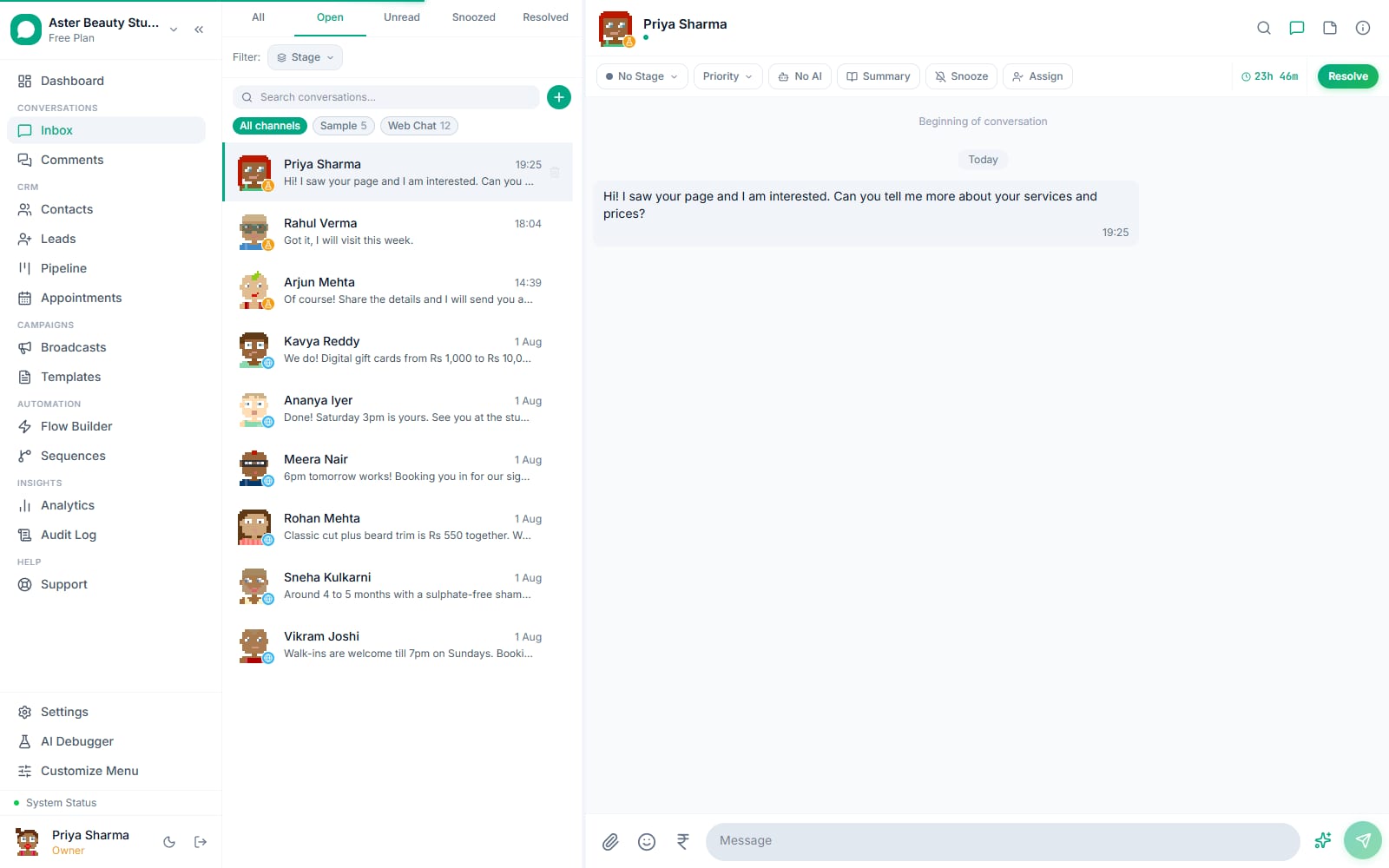
The agent opens the thread and sees the real message. Every message renders as the customer actually received it: a template shows its header image, body, footer and every button; a voice note plays inline; a quoted reply shows the message it replied to, even if that message is outside the currently loaded page.
The agent replies, tags, or hands off. Inside the 24-hour customer service window the composer is free text with canned-reply suggestions; once the window closes it switches automatically to a template picker so a doomed free-form send is never attempted. A live countdown in the header shows time left in the window. Tags and chat stages update from the same panel, and an internal note lets a colleague see context without it reaching the customer.
SLA timers run in the background. A first-response target ticks from the moment a conversation opens; if it is not met, a breach alert fires to the team, both in-app and, where configured, by email or push, without an agent having to watch a stopwatch.
The AI hands off cleanly when a human steps in. If a chatbot flow or AI reply is running in a conversation, a human reply from any channel pauses it immediately for that conversation and stops any bot flow mid-run, so the customer never gets a bot reply layered on top of a human one.
How does collision detection actually work?
When two agents open the same conversation, each one sees a live notice naming who else is viewing it, updated the moment someone opens or closes the thread. It will not stop a second agent from typing a reply, but it removes the single most common cause of a customer getting two different answers to the same question: nobody knowing a colleague already had the thread open. Combined with balanced auto-assignment, in practice most conversations only ever have one agent looking at them at a time.
Example
A clinic's front-desk WhatsApp number gets a message during a shift handover. Both the outgoing and incoming staff member open the conversation within seconds of each other; each sees "Priya is also viewing this conversation" at the top of the thread and one of them steps back instead of both replying.
What happens when a human takes over from the AI?
The moment an agent sends a manual reply in a conversation, whether the bot was mid-flow or just idling, the conversation flips to AI-paused: any running flow execution is stopped, and the AI will not generate further replies in that thread until an agent explicitly resumes it from the toggle in the conversation header. The pause persists for the rest of that conversation; resolving it and starting a fresh conversation with the same contact returns control to the bot by default.
This also affects disclosure. Meta requires disclosing to a customer when a conversation is being handled by an automated experience. Because a human took over, the disclosure state clears, so if the bot is ever resumed on that same thread later, it discloses again rather than assuming the customer still remembers.
How does SLA tracking work, and what counts as a breach?
You set a target first-response time for the organisation. The system times every new conversation from the moment it opens and compares the time to the first agent reply against that target. A conversation that crosses the target without a reply triggers a breach alert, visible in the inbox and, where configured, pushed to email or mobile so a manager does not have to watch a live dashboard to catch a slipping response time.
This runs alongside balanced auto-assignment on purpose: a queue that assigns evenly but has no visibility into response times just moves the bottleneck around instead of fixing it. Together they answer both halves of the same question, who owns this conversation, and are they answering it fast enough.
What message formats does the inbox actually show?
WhatsApp supports far more than plain text, and a thread that cannot show what a customer actually received makes it impossible for an agent to answer "what did you get from us?" honestly. VGraple CRM's thread renders bold, italic, strikethrough and monospace text formatting; message reactions; quoted replies (resolved from the database, not just whatever page happens to be loaded, so a reply to an old message still shows its quote); images, videos, documents, stickers, locations and contact cards; and voice notes distinguished from regular audio attachments.
Template messages, sent from a broadcast, a flow, a sequence, an automation rule or directly from the inbox, render with their full header media, body with variables already filled in, footer, every button type (quick reply, URL, call, copy code, one-time-passcode), carousel cards, and limited-time-offer strips with their coupon code, exactly as the customer's WhatsApp app displayed them, on both the inbound and outbound side.
How does realtime sync survive a dropped connection?
The inbox subscribes to a live event stream, and every event your organisation generates gets a monotonically increasing id. On a normal reconnect, whether from a browser tab regaining focus or a mobile network switching from WiFi to cellular, the client sends the id of the last event it saw and the server replays everything it missed since, so a message that arrived while you were offline for thirty seconds still shows up. If the gap is too large to replay, because the server restarted or the buffer was trimmed, the client is told to refetch fresh data from the API instead of quietly showing a stale thread. The Android app uses the same mechanism, so a conversation you left mid-reply on your desktop is current when you pick up your phone.
Who uses it
Salons and spas with two or three front-desk staff sharing one WhatsApp number use auto-assignment so booking questions do not pile up on one person while another sits idle, and chat stages to track a lead from "asked about pricing" to "booked." See WhatsApp CRM for salons.
Clinics route patient messages by tag (billing, appointments, reports) so the right staff member answers each type without every message hitting a general queue. See WhatsApp CRM for clinics.
Coaching institutes handle admission-season volume across a small counselling team, using SLA alerts to make sure no enquiry sits unanswered during peak enrolment weeks. See WhatsApp CRM for coaching institutes.
Travel agencies manage Instagram DM enquiries about packages alongside WhatsApp booking conversations in the same inbox, so an agent handling a customer across both channels has one thread history, not two. See WhatsApp CRM for travel agencies.
What Meta allows
VGraple CRM enforces the WhatsApp window at the composer level (it will not let you attempt a free-form send once the window is closed) and shows the Meta Human Agent notice on Instagram and Messenger threads so an agent knows the extension applies and that automation will not run during it.
Plans and limits
The shared inbox, multi-channel unification, assignment, SLA alerts, canned replies, tags, chat stages and full message-format rendering are available on every plan, including Free, with agent seats capped by plan: 1 on Free, 5 on Starter, 15 on Growth, and unlimited on Scale. AI conversation summaries and AI reply suggestions require the Growth plan or above; organisations that had AI configured before that gate shipped keep it regardless of plan.
Recent improvements
- 2026-08-19/20: Templates in the inbox now render with full header media, footer, every button type, carousel cards and limited-time-offer strips, matching what the customer's WhatsApp app actually showed, on both inbound and outbound messages.
- 2026-08-14: Instagram and Messenger DM pipeline rebuilt with the same assignment, tags and quick-reply tooling as WhatsApp, including story replies and mentions.
- 2026-08-13: Meta DM AI escalation engine and guardrails shipped, giving Instagram and Messenger the same human-handoff safety net WhatsApp's chatbot already had.
- 2026-08-07: Message reaction events now carry the conversation id and the full post-change reaction list, so the mobile app applies a reaction instantly instead of refetching the whole thread.
- 2026-07-: Mark-as-unread and inbox search with jump-to-message shipped, alongside the unread tab's server-rendered list bug fixes.