On this page
- What you get
- How it works
- How is contact data encrypted, and why does it still stay searchable?
- What's the difference between a contact's source and source channel?
- How does duplicate contact merging work?
- What can a saved segment actually filter on?
- What consent keywords does VGraple CRM recognize?
- With VGraple CRM vs a spreadsheet or an unencrypted contact list
- Who uses it
- What Meta allows
- Plans and limits
- Recent improvements
In short
- Name, phone and email are encrypted at rest with AES-256-GCM; search runs against separate plaintext shadow columns, never the encrypted fields directly
- A nested AND/OR segment builder across 14 fields, including behavioral signals like broadcast opens and appointment history
- CSV import validates and normalizes phone numbers against 78 country dial codes before anything is saved
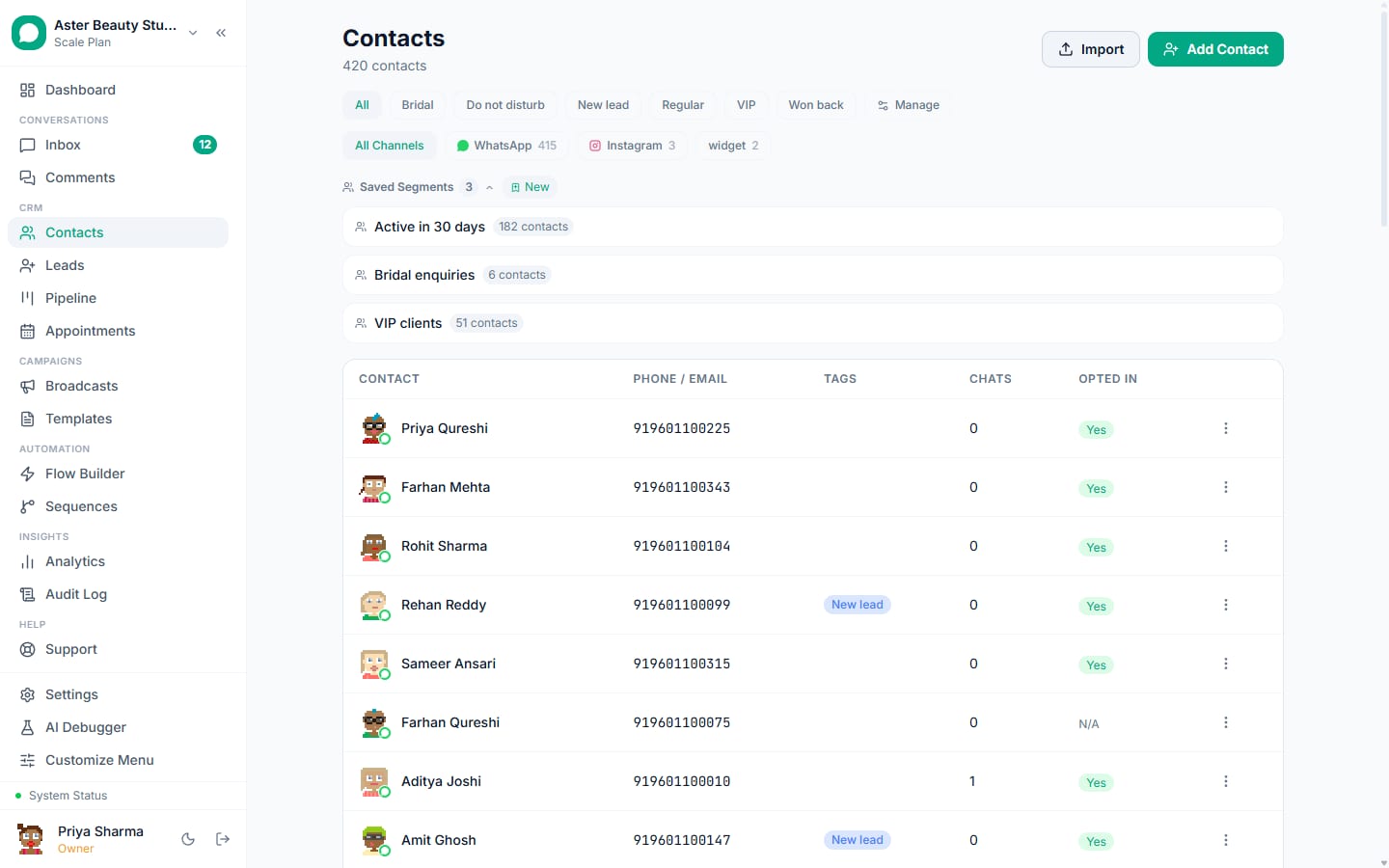
A WhatsApp contact record is the one place a customer's name, phone, conversation history, tags, custom fields and consent status live, and it's the audience every broadcast, sequence and flow reads from. VGraple CRM encrypts the personally identifiable parts of that record at rest, dedupes automatically when the same person shows up twice, and gives you a real segment builder, not a single tag filter, to decide who actually gets messaged.
What you get
- Name, phone and email encrypted at rest with AES-256-GCM, searchable through separate shadow columns rather than the encrypted fields themselves
- Automatic and admin-triggered duplicate merging that carries conversations, tags, notes and appointments onto the canonical contact
- A nested AND/OR segment builder across 14 fields, including behavioral and appointment-based conditions, not just static tags
- CSV import that validates and normalizes phone numbers against 78 country dial codes, with a downloadable error report for anything that failed
- WhatsApp opt-out and opt-in keyword detection, separate from the equivalent system for Instagram and Messenger
- Custom fields, tags, and a cross-channel history view showing every conversation a contact has had regardless of which channel it happened on
How it works
- A contact is created automatically or added manually. Someone messaging your WhatsApp number, submitting a form, or coming in from a lead ad creates a contact record on first contact; you can also add one directly or import a CSV.
Import validates every row before saving anything. Upload a CSV up to 5MB and 5,000 rows, map your columns to system fields, and the platform normalizes every phone number and flags invalid or duplicate rows before committing, with a downloadable errors CSV for anything it rejected.
Tag, add custom fields, and build a saved segment. Apply tags, fill in custom fields, and use the segment builder to combine conditions like opt-in status, tags, last-seen date and appointment history into nested AND/OR groups, saved for reuse as a broadcast audience.
Consent keywords are tracked automatically. A message containing STOP, cancel, or one of the other recognized opt-out words marks the contact opted out immediately and excludes them from future broadcasts and sequences; START and its equivalents reverse it.
Duplicates get merged, not left to pile up. When a web chat visitor's email matches an existing contact mid-conversation, the two are merged automatically; an admin cleanup tool handles the rest in bulk.
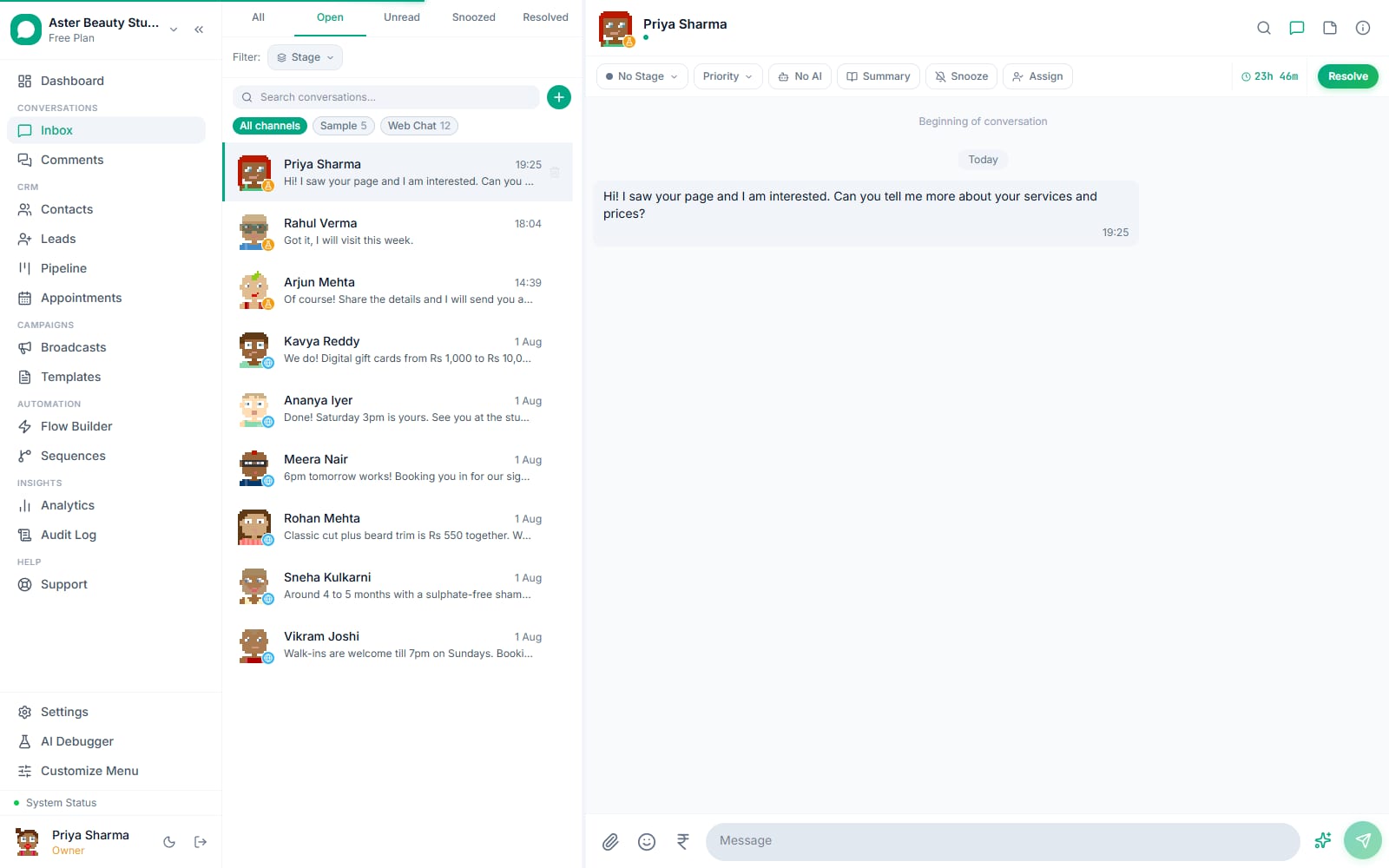
Every channel's history lives on one contact. A contact's full conversation history, whether it happened on WhatsApp, Instagram, Messenger or your web chat widget, is visible in one place, not scattered across separate per-channel records.
How is contact data encrypted, and why does it still stay searchable?
Name, phone and email are encrypted at rest with AES-256-GCM, and because encryption uses a fresh random initialization vector on every write, the same phone number produces different ciphertext each time it's saved, which means the encrypted columns can never be matched or searched against directly in SQL. To keep search and exact-match lookups working, the platform maintains separate plaintext, lowercased shadow columns (name_search, phone_search, and their email equivalent) that exist purely for search and identity lookups; the encrypted fields remain the source of truth for everything else, including what's displayed and what's sent to Meta.
Example
Searching "9876543210" in the contacts list matches against phone_search, a plaintext lowercase copy kept in sync on every write, never against the AES-256-GCM ciphertext stored in the phone column itself.
What's the difference between a contact's source and source channel?
Source channel is a routing guard: it's "whatsapp", "instagram", "messenger" or "web_chat", and it determines whether a contact can receive a WhatsApp broadcast or flow at all, a contact whose source channel isn't WhatsApp is automatically excluded from WhatsApp-only sends regardless of any other setting. Source is acquisition origin for reporting, where the contact first came from (WhatsApp, a form, Calendly, an import, a lead, manual entry), and it never affects message routing. Mixing the two up is a common source of "why didn't this contact get the broadcast" confusion; the answer is almost always source channel, not source.
How does duplicate contact merging work?
Merging moves every conversation, lead link, appointment, note, tag assignment and custom field value from a duplicate contact onto a canonical one, then soft-deletes the duplicate, so nothing in the customer's history disappears, it's all reattached to the surviving record. This runs automatically in one specific case: a web chat visitor mid-conversation who provides an email matching an existing contact gets merged into that contact live. For everything else, an admin duplicate-contacts cleanup tool finds and merges matches in bulk.
Example
A customer first messages your WhatsApp number, then later fills out a website chat widget with the same email address. The two records merge automatically, so their WhatsApp history and their chat widget conversation both show up under one contact.
What can a saved segment actually filter on?
Beyond simple tag or opt-in filters, segments support behavioral fields (has the contact received a broadcast, opened one, been active in the last N days) and appointment-based fields (had a specific service, appointment count, last or next appointment date, ever had a specific status like no-show). Every condition sits inside a group, and groups combine with AND or OR at two nesting levels, so a segment isn't limited to a flat list of ANDed filters the way a simple tag search is.
Example
A clinic builds a segment for "(tagged Returning Patient OR had 2 or more completed appointments) AND next appointment does not exist", to find loyal patients who haven't rebooked, for a targeted re-engagement broadcast.
What consent keywords does VGraple CRM recognize?
For WhatsApp, opting out is triggered by stop, stopall, unsubscribe, cancel, end, quit, optout, opt out or opt-out, matched case-insensitively; opting back in uses start, unstop, subscribe, optin, opt in or opt-out's reverse form. This list has been in place longer than the platform's Instagram and Messenger channels and is intentionally broader, including words like "cancel" and "end" that are plausible things to say about an order, not just a subscription. Instagram and Messenger use a separate, narrower keyword set (STOP, UNSUBSCRIBE, plus the Spanish CANCELAR) with its own single confirmation message per transition, matched as an exact whole-message instruction rather than a substring, so a sentence like "we can start on Monday" is never misread as an opt-in.
With VGraple CRM vs a spreadsheet or an unencrypted contact list
| Spreadsheet or basic contact list | VGraple CRM contacts | |
|---|---|---|
| Protecting phone numbers and names at rest | Plaintext in a database or spreadsheet | AES-256-GCM encrypted, searchable via shadow columns only |
| Merging a duplicate that comes in from two channels | Manual find-and-delete | Automatic merge on match, or a bulk admin tool |
| Segmenting by more than one condition type | Flat filters or manual sorting | Nested AND/OR groups across 14 fields |
| Validating imported phone numbers | Hope they're formatted right | Normalized against 78 country dial codes, errors flagged per row |
| Tracking an opt-out across every channel | Manual suppression list | Enforced automatically at every send, checked before every flow node |
| Respecting Meta's own marketing opt-out signal | Not applicable | marketing_stopped_at honored on marketing sends automatically |
Who uses it
Salons and clinics segment contacts by service history and next-appointment status to run targeted rebooking campaigns instead of broadcasting to everyone. See WhatsApp automation for healthcare.
D2C stores import their existing customer list via CSV, letting phone validation catch formatting issues from years of manually collected numbers before a single broadcast goes out. See WhatsApp automation for ecommerce.
Real-estate agencies merge leads that message on WhatsApp after first coming in through a website form, keeping one unified contact history per buyer instead of two disconnected records. See WhatsApp automation for real estate.
Coaching institutes build segments combining tag and broadcast-engagement conditions to reach only prospects who opened a previous campaign but haven't enrolled yet. See WhatsApp automation for education and coaching.
What Meta allows
VGraple CRM enforces both automatically: an opt-out keyword marks the contact and excludes them from every future broadcast, sequence and flow send, and Meta's marketing_stopped_at webhook is honored on marketing sends specifically, while still allowing a human agent to answer a question the contact asked, exactly as Meta's 24-hour service window permits.
Plans and limits
Contact management, segmentation, encryption, merging and consent tracking are available on every plan. What's capped by plan is total contact count: 500 on Free, 5,000 on Starter, 25,000 on Growth, and unlimited on Scale. CSV import is capped per file at 500 contacts and 5MB regardless of plan; a larger list needs multiple import passes.
Recent improvements
- 2026-06: OrgSetting values used for AI provider keys were moved to the same AES-256-GCM encryption pattern already used for contact PII, with legacy plaintext values passed through transparently during migration.
- 2026-06: Fixed a class of ghost web chat conversations created when a contact's session state didn't match their actual chat activity, which had been polluting per-contact history views.
- 2026-05: Contact avatars moved from a hosted DiceBear API call to the DiceBear npm package running in-process, fixing an issue where the same seed occasionally returned a different image on the first request than on subsequent ones.