On this page
- What you get
- How it works
- What can I do with the Zapier app specifically?
- What does the REST API actually cover?
- How does authentication and rate limiting work?
- Can Zapier see other API-managed webhook subscriptions I have not created myself?
- Why can I only send templates through the API, not free-form text?
- With VGraple CRM vs a typical WhatsApp CRM's integration options
- Who uses it
- What Meta allows
- Plans and limits
- Recent improvements
In short
- Six Zapier triggers (new message, new contact, new lead, lead stage changed, form submission, contact opted out) and three actions (send template, create/update contact, create lead)
- The REST API v1 backs the Zapier app directly; the same 8 endpoints are open to anyone with an API key
- Auth is a Bearer API key (vgk_...) from Settings > API Keys; the full secret is shown once and only its hash is stored
- 600 requests an hour per key, with a lower 20-campaigns-an-hour cap on the broadcast-creation endpoint specifically
The Zapier app connects VGraple CRM to thousands of other tools without writing code, six triggers and three actions built directly on the platform's public REST API, and the same API is open to anyone who wants to call it directly with an API key. What changes for a business is that WhatsApp data, a new lead, a reply, an opted-out contact, stops being locked to the inbox screen and can drive a Slack alert, a spreadsheet row, a CRM sync or a custom script the moment it happens.
What you get
- Six Zapier triggers: new message, new contact, new lead, lead stage changed, form submission, contact opted out
- Three Zapier actions: send template, create or update contact, create lead, plus a Find Contact by phone search step
- A REST API v1 with 8 documented endpoints backing the same functionality, open to direct developer use
- API keys (
vgk_...) shown once at creation, hashed at rest, individually rotatable and revocable - 600 requests an hour per key, high enough for real integration traffic without an enterprise-tier negotiation
- The same creation and safety paths as the UI: an API-created broadcast respects opt-in, daily limits and quiet hours exactly like one built in the composer
How it works
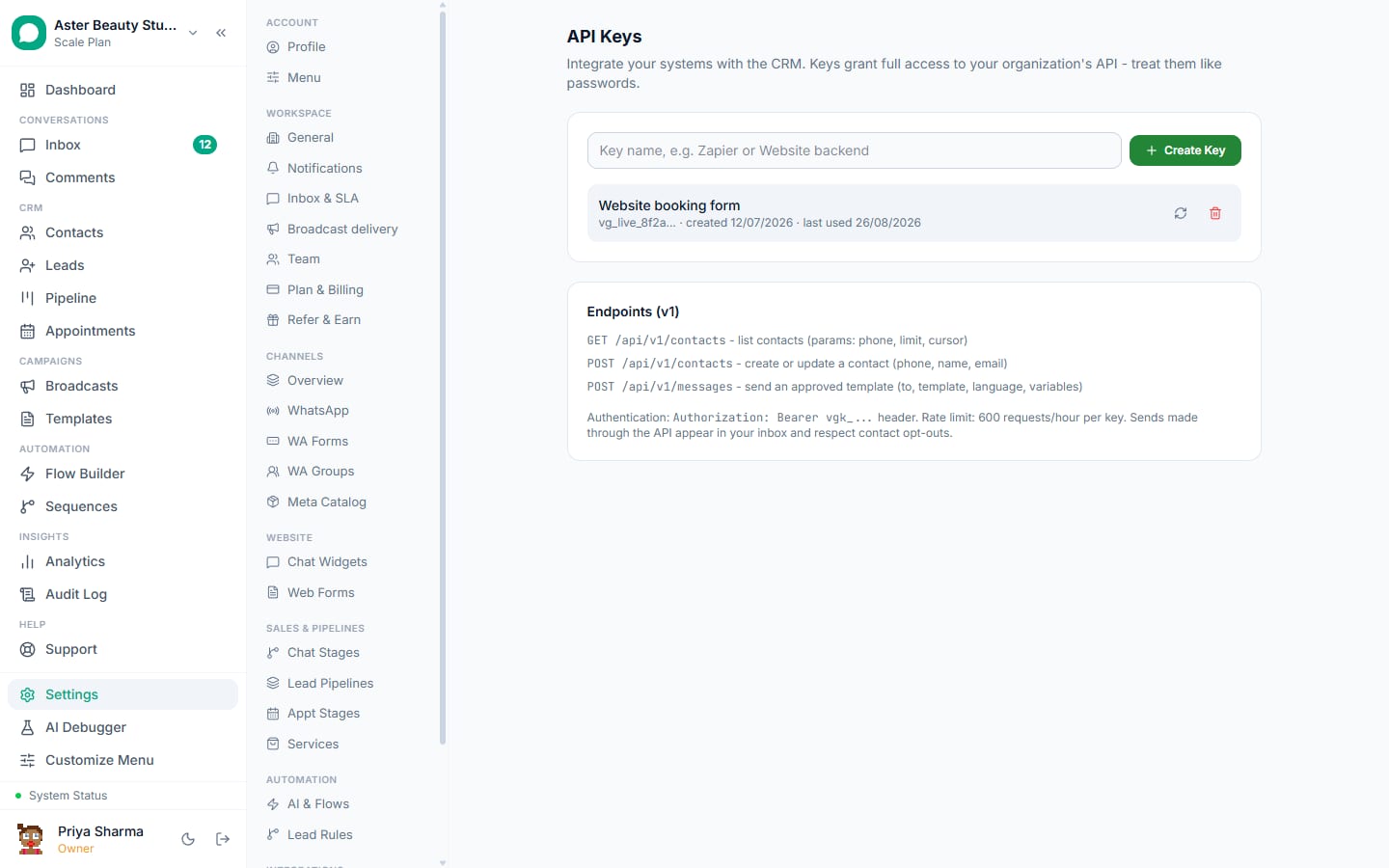
- Create an API key. In Settings > API Keys, name the key and click Create Key. The full secret is shown exactly once, copy it immediately; only its hash is stored, so VGraple CRM itself cannot show it to you again.
Connect the Zapier app, or call the API directly. In Zapier, search for VGraple CRM and paste the key when prompted; the connection test hits
GET /api/v1/me, which returns your organisation name and confirms the key works. For a direct API call, send the key asAuthorization: Bearer vgk_...on any request.Pick a trigger or an action. Choose from the six triggers (each backed by the same event system as outbound webhooks) or the three actions. Zapier's dynamic dropdowns for templates and pipelines are populated live from
GET /api/v1/templatesandGET /api/v1/pipelines.Turning a Zap on subscribes a webhook behind the scenes. Activating a trigger calls
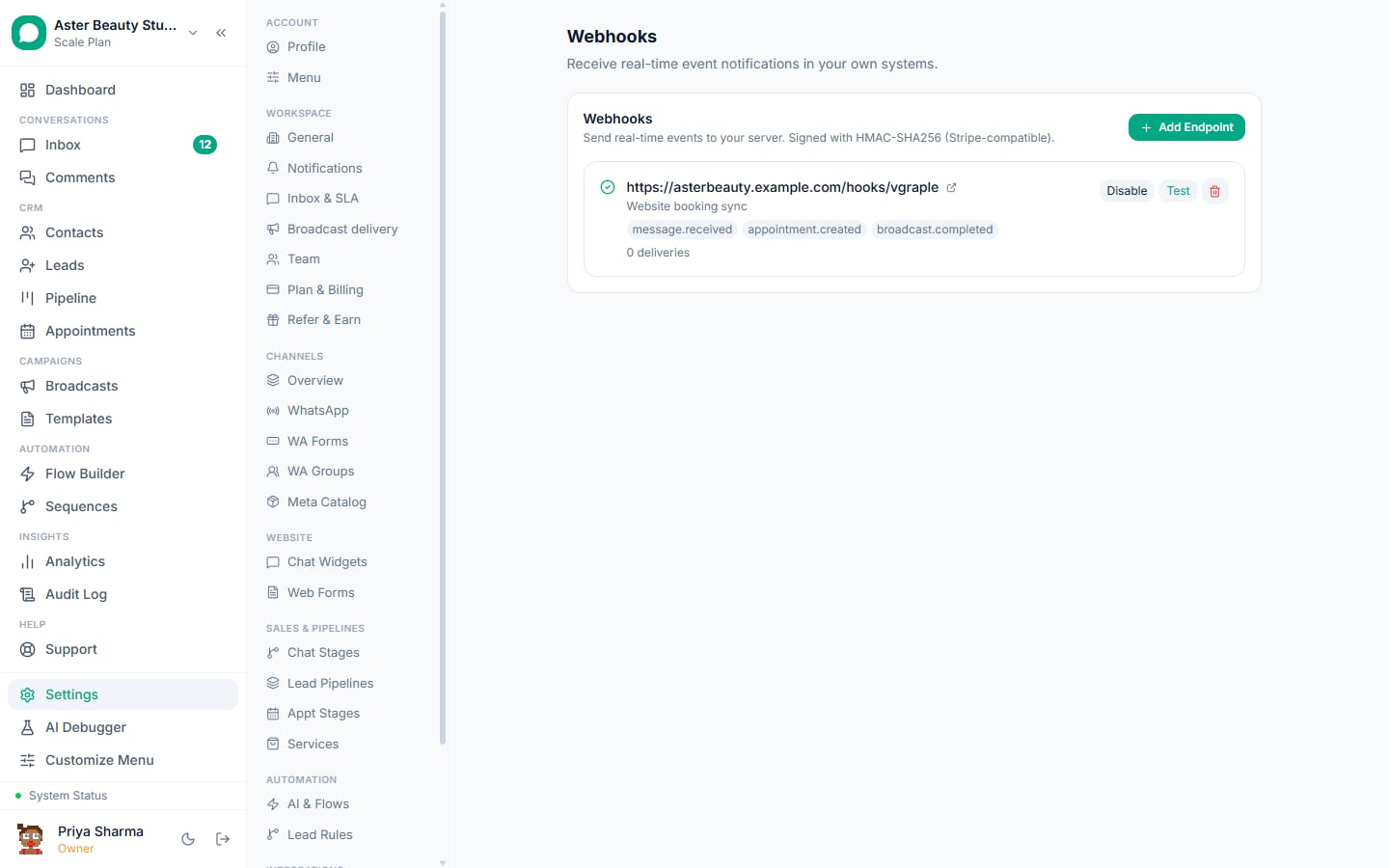
POST /api/v1/hookswith your Zap's callback URL and the relevant event, creating a row in the same webhook endpoint table used elsewhere in the platform, tagged with source "zapier" and shown with a Zapier badge in Settings > Webhooks.The event fires and Zapier receives it instantly. Because triggers are REST hooks, not polling, a new contact or a new message reaches your Zap within moments of it happening in VGraple CRM, not on a five-minute polling cycle.
Turning the Zap off unsubscribes it.
DELETE /api/v1/hooks/{id}removes the endpoint row, so a disabled Zap stops receiving events cleanly instead of accumulating dead subscriptions.
What can I do with the Zapier app specifically?
The Zapier app is a thin, no-code layer over the same public API described on this page, six triggers and three actions cover the situations that come up most: reacting to something that happened in VGraple CRM, or pushing a contact, lead or message into it from somewhere else.
| Type | Name | What it does |
|---|---|---|
| Trigger | New Inbound Message | Fires on message.received |
| Trigger | New Contact | Fires on contact.created |
| Trigger | New Lead | Fires on lead.created |
| Trigger | Lead Stage Changed | Fires on lead.stage_changed |
| Trigger | New Form Submission | Fires on form.submitted |
| Trigger | Contact Opted Out | Fires on contact.opted_out |
| Action | Send Template Message | Sends an approved template with a dynamic template dropdown and body variables as line items |
| Action | Create or Update Contact | Upserts a contact by phone number |
| Action | Create Lead | Creates a lead with a dynamic pipeline dropdown, runs the standard post-create automations |
| Search | Find Contact by phone | Looks up an existing contact for use later in the Zap |
Example
A D2C store builds a Zap: New Lead in VGraple CRM triggers a row in a Google Sheet used by the founder to review every enquiry each morning, with no manual export step.
What does the REST API actually cover?
The public API v1 is what the Zapier app is built on, so anything Zapier can do, you can also do with a direct HTTP call and a language of your choice.
| Endpoint | Purpose |
|---|---|
GET /api/v1/me | Auth test; returns organisation and key info |
GET /api/v1/contacts, POST /api/v1/contacts | List or create/update contacts by phone (upsert) |
GET /api/v1/messages | Recent messages, filterable by direction, paginated by cursor |
POST /api/v1/messages | Send an approved template to a contact (template sends only) |
GET /api/v1/leads, POST /api/v1/leads | List leads (filterable by source) or create one |
GET /api/v1/templates | Approved, enabled templates with a computed variable_count |
GET /api/v1/pipelines | Your organisation's lead pipelines |
GET/POST /api/v1/hooks, DELETE /api/v1/hooks/{id} | Manage REST hook subscriptions (used by Zapier, also usable directly) |
GET /api/v1/broadcasts, POST /api/v1/broadcasts | List campaigns with their funnel, or create and optionally send or schedule one |
A minimal request to create a contact looks like this:
curl -X POST https://crm.vgraple.co.in/api/v1/contacts \
  -H "Authorization: Bearer vgk_your_key_here" \
  -H "Content-Type: application/json" \
  -d '{"phone": "+919876543210", "name": "Priya Sharma", "email": "[email protected]"}'
A successful create returns 201 with {"contact": {...}, "created": true}; calling it again with the same phone number returns 200 with "created": false and the existing contact, an upsert rather than a duplicate.
How does authentication and rate limiting work?
Every API request needs an Authorization: Bearer vgk_... header. Keys are generated as vgk_ followed by 48 hex characters; VGraple CRM stores only the SHA-256 hash and a short display prefix, so a database compromise cannot be used to replay your key, and the full value is shown to you exactly once at creation or rotation.
Requests are limited to 600 an hour per key on a rolling window, backed by Redis in production with an in-memory fallback for local development. Creating a broadcast has its own tighter limit, 20 campaigns an hour per organisation, because a single API call there can queue a send to thousands of contacts, the most expensive action available through the API, and deserves a lower ceiling than a read request.
A key's last_used timestamp updates at most once a minute, not on every request, so a busy integration does not add a write on every single call just to track activity. Rotating a key (Settings > API Keys, the Rotate control) replaces the secret while keeping the same key record and its name; the old secret stops working immediately, which is the right move if a key has been exposed in a script or a log rather than pasted somewhere it shouldn't have been. Revoking a key removes it entirely, immediately breaking anything still using it, useful when retiring an integration for good.
Can Zapier see other API-managed webhook subscriptions I have not created myself?
No. GET /api/v1/hooks only lists subscriptions created through the API itself (source "zapier"), never the webhook endpoints you configured by hand in Settings > Webhooks, and the reverse is also true: a manually created endpoint cannot be listed or deleted with an API key, only through the settings UI. The two management surfaces stay separate on purpose, so a Zapier connection can never accidentally see or remove a webhook you built for something else.
Watch out
POST /api/v1/broadcasts triggers a real send if you set send_at to "now" or a past-due schedule, going through the same pacing, opt-in and daily-limit checks as the UI, but with real consequences for your number. Test with a small tagged audience before wiring a Zap to fire it automatically.
Why can I only send templates through the API, not free-form text?
Meta requires an approved template for any business-initiated message outside a conversation's 24-hour customer service window, and an API caller sending a message has no reliable way to know whether a given conversation is currently inside that window. POST /api/v1/messages accepts template sends only, and goes through the same tracked send path (sendTemplateTracked) as automation rules and owner alerts, so the message lands in the inbox, respects opt-out status, and creates or reuses the right conversation, exactly as if an agent had sent it from the UI.
With VGraple CRM vs a typical WhatsApp CRM's integration options
| Typical WhatsApp CRM | VGraple CRM | |
|---|---|---|
| Broadcast API | Often absent entirely | POST /api/v1/broadcasts, same guards as the UI |
| Webhook-to-campaign linkage | Frequently missing a campaign id in webhook payloads | Every broadcast webhook carries the campaign id for reconciliation |
| Zapier trigger latency | Often polling-based, minutes of lag | REST hook based, near-instant |
| Rate limit visibility | Frequently undocumented | 600 req/hour published, with a specific 20/hour carve-out for broadcasts |
| Key security | Sometimes stored and shown in plaintext | Hashed at rest, shown once, individually rotatable |
| Direct API access beyond Zapier | Often Zapier-only, no public docs | Full REST API documented and usable without Zapier |
Who uses it
Real-estate agencies use the Send Template Message action to fire an instant WhatsApp acknowledgement the moment a new lead lands from a property portal integration that already has a Zapier connector. See WhatsApp CRM for real estate.
D2C stores connect their e-commerce platform's Zapier triggers to Create Lead, so an abandoned-checkout event on the storefront becomes a lead in the pipeline within seconds. See WhatsApp CRM for D2C.
Coaching institutes wire New Form Submission to a Google Sheet and a Slack channel simultaneously in one multi-step Zap, so counsellors see new enquiries in both places without duplicate data entry. See WhatsApp CRM for coaching institutes.
What Meta allows
Plans and limits
The Zapier app and REST API are available on every plan, including Free. Creating and managing API keys is limited to the workspace owner, because keys are treated as secrets alongside payment and Conversions API settings. There is no plan-based API request cap beyond the 600 requests/hour per-key rate limit and the 20-campaigns/hour broadcast-creation limit, both of which apply uniformly regardless of plan.
Recent improvements
- 2026-07-13: The Zapier app and public API v1 shipped together, six triggers, three actions, one search step, and 8 REST endpoints, built directly on the outbound webhook system already in production.
- 2026-07-13:
POST /api/v1/contactschanged to returncreated: booleanwith the correct HTTP status (200 for an update, 201 for a create), so an integration can tell an upsert-created contact apart from an upsert-matched one without a separate lookup. - 2026-07-13: SSRF protection extended to API-created webhook subscriptions (the Zapier REST hook path), matching the guard already applied to manually configured webhooks in Settings.