On this page
In short
- Consent-first lists and segments by engagement; broadcasts with cost previews, A/B tests, send-time optimisation and retargeting cohorts
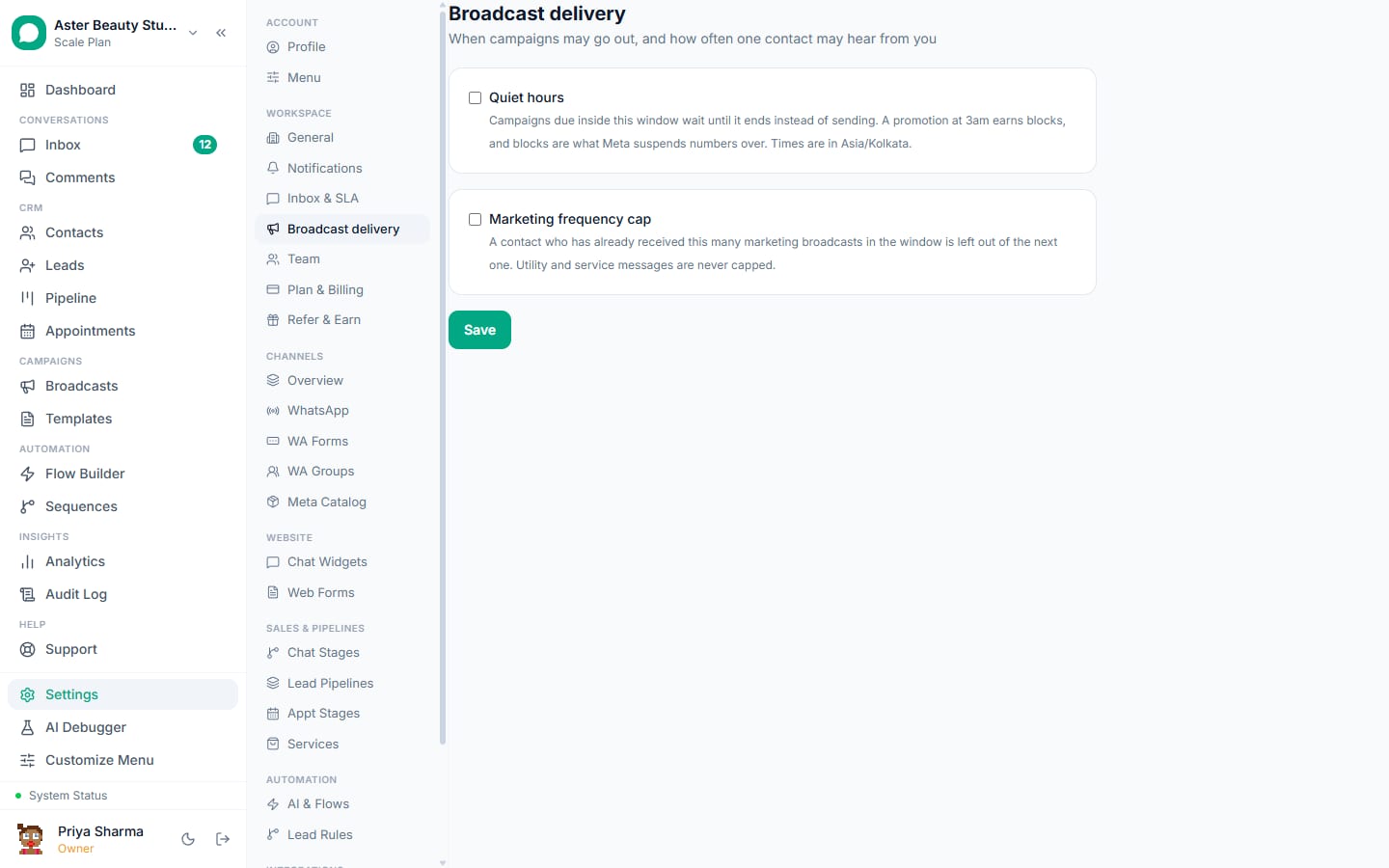
- Delivery protection that keeps campaigns inside Meta's limits, caps and pauses so the number stays green
- Ads attributed end to end and revenue by campaign in analytics
Marketing teams use WhatsApp for the reach and reply rates no other channel gives, under rules no other channel enforces: consent, per-message cost, and a quality rating that punishes unwanted sends. VGraple CRM gives the team the tools to do it well (consent-first lists, segments, cost previews, A/B tests, send-time optimisation, retargeting, delivery protection, ad attribution and revenue by campaign); the outcome is campaigns that sell and a number that stays green.
The problem in numbers
Marketing on WhatsApp fails in predictable ways: a list built without consent, a launch sent to everyone, a template that draws blocks and gets paused mid-campaign, a resend that wastes the send, and no way to show what the campaign earned. Meta's per-message pricing (Rs 0.8631 for marketing in India), the per-user frequency cap, template pacing and pauses, and portfolio-level limits all reward the same discipline: consenting, engaged segments, one touch a week per person, and honest reporting. The tooling has to make that discipline the default.
Six things marketing teams automate on WhatsApp
1. Consent-first lists and segments
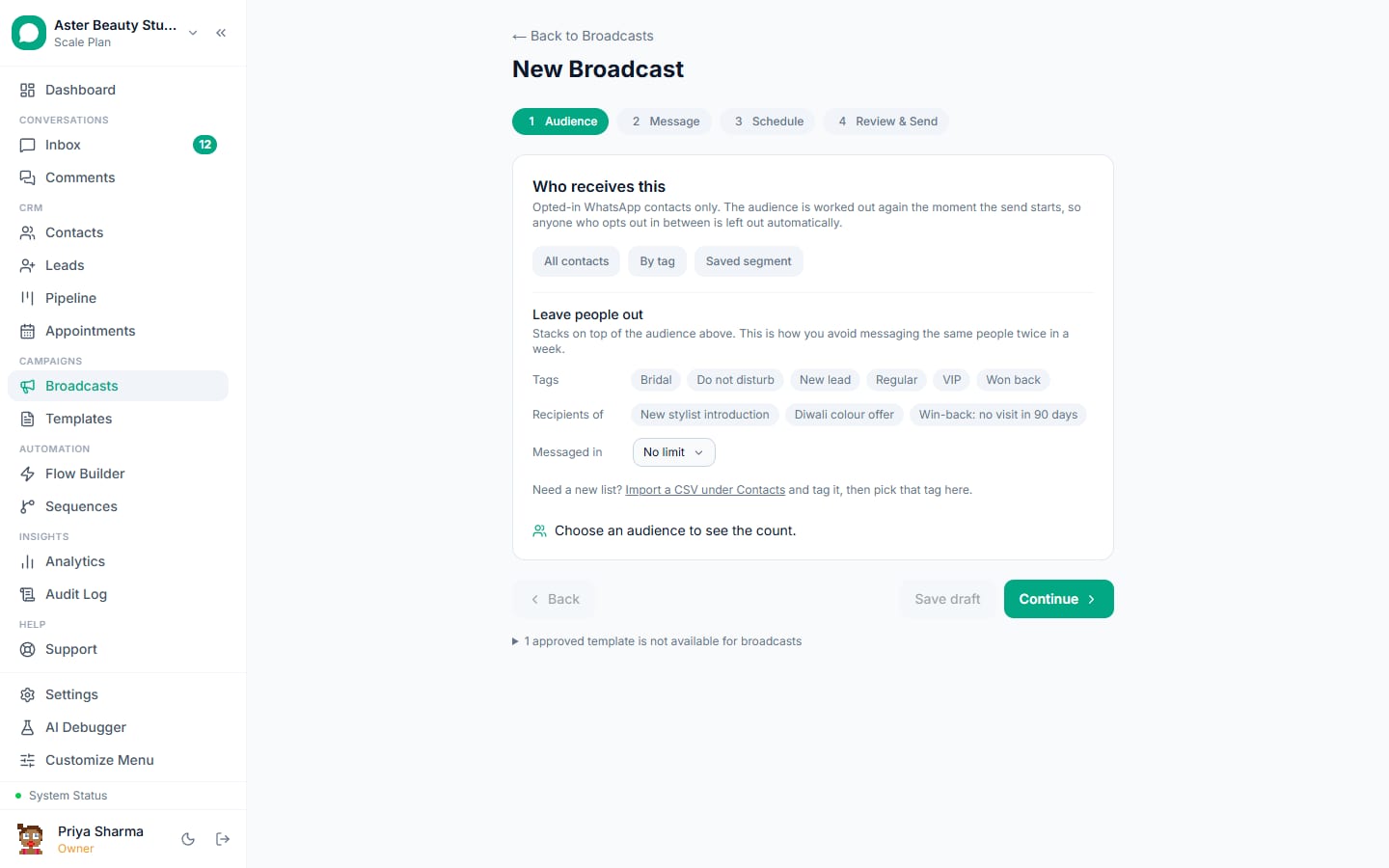
Consent recorded per contact from forms, YES replies, ads and imports; segments by engagement, category and consent; suppression of opted-out, blocked, capped and US numbers before every send.
mkt_consent_ask (session reply)
Would you like our weekly offers on WhatsApp? Reply YES to subscribe; you can reply STOP any time.
Contacts with consent fields; segments under broadcasts.
2. Broadcasts with a cost preview and delivery protection
The wizard shows deliverable recipients after suppression and the Meta charge before sending; the send is paced, held on Meta signals and resumed automatically; every recipient's state is reported.
mkt_campaign (marketing)
Hi {{1}}, {{2}} is live at {{3}} this week. Reply SHOP to see it or STOP to opt out.
Broadcasts and delivery protection.
3. A/B tests and send-time optimisation
Two templates to a sample, a metric and a wait; the winner goes to the rest. Send-time optimisation delivers at each contact's best hour within the window.
mkt_variant_b (marketing)
Hi {{1}}, new in at {{2}}: {{3}}. Tap Browse to see it, or reply STOP to opt out.
A/B mode and optimised delivery in the broadcast wizard.
4. Retargeting cohorts
From any campaign: readers who did not reply get a different message two days later; repliers who did not buy get a nudge; buyers are excluded; frequency guards keep to one touch a week.
mkt_retarget (marketing)
Hi {{1}}, {{2}} is back in stock at {{3}}. Reply SHOP to grab it or STOP to opt out.
Cohorts on the broadcast report; sequences for multi-step campaigns.
5. Ads attributed end to end
Click-to-WhatsApp and Lead Ads leads carry the campaign and ad IDs; flows answer in the free window of up to 7 days; leads and purchases go back to Meta through the Conversions API.
mkt_ad_welcome (session reply)
Hi {{1}}, welcome to {{2}}. Tap Browse, Sizing help or Offers and we will take it from there.
Click-to-WhatsApp ads, Lead Ads, revenue tracking.
6. Revenue by campaign
Payment links, orders and won leads attributed to the campaign, flow or ad that caused them; analytics shows revenue by campaign, source and agent, exportable for the monthly review.
mkt_payment_link (utility)
Hi {{1}}, here is your payment link for {{2}}: {{3}}. Reply once paid and we will confirm.
Revenue tracking and analytics.
Agencies running WhatsApp for several brands use the same set per client organisation, with one login switching between them and reports per client; see the marketing agencies page.
Feature map
| Job | Feature | Plan |
|---|---|---|
| Consent and segments | Contacts, broadcasts | Free |
| Broadcasts with delivery protection | Broadcasts | Free within Meta limits |
| A/B tests and send-time optimisation | Broadcasts | Free |
| Retargeting cohorts and sequences | Broadcasts, sequences | Free |
| Ads with the Conversions API | Click-to-WhatsApp ads, Lead Ads, revenue tracking | Free |
| Revenue and campaign analytics | Analytics | Starter and above |
| Marketing team seats and AI | Seats, AI chatbot | Growth Rs 3,499 for the seats; the AI uses AI credits |
What it costs
A team sending 20,000 marketing messages a month to consenting contacts pays Meta Rs 17,262; retargets to 5,000 readers add Rs 4,316; Meta charges nothing for ad conversations inside the free entry point window (up to 7 days); utility follow-ups are a few hundred rupees; replies to campaign responses outside ad windows draw on each number's 1,000 free a month, then Rs 0.115 each. VGraple CRM is Rs 3,499 on Growth for the team's seats, with analytics included and the AI on AI credits, or Rs 7,999 on Scale for unlimited seats and contacts; Meta bills directly with no markup.
A 30-day rollout plan
Week 1. Connect the number; import contacts with consent and tags; submit templates; set quiet hours and suppression rules.
Week 2. First campaign to the most engaged segment with a cost preview; read the report; retarget readers.
Week 3. A/B test two templates; send-time optimisation on; click-to-WhatsApp ads with the Conversions API.
Week 4. Revenue by campaign from analytics; review blocks, template quality and the number's rating; set the monthly cadence.
Getting the number ready
Most marketing businesses already run WhatsApp on the owner's phone, so the first decision is how to connect: coexistence keeps the WhatsApp Business app working on that phone while the team uses the inbox, with up to six months of history imported; an API-only connection suits a new number for the team. Either way, Embedded Signup takes a few minutes, the display name is reviewed by Meta, and business verification in Meta Business Manager lifts the marketing limit from 250 unique recipients a day to 1,000 and beyond. Submit the templates on day one; most are approved within the hour, and the template library has an industry collection ready to submit.
Consent, privacy and the rules that apply
A customer who messages first has consented to service replies and to utility messages about that transaction; marketing needs an explicit yes, recorded with source and date, and an opt-out on every marketing template. VGraple CRM records consent automatically from inbound messages, YES replies, forms, ads and imports, suppresses opted-out and blocked contacts before every send, honours STOP and Meta's app-level opt-out at once, and keeps marketing to United States numbers paused as Meta requires. Personal fields are encrypted at rest, access is by role and team, and the audit log records exports and deletions, which covers India's DPDP Act and GDPR for marketing data in practice. The opt-in rules guide has the detail.
Numbers to watch each week
First-response time on new conversations (minutes, not hours); the share of enquiries that reach the step that matters for marketing (a booking, a visit, an order, an enrolment); utility messages sent; how much of each number's 1,000 free replies a month is used (the number's card in Settings shows it); replies to the last marketing send; and blocks on it, which should stay under 0.2 percent. The Analytics page shows them per agent and per campaign on Starter and above; the channel page shows the quality rating and tier, which the blocks feed. A yellow rating is the signal to tighten the segment before the next send, not after.
Common mistakes
- Lists built without consent.
- Launches to everyone; segment by engagement.
- Resending held or capped messages; let delivery protection finish.
- Offers inside utility templates.
- Weekly blasts to the same people; one touch a week per person, and fewer is fine.
Why VGraple CRM for marketing
Consent-first contacts and segments, broadcasts with cost previews, A/B tests, send-time optimisation, retargeting cohorts and delivery protection, sequences, click-to-WhatsApp and Lead Ads capture with the Conversions API, and revenue analytics are on every plan; Starter adds analytics, Growth more seats, and the AI uses AI credits on every plan. The complete WhatsApp marketing guide covers the strategy behind the tools.