On this page
- What you get
- How it works
- What exactly gets sent to the AI model?
- How is this different from the AI chatbot?
- What providers can generate a suggestion or summary?
- Can I turn AI reply suggestions off?
- Why does the suggestion sometimes miss context?
- Does an AI-drafted reply still follow WhatsApp's messaging rules?
- With VGraple CRM vs typing every reply from scratch
- Who uses it
- What Meta allows
- Plans and limits
- Recent improvements
In short
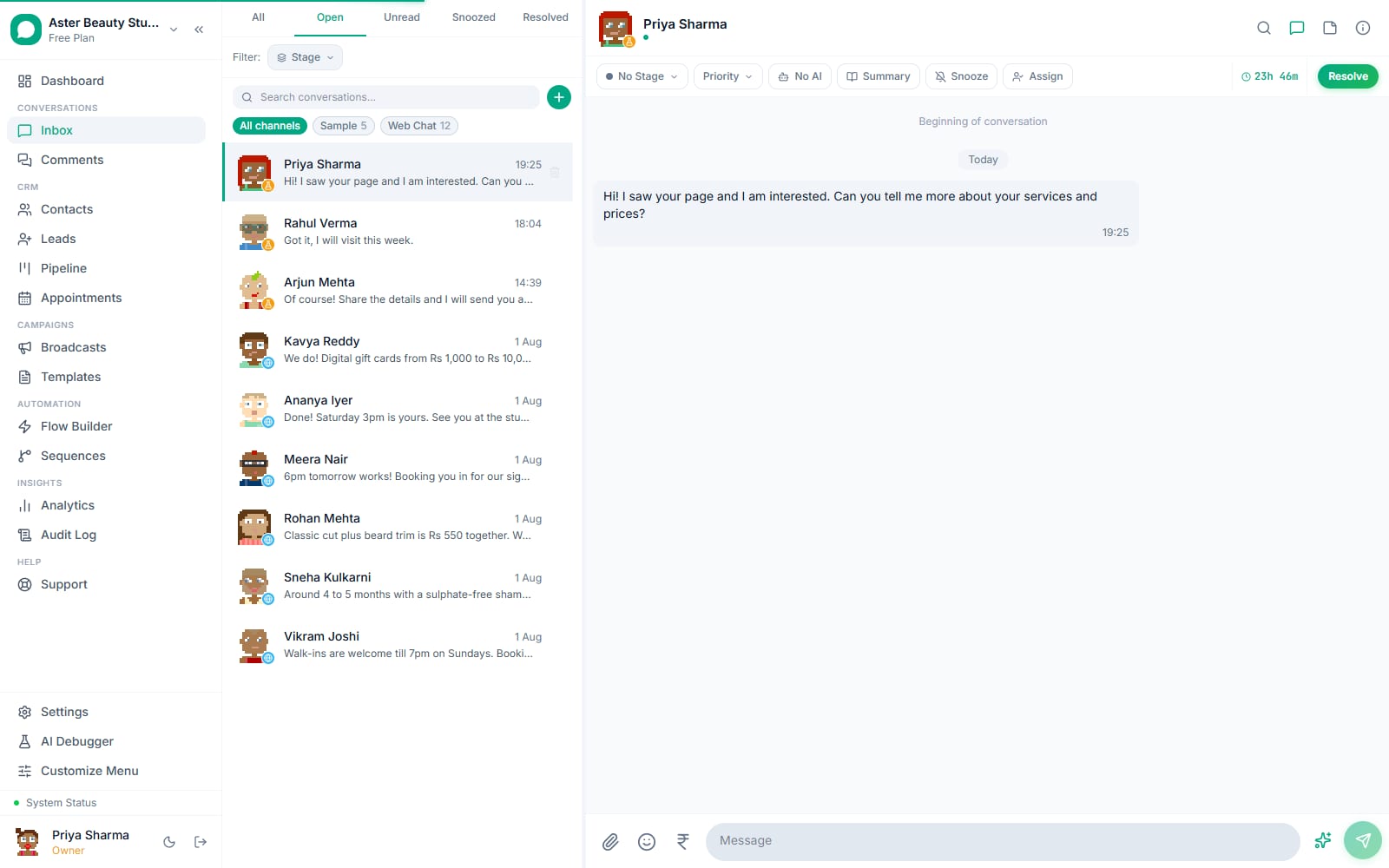
- A Sparkles button next to the message composer drafts a reply from the last 20 messages and drops it into the text box, editable before send
- A Summary button condenses a conversation into 2-3 sentences, shown in the conversation's Info tab
- Nothing is sent automatically; every suggestion needs an agent to review and press Send
- Runs on whichever provider your organisation has configured: a free hosted model by default, or your own OpenAI or Anthropic key
AI reply suggestions in VGraple CRM draft a WhatsApp, Instagram or Messenger reply from a conversation's recent messages and place it directly in the composer for an agent to edit and send, and a separate one-click summary condenses a long thread into two or three sentences. Neither feature sends anything on its own; what changes for a support team is speed on the routine replies (a hours-of-operation question, a "where is my order" check) without losing the human decision on what actually goes out.
What you get
- A Sparkles button in the message composer that drafts a reply from the conversation's last 20 messages
- The draft lands as editable text in the composer, never sent automatically
- A Summary button that condenses the last 30 messages into 2-3 sentences, shown in the conversation's Info tab
- Works on every channel in the shared inbox: WhatsApp, Instagram DM, Messenger, and web chat
- Runs on a free hosted model by default, or your organisation's own OpenAI or Anthropic key if configured
- Only that one conversation's own messages are sent to the model, nothing else in your organisation's data
How it works
- Open a conversation in the shared inbox. Any open thread on WhatsApp, Instagram, Messenger or web chat works the same way; the feature reads that conversation's own message history only.
Click the Sparkles icon next to the composer. Its tooltip reads "AI reply suggestion." The button calls the last 20 messages in the thread and asks the model for a concise, professional reply in plain text, capped at 150 words.
Review and edit the draft. The suggestion appears directly in the text box, not in a separate preview pane, so you edit it exactly like you would edit anything you typed yourself, add a detail, soften a line, or delete it and start over.
Send, or click Sparkles again for another draft. Nothing reaches the customer until you press Send. Clicking the Sparkles button a second time re-runs the suggestion and replaces the current draft.
Click Summary for a quick recap. The button, labelled "Summarize conversation with AI," reads the last 30 messages and writes a 2-3 sentence summary, shown in the conversation's Info tab, useful when an agent picks up a thread they were not part of or a supervisor is scanning a queue.
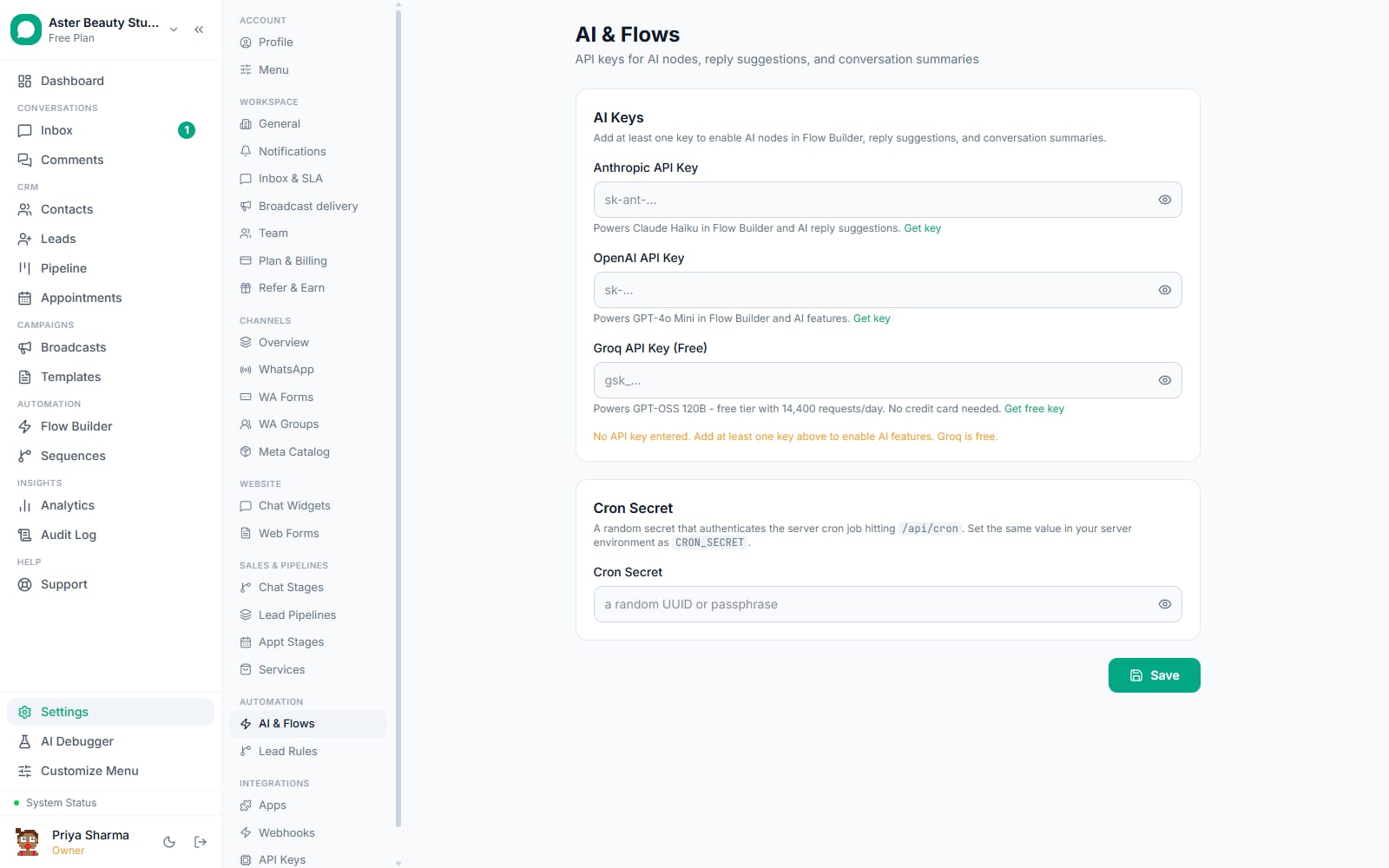
Configure a provider if you see an error. If no AI key is set for your organisation, both buttons return an error pointing to Settings > Automation & AI, where Groq's hosted option is free to turn on.
What exactly gets sent to the AI model?
Only the conversation you are looking at, and only a bounded slice of it: the last 20 messages for a reply suggestion, the last 30 for a summary, in chronological order, each tagged as either the customer's or the agent's side. No other conversation, no contact record fields, no data from a different organisation ever reaches the request. The query that loads those messages is scoped by conversation id and organisation id together, the same tenant isolation every other query in the platform uses.
The system prompt behind a reply suggestion is fixed and narrow: "You are helping a customer service agent draft a WhatsApp reply. Suggest a concise, professional response in plain text. Max 150 words." It does not have access to your knowledge base, your product catalogue, or any instruction you have written elsewhere in the platform; that grounding belongs to the separate AI chatbot feature.
Example
A clinic's front-desk agent opens a conversation where a patient asked about weekend appointment availability three messages ago. Clicking Sparkles drafts a short, on-topic reply referencing that question; the agent adds the actual Saturday slot before sending.
How is this different from the AI chatbot?
AI reply suggestions assist a human who is already in the conversation; the AI chatbot replaces the human for conversations that match a trigger. They share the same underlying model providers but nothing else about how they run.
| AI reply suggestions | AI chatbot | |
|---|---|---|
| Who sends the message | An agent, after reviewing and editing | The bot, directly to the customer |
| Where it runs | A button in the inbox composer, any conversation | A node in the flow builder, or the chat widget |
| Grounding | The conversation's own recent messages only | Your knowledge base (files, URLs, FAQs) via embeddings |
| Trigger | An agent clicks Sparkles or Summary | A keyword, a new conversation, or another flow trigger |
| Takes over the thread | No, an agent is already there | Yes, until a human replies and it pauses automatically |
| Plan | Growth and above | Growth and above (the flow builder itself is on every plan) |
What providers can generate a suggestion or summary?
Your organisation's Settings > Automation & AI page lets you connect an OpenAI key, an Anthropic key, or use the built-in hosted model on Groq, which is free and requires no setup. Whichever provider is set as the default, or the first one with a working key if none is set as default, handles both reply suggestions and summaries; the same fallback logic that powers the AI chatbot's model selection applies here.
A reply suggestion from the Anthropic provider uses claude-haiku-4-5; from OpenAI, gpt-4o-mini; from Groq, the platform's hosted chat model. All three are capped at short, focused outputs (150 words for a suggestion, 2-3 sentences for a summary), not long-form generation.
The selection order is: your chosen default provider first, if it has a working key; otherwise Anthropic, then OpenAI, then Groq, in that order, whichever has a key configured. This means an organisation never needs to pick a provider explicitly to get the feature working, connect one key and both buttons start functioning immediately, and switching providers later (say, moving from a trial OpenAI key to the free Groq option) needs no code change or migration, just an update on the Automation & AI settings page.
Can I turn AI reply suggestions off?
There is no separate on/off switch specifically for reply suggestions; the buttons are simply unavailable to any organisation without a configured AI provider key or without the Growth plan or above, since both are prerequisites checked before either feature can run. An organisation that qualifies for the feature but wants to discourage its use can rely on the fact that nothing sends automatically: an agent who never clicks Sparkles or Summary never triggers a model call, and no reply is affected without that click.
Why does the suggestion sometimes miss context?
The model only sees the last 20 messages of that one conversation; it has no memory of a customer's history from a previous, separate conversation, no visibility into their contact record fields (tags, custom fields, order history), and no access to your knowledge base. A suggestion is strongest on a conversation that is self-contained (a question asked and not yet answered) and weakest when the right answer depends on information that lives outside the thread, in which case the draft is a starting point to edit, not a final answer.
Example
A real-estate agency's agent gets a suggestion that correctly reflects a buyer's stated budget from three messages back, but has no way to know the listing went off-market an hour ago; the agent corrects that line before sending.
Does an AI-drafted reply still follow WhatsApp's messaging rules?
Yes, exactly the same as anything an agent types by hand. A suggestion is plain free-form text once it lands in the composer, so Meta's 24-hour customer service window still applies: it can be sent as long as the conversation is inside that window, and it cannot be sent outside it, the same "Send Template Instead" restriction that free-form composing has always had.
With VGraple CRM vs typing every reply from scratch
| Typing from scratch | AI reply suggestions | |
|---|---|---|
| First draft | Agent reads the thread and composes | One click drafts from the last 20 messages |
| Consistency across agents | Varies by individual writing style | A consistent, concise starting tone every time |
| Speed on routine questions | A minute or more per reply | Seconds to a usable draft |
| Control over what is sent | Full, always | Full, always, the draft is editable text, nothing auto-sends |
| Summarising a long handoff | Scroll and re-read the whole thread | Summary button gives a 2-3 sentence recap |
| Setup required | None | A provider key (Groq is free) on Growth plan or above |
Who uses it
Salons and spas use the Summary button when an agent picks up a booking conversation mid-thread after a shift change, and use Sparkles for routine "are you open on Sunday" replies so the front desk spends its attention on actual bookings. See WhatsApp CRM for salons.
Clinics lean on the summary when a supervisor reviews a queue of patient conversations for anything that needs escalation, without reading every message in every thread. See WhatsApp CRM for clinics.
D2C stores use reply suggestions for the high-volume, low-variance questions, shipping timelines, size availability, return policy, so an agent handling dozens of chats a day edits rather than composes from zero each time. See WhatsApp CRM for D2C.
Coaching institutes use the summary feature when a counsellor takes over a lead conversation that a colleague started, catching up on what a prospective student already asked without scrolling the full history. See WhatsApp CRM for coaching institutes.
What Meta allows
VGraple CRM does not change or bypass any sending rule for AI-drafted text: the send path is the same tracked, opt-out-checked, window-aware path every other inbox message goes through.
Plans and limits
AI reply suggestions and conversation summaries require the Growth plan or above, the same plan gate as the AI chatbot's provider-backed features (organisations that had an AI provider key configured before this gate shipped keep the feature regardless of plan). The shared inbox itself, including every conversation the feature can read from, is available on every plan starting with Free. There is no separate cap on how many suggestions or summaries you can generate; usage is bounded only by your configured provider's own rate limits.
Recent improvements
- 2026-08-20: Reply suggestions and summaries fixed to always pull the most recent messages in a conversation (a prior ascending-order bug could feed the model the oldest messages in a long thread instead of the latest ones).
- 2026-08-20: A missing conversation id no longer silently drops the scope filter; both endpoints now require and validate
conversationIdbefore generating anything, closing a path where org-wide messages could have been read instead of one conversation's own history. - 2026-08-19: Groq added as a free, zero-setup hosted provider alongside OpenAI and Anthropic, so reply suggestions work out of the box on Growth plan without an external API key.