On this page
- What you get
- How it works
- Why does pacing exist, and what does it actually do?
- What is the daily messaging limit, and how is it enforced?
- What are the five reasons a campaign parks itself, and what happens after?
- Why is "suppressed" treated differently from "failed"?
- How does STOP and START consent handling actually work?
- What protects a number from Meta's own shared API limits?
- With VGraple CRM vs a tool with no delivery protection
- Who this protects
- What Meta allows
- Plans and limits
- Recent improvements
In short
- A token-bucket pacer sends below Meta's throughput ceiling and slows itself further the moment your quality rating drops
- A daily portfolio budget is tracked live so a campaign parks itself before Meta starts rejecting sends
- Suppressed recipients (opted out, blocked, marketing-stopped, capped, US-paused) are never billed and never retried
- Every automatic stop names the exact reason, in plain language, on the campaign itself
Delivery protection is the set of automatic controls that keep a WhatsApp number sending at a pace and to an audience Meta will actually accept, so a campaign slows itself and a bad send stops itself before Meta starts restricting the number, rather than a business discovering the damage from a wave of failures. Every WhatsApp CRM in this category gets the same complaint most often: messages that silently fail to deliver. This page explains, plainly and without naming names, what actually causes that and exactly what VGraple CRM does about each cause.
What you get
- A token-bucket pacer that sends below Meta's throughput ceiling and adapts to your live quality rating
- A rolling 24-hour portfolio budget tracked in real time, with automatic park-and-resume when it runs out
- Five distinct automatic stop conditions, each with its reason shown in plain language
- Suppression logic that separates "we refused to send" from "Meta rejected it," so suppressed recipients are never billed or retried
- STOP/START consent handling with a single confirmation per transition and a documented way back in
- Automatic detection of a paused or dropped template, with running campaigns parked immediately
- A shared circuit breaker for Meta's own app-level API limits, so one exhausted quota does not cascade
- Owner alerts on every account-level protection event, across in-app, mobile push and email
How it works
- Every send passes through the pacer first. Before a batch of messages goes out, the token-bucket pacer for that number checks whether it has capacity at the current rate; if not, it waits. This runs invisibly on every broadcast, sequence step and flow send, not just large campaigns.
The portfolio budget is checked continuously. While a campaign sends, the daily messaging-limit usage for the whole business portfolio is tracked live; the campaign is allowed to keep going only while headroom remains.
A problem stops the campaign, with the reason shown. The moment one of the five automatic stop conditions is detected, the campaign parks itself and the broadcast page states, in plain language, which one it was and when (or whether) it will resume on its own.
The org owner is alerted. Anything account-wide, a quality collapse, a portfolio-wide marketing halt, a template pause, reaches the owner as an in-app alert, a mobile push notification, and, where configured, an email, so the first sign of trouble is not a customer complaint.
Suppression is checked again at the moment of send. Even for an audience built hours or days earlier, every recipient is re-checked against opt-out, blocked, marketing-stopped and frequency-cap status immediately before sending, so a contact who opted out in between never receives the message.
Why does pacing exist, and what does it actually do?
A WhatsApp number that sends faster than Meta's throughput ceiling gets throttled, and repeated throttling is one of the fastest ways to damage a number's standing. VGraple CRM paces every send through a token-bucket limiter, a small burst allowance on top of a steady rate, set to 50 messages a second by default: comfortably under Meta's roughly 80/s ceiling so a short burst of retries never trips a hard limit, while still finishing a large campaign in a reasonable time.
The rate is not fixed. It adapts to the number's live quality rating, because sending slower is the single most effective thing a sender can do to protect a number that is already struggling: YELLOW halves the rate to 25/s, RED cuts it to a tenth, 5/s. A coexistence number, one also used in the WhatsApp Business app on a phone, is paced at 4/s regardless of quality, because Meta's own ceiling for coexistence numbers is far lower than a Cloud API-only number's. If Meta itself pushes back mid-send with a throughput error (130429), the pacer halves its rate immediately and stays there; recovery is deliberate rather than automatic, because a campaign that has already tripped the limit once should finish the rest of its run slower, not immediately test the same ceiling again.
Example
A cosmetic brand's Friday sale broadcast is sending at 50/s when Meta returns a handful of 130429 errors on a burst. The pacer halves the rate to 25/s for the remainder of that campaign; the send takes a little longer to finish, and the number does not accumulate a longer run of throughput violations that a quality reviewer would notice.
What is the daily messaging limit, and how is it enforced?
Meta caps how many unique people a WhatsApp business can start a conversation with in a rolling 24 hours, based on a messaging tier (from 50 to 100,000 unique recipients) that Meta assigns and can raise as sending history builds trust. Since 2024, this limit applies to the entire business portfolio, every phone number under the same business, not to one number alone, so two campaigns from two different numbers under the same business draw from the same daily budget.
VGraple CRM counts unique recipients your portfolio has actually started template conversations with in the trailing 24 hours, live, and checks the remaining headroom before a campaign is allowed to keep sending. When the budget runs out mid-campaign, the send parks itself with a resume time set to the moment the rolling window reopens and continues automatically, with no manual restart. This exists because the alternative, discovered the hard way before this system existed, is a number handed a 10,000-contact audience sending all 10,000 attempts and collecting most of them back as failures, with every failure itself counting against the number's quality.
What are the five reasons a campaign parks itself, and what happens after?
A campaign that keeps firing into a problem it cannot fix wastes the daily budget and risks the number, so the delivery engine stops itself the instant it detects one of five specific conditions, and the reason is written on the campaign in plain language, not left as a silent stall.
| Reason | What triggers it | Recovery |
|---|---|---|
| Template paused by Meta | Error 132015 (quality review) or 132016 (sustained low quality) | Stays paused until the template is released or resubmitted; escalates to permanent disabling if unresolved |
| Portfolio pacing | Error 135000, a business-wide marketing halt Meta applies to young or fast-growing portfolios | All marketing sending across the organisation pauses for about an hour; utility and service messages are unaffected |
| Quality rating red | The sending number's live quality rating from Meta | Every running campaign on that number pauses outright so continued sending cannot make the rating worse |
| Daily messaging limit reached | Your business portfolio's rolling 24-hour messaging limit is used up | Continues automatically when the rolling window reopens; if auto-continue is off, the remaining recipients are marked skipped_quota instead |
| Failure-rate breaker | More than 35% of the last 200 sends failed | Stops immediately so a bad list or a broken template does not burn through the rest of the budget |
The failure-rate breaker deliberately excludes suppressed recipients from its count. A campaign sent to a heavily marketing-capped audience behaving exactly as it should, refusing sends the platform already knows would fail, must never trip a breaker meant to catch something actually going wrong.
Why is "suppressed" treated differently from "failed"?
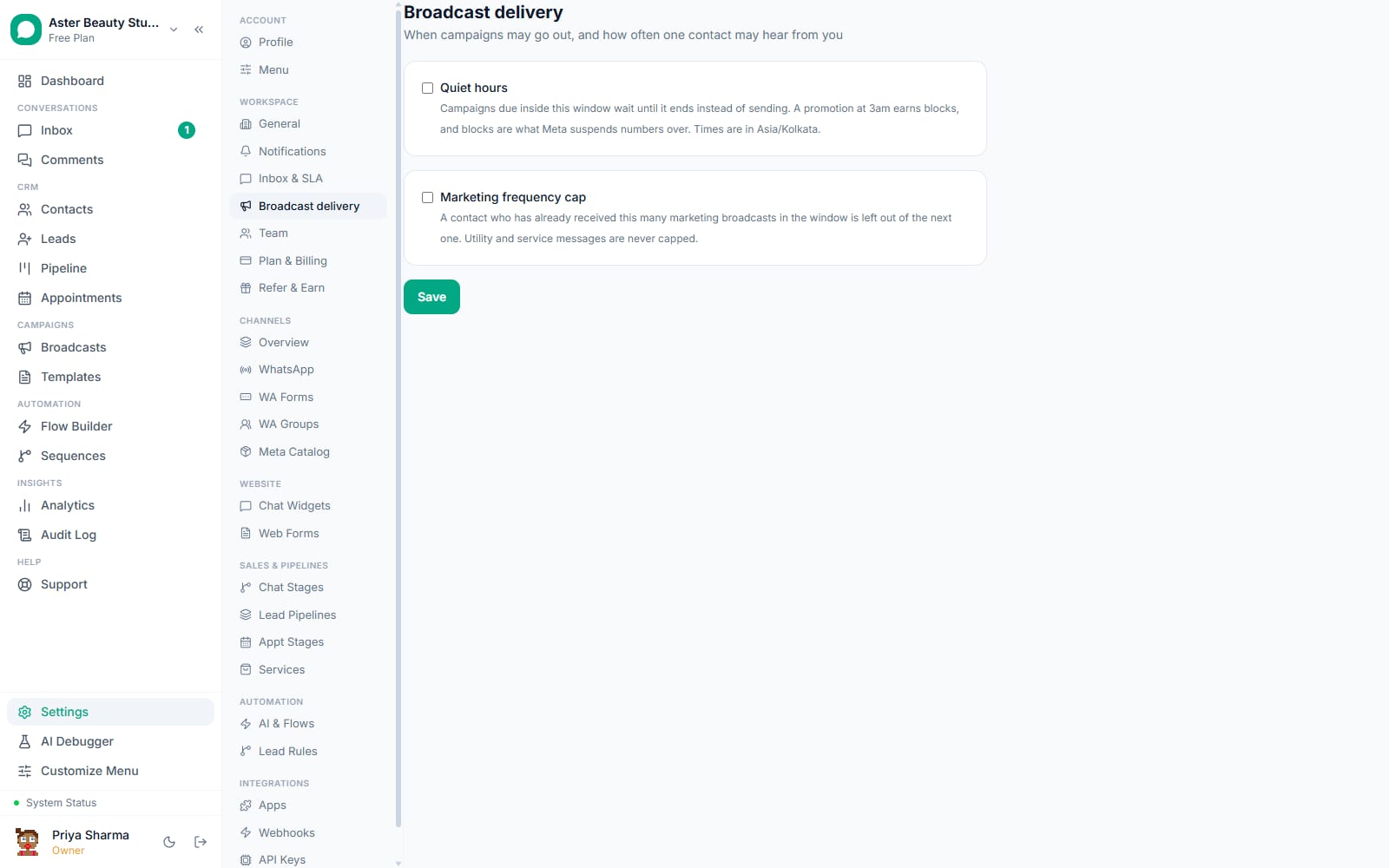
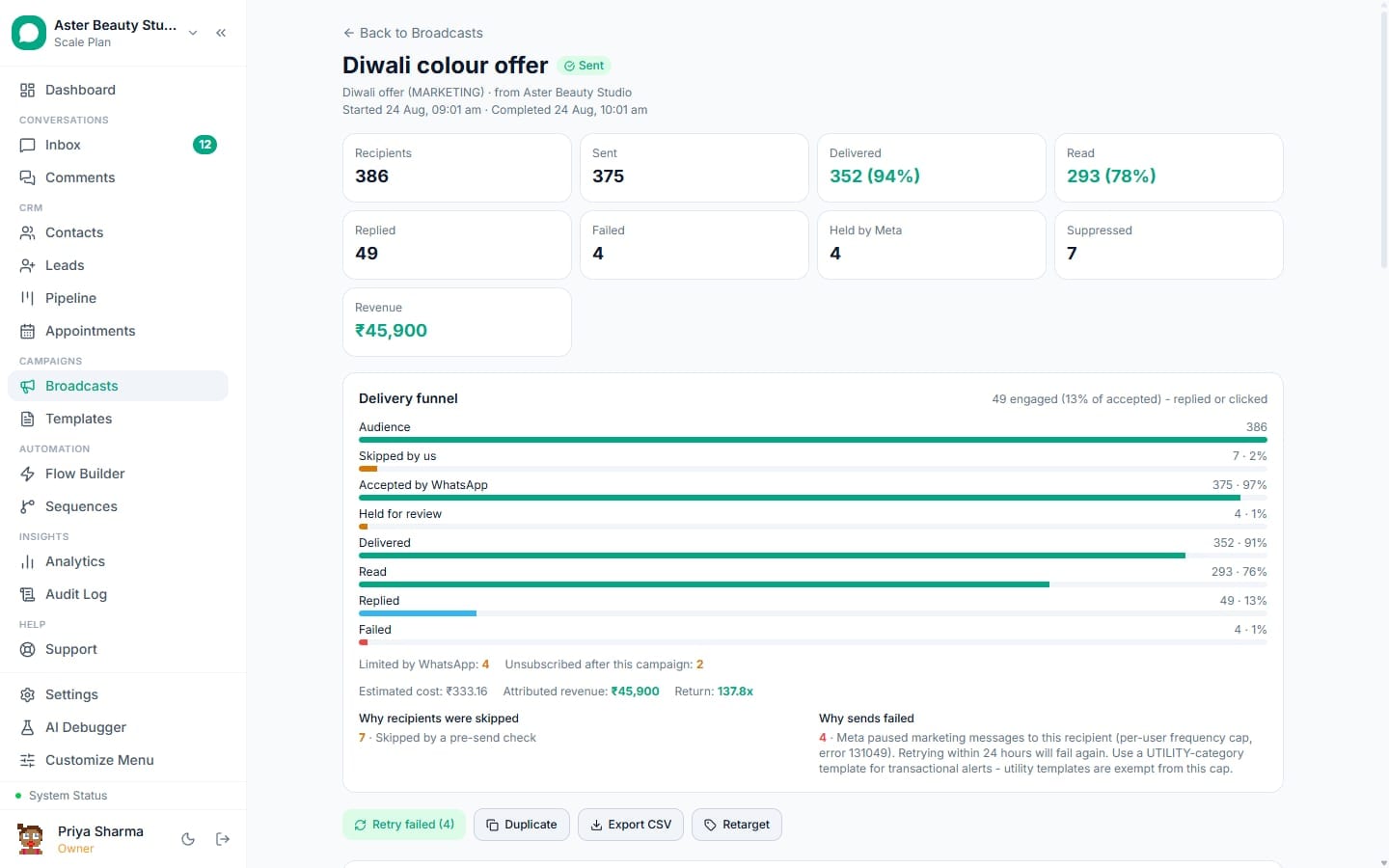
A failed send means Meta accepted the attempt and then rejected it, or a delivery error arrived later. A suppressed send means the platform refused to attempt it in the first place, because the recipient opted out, is blocked, has no valid WhatsApp number, told WhatsApp to stop marketing messages from this business specifically, sits inside a Meta frequency-cap window, or is a United States number during Meta's marketing pause on US numbers.
The distinction is not cosmetic. A retry to a suppressed recipient cannot succeed, and for a recipient at their per-user marketing limit Meta may block further attempts for up to 24 hours. A tool that treats suppression and failure the same way will eventually retry a suppressed recipient by accident, wasting the send. VGraple CRM checks every recipient again at the exact moment of send, not just when the audience was first built, so a contact who opts out between scheduling and firing is excluded correctly, and "Retry failed" is built structurally so it cannot pick up a suppressed row.
How does STOP and START consent handling actually work?
WhatsApp's own opt-out keywords, STOP and its common variants (STOPALL, UNSUBSCRIBE, CANCEL, END, QUIT, OPT OUT), are matched as an exact, whole-message reply rather than a substring search on purpose: "we can start on Monday" is an ordinary sentence, and unsubscribing someone who was trying to book an appointment is a worse outcome than occasionally missing a keyword typed in an unusual way, because they then have to notice and ask to be restored.
A recognised opt-out sets the contact's opt-out state and suppresses further business-initiated messaging; it does not gag the business from answering a question that contact asks inside the normal service window, matching how Intercom, Zendesk and Klaviyo all separate marketing consent from customer service. The confirmation is sent exactly once per transition, never repeated on a duplicate STOP, because a customer sending STOP a second time is telling you the first one did not work, and answering it the same way a second time only confirms their suspicion. START, UNSTOP, RESUME and SUBSCRIBE restore messaging and are only ever honoured for a contact who is currently opted out, so the words stay completely inert for everyone else.
What protects a number from Meta's own shared API limits?
Separately from your own sending behaviour, Meta enforces a request quota on its Graph API at the app level, shared across every organisation using the platform. When it trips, calls like a profile lookup start failing for everyone at once, and a per-contact retry schedule cannot fix that, because every contact backs off on its own timer and they interleave, keeping the app pinned at the ceiling indefinitely. A single shared circuit breaker checks before spending quota and arms itself the moment Meta reports the limit is hit, with the cooldown escalating on repeated trips rather than resetting to the same short window every time, so a persistently exhausted quota is not hammered every thirty minutes.
With VGraple CRM vs a tool with no delivery protection
| A tool with no automatic protection | VGraple CRM | |
|---|---|---|
| Sending speed | Fixed, or as fast as the API allows | Adapts live to quality rating; slows automatically on a throughput warning |
| Daily limit awareness | Discovered from a wave of failures | Tracked live; campaign auto-pauses before the limit is hit |
| Quality rating drop | No automatic response | Every running campaign on the number pauses outright |
| Suppressed vs failed | Not distinguished; suppressed contacts get retried | Explicitly separated; suppressed rows are never retried |
| Paused template | Campaign keeps trying and keeps failing | Detected immediately; campaign parks with the reason shown |
| Consent handling | Manual, or a basic keyword match | STOP/START handled with a single confirmation and a documented way back |
| Who finds out, and how | The business, from customer complaints or a failure report | The owner, immediately, across in-app, mobile push and email |
Who this protects
A salon running a festive broadcast to 3,000 contacts benefits from pacing that automatically slows down if the number's quality rating dips mid-campaign, instead of continuing at full speed and making the rating worse. See WhatsApp CRM for salons.
A clinic sending appointment reminders as utility messages never has those reminders caught by the marketing frequency cap, because utility and authentication templates are exempt from it by Meta's own rules, and VGraple CRM's category checks keep that boundary honest.
A D2C brand with a large contact list benefits most from the daily portfolio budget: a 50,000-contact win-back campaign parks itself automatically when the daily limit is reached and resumes on its own the next day, instead of the business finding out from a wall of failures. See WhatsApp CRM for D2C.
A real-estate agency messaging US-based NRI buyers benefits from the marketing-pause check on United States numbers catching the restriction before a send is attempted, rather than after it fails. See WhatsApp CRM for real estate.
What Meta allows
VGraple CRM's defaults sit under every one of these ceilings by design, not as a configuration choice you have to make: 50/s instead of 80/s, live tracking of the rolling 24-hour portfolio budget instead of discovering it from failures, and pre-flight suppression checks that stop a send before Meta has to reject it.
Plans and limits
Delivery protection is not a feature you turn on: it is the default sending behaviour on every plan, including Free, with no separate toggle and no additional cost. Pacing, portfolio budget tracking, auto-park with resume, suppression checks, STOP/START consent handling, template pause detection, quality monitoring and owner alerts run identically regardless of which plan an organisation is on.
Recent improvements
- 2026-09-12: Conversations became unlimited on every plan, including Free, so the conversation-quota stop condition was retired and the daily messaging limit took its place in the list of reasons; plans now measure stored contacts.
- 2026-08-19: The pause-reason system shipped, naming the exact cause (template pause, portfolio pacing, quality collapse, quota, failure-rate breaker) on every parked campaign instead of leaving a stalled campaign to guess at.
- 2026-08-18: Sending moved into a dedicated durable worker on a Postgres-backed queue, so a deploy or crash mid-campaign resumes from the recipients still pending instead of losing progress.
- 2026-07-14: Delivery error handling rebuilt across the whole 2026 Meta error-code set (131049, 131050, 131047, 131026, 130472, 132015, 132016, 135000 and more), each mapped to a plain-language reason instead of Meta's raw one-line description, and marketing-cap suppression windows (24 hours after 131049, 30 days after 131050) added so reminders and campaigns stop attempting sends inside them.
- 2026-07-14: Consent keyword handling fixed so a repeated STOP is never answered with a duplicate confirmation, and every opt-out reply names the way back in.