On this page
In short
- Connect a Facebook Page in Settings and every lead form submission is captured through Meta's webhook, no polling and no manual export
- A new lead is matched to an existing WhatsApp contact by phone, placed on a pipeline stage and enrolled in a sequence within the same request that Meta sends the webhook
- Campaign, ad set, ad and form name are stored on every lead and travel into the WhatsApp message as personalisation variables
- "Sync past leads" backfills historical submissions from before the connection existed, so a form that has been running for months is not treated as new
Facebook Lead Ads to WhatsApp in VGraple CRM connects a Facebook Page's lead-generation forms to your WhatsApp CRM, so a form submission on Instagram or Facebook becomes a lead on your pipeline and a WhatsApp conversation without anyone exporting a CSV. What changes for a business running lead ads is the gap between someone tapping submit and someone from your team reaching out: instead of checking a Meta dashboard once a day, the lead exists in your CRM, matched to a contact, tagged with the exact ad that produced it, and often already messaged, before the person has closed the Facebook app.
What you get
- Instant capture of every lead form submission through Meta's leadgen webhook, no manual export and no polling delay
- Automatic matching to an existing WhatsApp contact by phone number, including a suffix match for numbers entered without a country code
- Pipeline placement and an optional default agent, either from a campaign-specific mapping or your organisation's default pipeline
- Enrolment into a WhatsApp sequence, immediate if the contact is known, deferred and retried automatically if not
- Ad-level attribution stored on every lead: campaign, ad set, ad and form name, usable as WhatsApp personalisation variables
- Deduplication against Meta's lead ID, so a webhook retry or a manual re-sync never creates a duplicate lead
- A one-click "Sync past leads" backfill for forms that were collecting submissions before the connection existed
- Custom-question phone detection, for forms that ask "WhatsApp Number" or "Mobile No" instead of the standard phone field
How it works
- Connect a Facebook Page. From Settings, go to Channels and connect with Meta through OAuth. VGraple CRM lists every Page your Meta user manages and requests access to
leadgenwebhooks for the ones you enable, storing the Page access token encrypted.
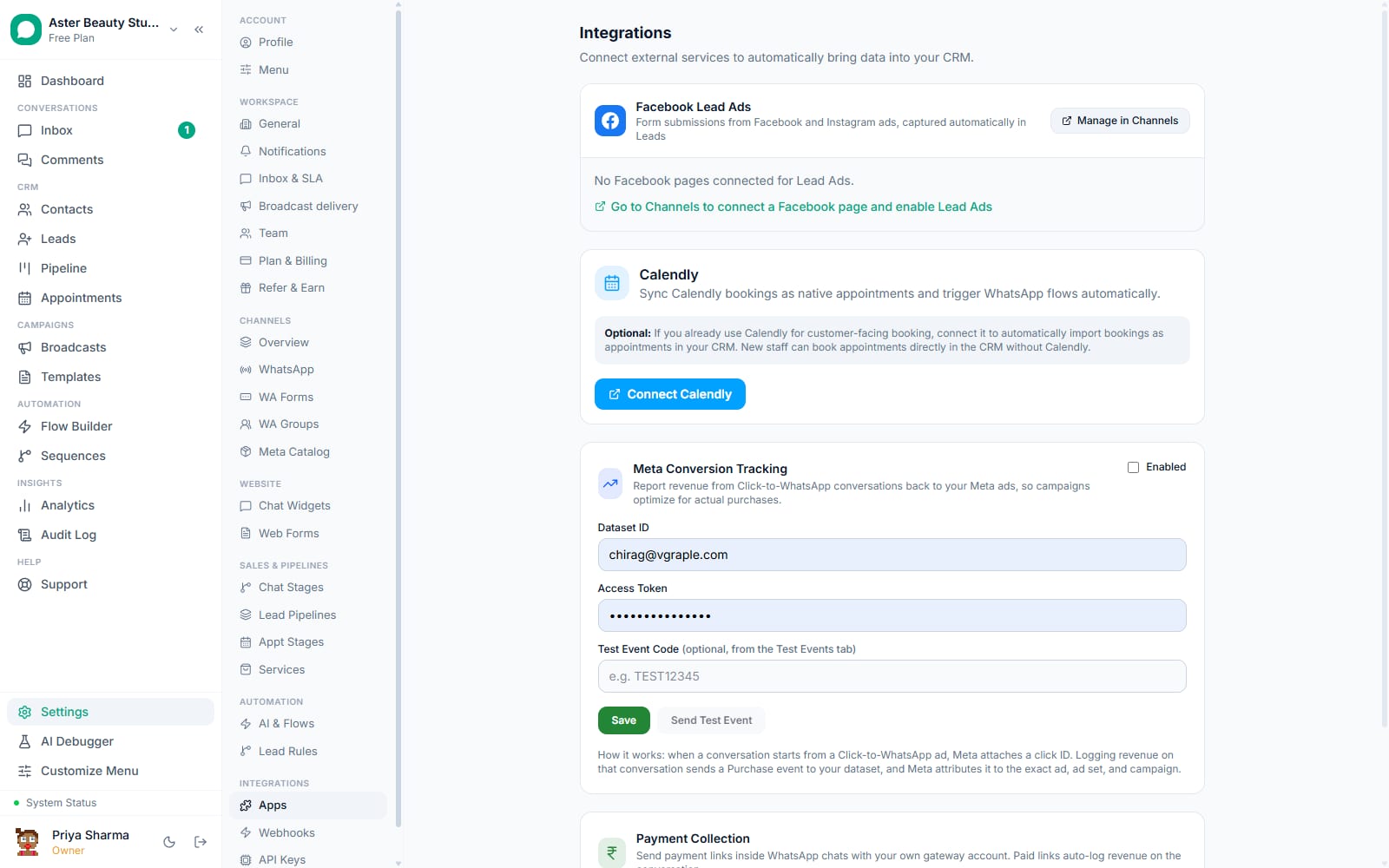
Enable Lead Ads on that Page. The Leads section under Settings > Integrations lists every connected Page with lead capture available. Turning it on subscribes the Page to Meta's
leadgenfield, so new form submissions start arriving as webhook events immediately.Map campaigns to pipelines, if you run more than one. Under Leads, map a Facebook campaign ID to a specific pipeline, a default assigned agent, and a WhatsApp sequence. A lead from a mapped campaign skips your general automation rules and goes straight into that campaign's own flow.
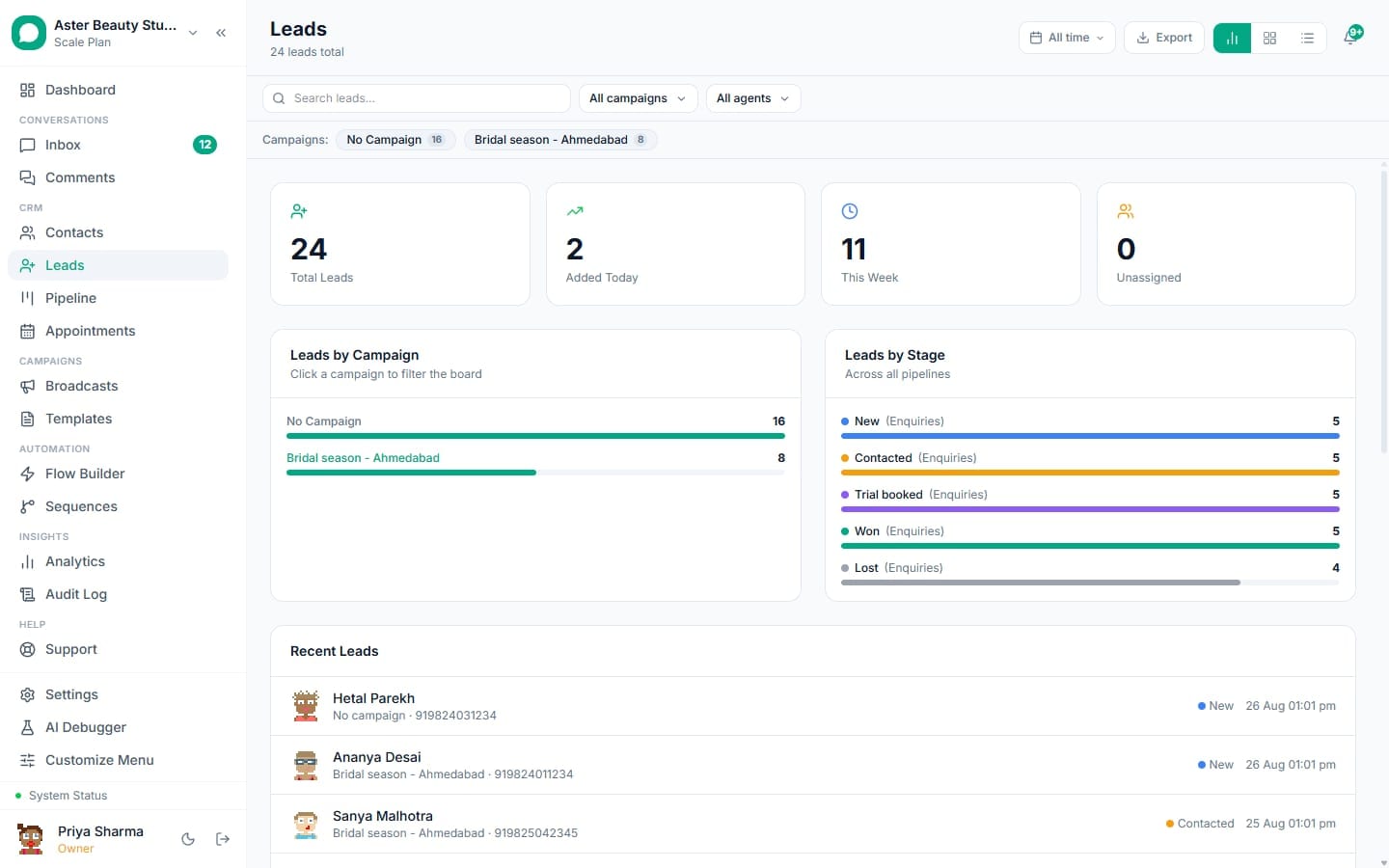
A submission arrives. The moment someone submits your lead form on Facebook or Instagram, Meta calls your leadgen webhook. VGraple CRM fetches the full field data, resolves the phone number (including from a custom question if the standard field is missing), creates the lead on the right pipeline stage, and matches it to an existing contact if one exists.
Follow-up fires automatically. If a campaign sequence is mapped, or a matching automation rule exists, the lead is enrolled in a WhatsApp sequence right away when the contact is known, or marked pending and enrolled the moment that person's first WhatsApp message comes in.
Backfill history if needed. "Sync past leads" pages through every submission Facebook has ever recorded for your connected forms and imports anything not already in your CRM, reporting exactly how many were imported and how many already existed.
How does a Facebook lead turn into a WhatsApp message?
A new lead on its own is just a form submission; the useful part is the reply that goes out before the person has moved on. When a lead is created, VGraple CRM checks two things in order: whether the lead's campaign has a dedicated sequence mapped to it, and if not, whether any of your organisation's automation rules match the lead's source, campaign name, form name, pipeline or chat widget. The first match wins and enrols the lead's contact into a WhatsApp sequence, the same Flow-based drip engine used for any other automated follow-up.
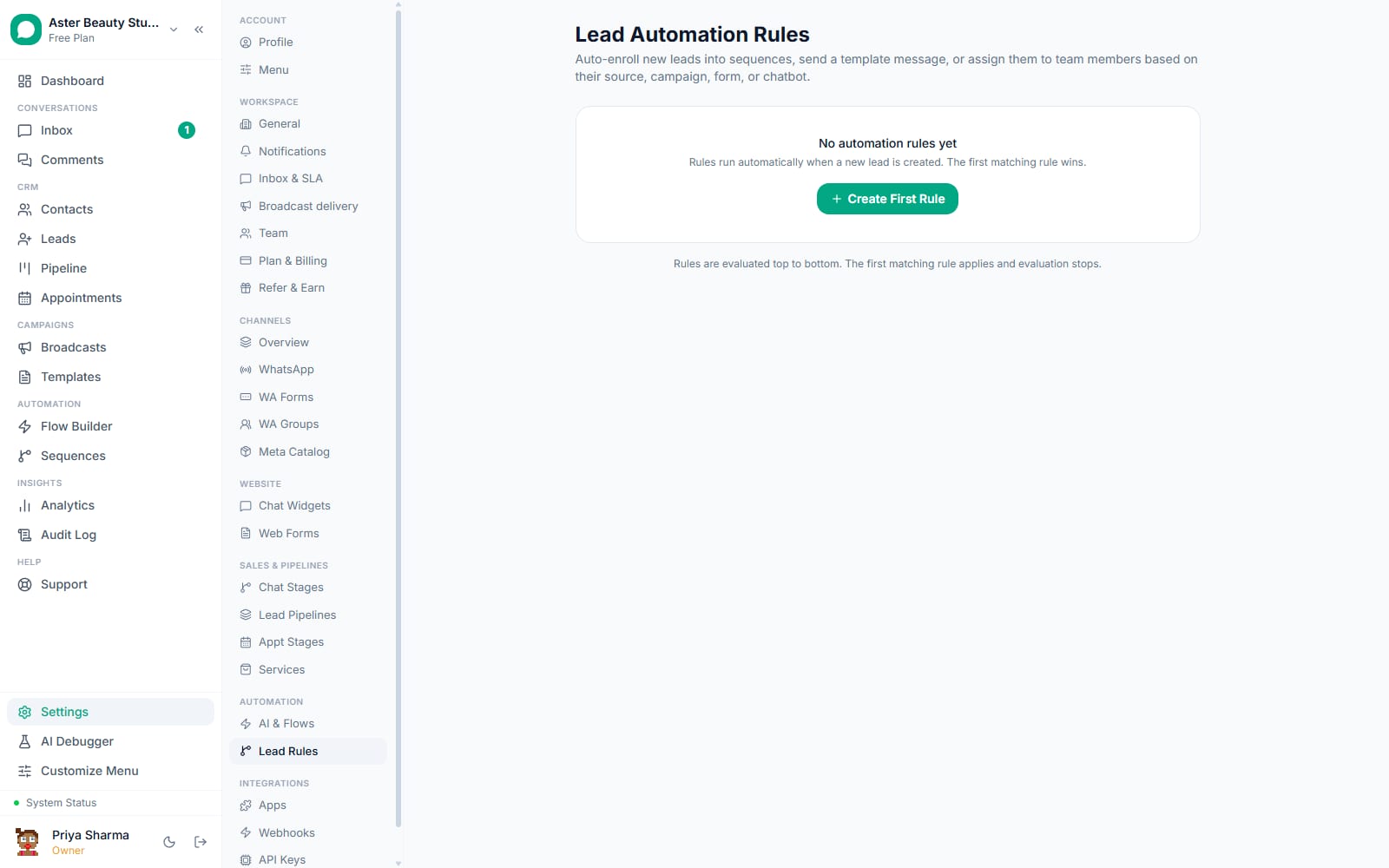
If the phone number on the lead already matches a WhatsApp contact, enrolment happens in the same process that created the lead, so the first message can go out within seconds of the form submit. If no contact exists yet, the enrolment is stored as pending against that sequence, and the moment the person's first WhatsApp message reaches your number, the pending enrolment resolves and the sequence starts.
Example
A real-estate agency runs three parallel campaigns, "2BHK Enquiries," "3BHK Enquiries" and "Site Visit Booking," each mapped to its own pipeline and its own opening WhatsApp message referencing the campaign name. A visitor who fills the "Site Visit Booking" form gets a WhatsApp message inviting them to pick a slot, not a generic "thanks for your interest" that has to be re-qualified by an agent.
How does phone number matching handle messy form data?
Lead ad forms are not consistent about how they ask for a phone number, and a lead your team cannot reach is worse than no lead at all. VGraple CRM checks the standard phone_number field first, then a set of common aliases (phone, mobile, mobile_number, contact_number), then any custom question whose label reads as a phone request, "WhatsApp Number," "Contact No," "Whatsapp No." When none of those match, it falls back to scanning every custom answer for one that is unmistakably a phone number by its digit pattern, so a form with an oddly worded question like "Best number to reach you on WhatsApp" still produces a usable phone field.
The resolved number is normalised to E.164 using your organisation's default country, so a 10-digit Indian mobile number entered without a country code still matches an existing contact stored as 91XXXXXXXXXX. If normalisation is not possible, the raw value is kept so it still displays on the lead card, rather than being silently dropped.
What does ad-level attribution actually capture?
A lead without its source is a lead you cannot use to judge whether the ad spend behind it was worth it. Every lead created from Facebook Lead Ads carries ad_id, ad_name, adset_id, adset_name, campaign_id and campaign_name exactly as Meta reports them at the moment of submission, plus the form's own name and ID. These fields are stored on the lead record, shown on the lead card in the pipeline view, and passed as personalisation variables (campaign_name, ad_name, adset_name, form_name) into whichever WhatsApp sequence the lead is enrolled in.
| Field | Where it comes from | Where it is used |
|---|---|---|
ad_id, ad_name | Meta leadgen webhook payload | Lead card, sequence variables |
adset_id, adset_name | Meta leadgen webhook payload | Campaign-to-pipeline mapping, sequence variables |
campaign_id, campaign_name | Meta leadgen webhook payload | Pipeline routing, sequence variables |
form_id, form_name | Meta leadgen webhook payload | Lead card, sequence variables |
is_organic, platform | Meta leadgen webhook payload | Distinguishing paid leads from organic form fills, Facebook vs Instagram |
Example
A clinic's "Free Health Checkup" ad on Instagram and the identical offer running on Facebook both feed the same lead form. platform on each lead tells the front desk which channel actually produced the booking, without running two separate forms.
How does "Sync past leads" avoid creating duplicates?
Connecting a Page that has been collecting leads for months should not flood your pipeline with old submissions treated as brand new, and re-running the sync should never double an already-imported lead. Every lead is deduplicated against lead_ad_id, Meta's own unique identifier for that specific submission, which is set as a unique constraint on the lead table. A webhook that Meta retries, or a manual "Sync past leads" run over a form that was already partially imported, is checked against this ID before a new row is created, so the operation is safe to run more than once.
The sync itself pages through Facebook's /leads endpoint for every connected form, using cursor-based pagination so a form with thousands of historical submissions completes without hitting a request limit, and reports imported and skipped counts plus any per-form errors, including an expired Page token that needs reconnecting.
Who uses it
Real-estate agencies run Lead Ads for specific projects or unit types, mapping each campaign to its own pipeline so a lead for a 2BHK enquiry never gets the same follow-up message as a lead asking about a commercial property. See WhatsApp CRM for real estate.
Clinics and diagnostic centres capture health-camp and checkup enquiries through Lead Ads, with the phone number auto-matched against existing patient contacts so a returning patient's WhatsApp thread continues instead of starting a new one. See WhatsApp CRM for clinics.
Coaching institutes run parallel campaigns for different courses and batches, each with its own sequence that sends the syllabus, batch timing and a counsellor's WhatsApp number automatically. See WhatsApp CRM for coaching institutes.
D2C stores use Lead Ads for pre-launch waitlists and giveaway campaigns, where the volume of submissions in a single day would be unmanageable to export and message by hand. See WhatsApp CRM for D2C.
What Meta allows
VGraple CRM requests only leadgen webhook access and the minimum Page permissions needed to read lead field data and manage the subscription; it never creates, edits or deletes your ad campaigns or lead forms. When a Page token expires, the Leads settings page shows a clear reconnect prompt rather than silently dropping submissions.
Plans and limits
Facebook Lead Ads capture is available on every plan, including Free, with no cap on the number of connected Pages or forms. Conversations are unlimited on every plan, so lead volume that flows into WhatsApp messages is never capped by a conversation quota. What a plan sets is agent seats and how many contacts you can store (5,000 on Free, 50,000 on Starter, 2,00,000 on Growth and unlimited on Scale). Campaign-to-pipeline mapping, sequence enrolment and CAPI purchase reporting back to the ad ship on every tier; conversion analytics on lead source and campaign performance require Starter or above.
Recent improvements
- 2026-08-15: Fixed a defect in the shared Page webhook handler where a Messenger DM payload arriving in the same batch as a lead form submission could throw and silently drop events; the leadgen handler is now isolated so it can never be affected by a sibling event type in the same webhook batch.
- 2026-07-12: Lead scoring shipped an explainable 0-100 score with a factor breakdown, weighting referral and Lead Ads-sourced leads higher than an unscored organic contact.
- 2026-07-11: Custom-question phone detection added, so forms asking for a "WhatsApp Number" as a free-text custom field are matched correctly instead of requiring the standard Facebook phone field.
- 2026-05-29: Campaign-to-pipeline mapping shipped, letting a specific Facebook campaign route to its own pipeline, default agent and sequence instead of every lead landing on one shared board.