On this page
- What you get
- How it works
- What can each role actually do?
- Why is editing a template a separately grantable permission from creating one?
- How does encryption at rest actually work?
- Who can actually see a secret value?
- What does the session policy actually do, and why does it differ by platform?
- What does the audit log actually capture?
- With VGraple CRM vs a typical WhatsApp CRM's access controls
- Who uses it
- What Meta allows
- Plans and limits
- Recent improvements
In short
- Five built-in roles (Owner, Admin, Supervisor, Agent, Viewer) plus fully custom roles with per-module access, enforced server-side on every request
- TOTP two-factor authentication with backup codes, and an owner-only reset path for a locked-out member
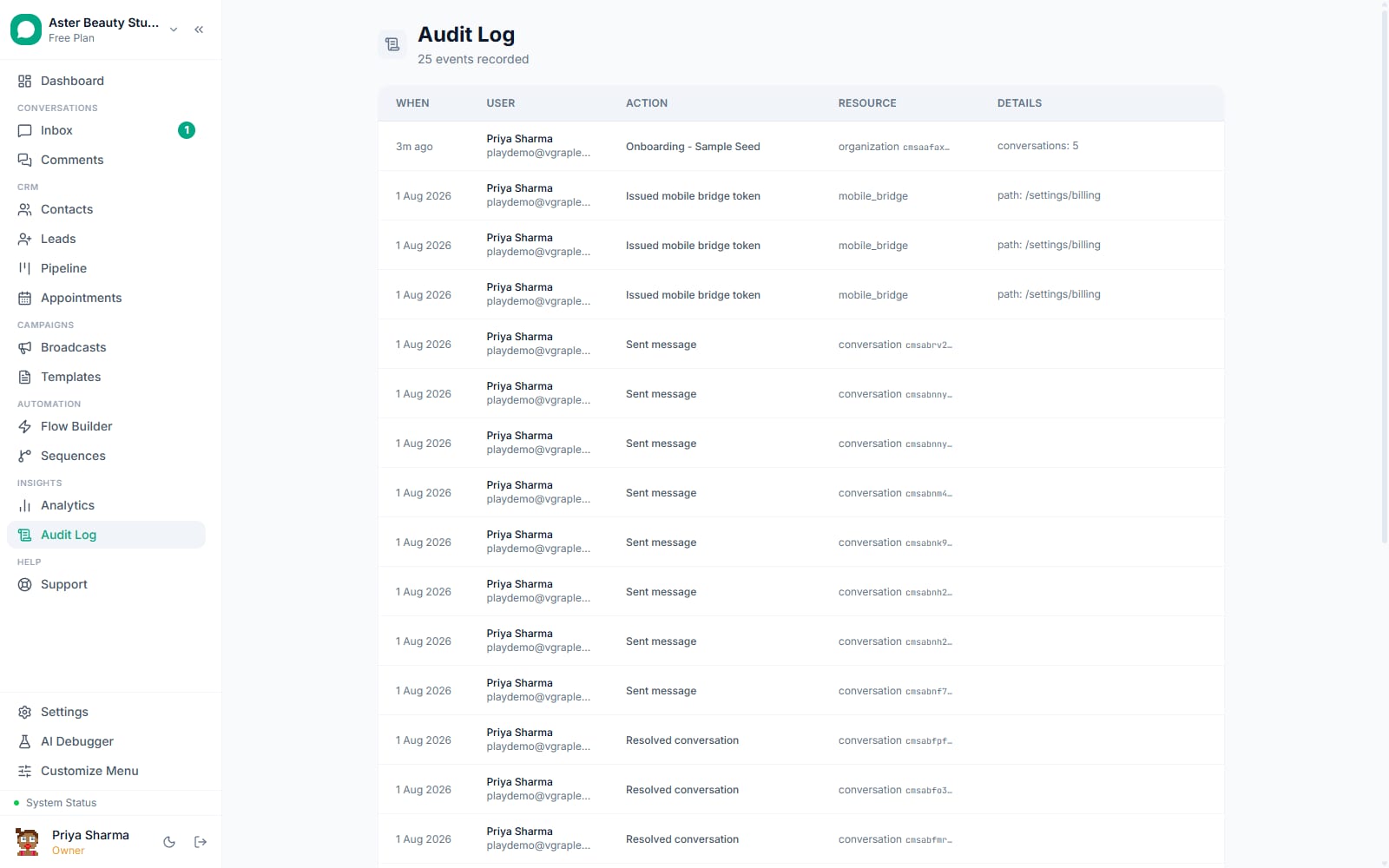
- An immutable audit log of every data-affecting action, viewable by Owners
- PII (names, phone numbers, emails) is encrypted at rest with AES-256-GCM; credentials like API tokens and webhook secrets use the same encryption
- Web sessions expire after 24 hours of inactivity and rotate their token every 6 hours; the Android app uses a 30-day rolling session instead, matched to how a phone is actually used
Security and roles in VGraple CRM cover who on your team can do what, five built-in roles plus fully custom per-module permissions, and how your data itself is protected, encryption at rest, an immutable audit log, TOTP two-factor authentication, and a session policy that expires an idle web login but does not fight how people actually use a phone. What changes for a business is that access control stops being a single "admin or not" toggle: a coaching institute can give an agency's analyst view-only access to Analytics and nothing else, and every write action affecting your data is recorded with who did it and when, reviewable by the one role, Owner, whose own actions are held to the same standard.
What you get
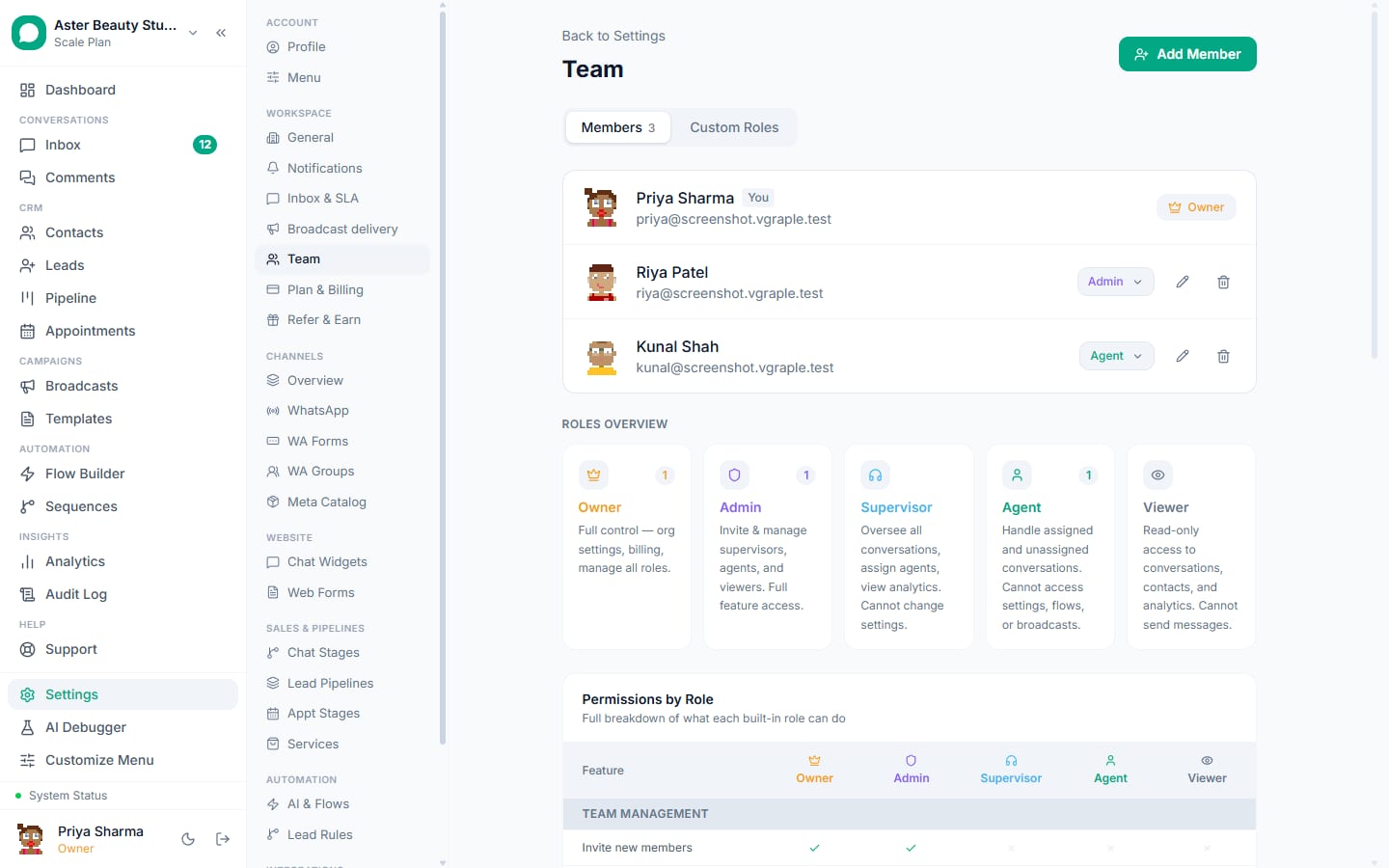
- Five built-in roles (Owner, Admin, Supervisor, Agent, Viewer) with fixed, server-enforced permission sets
- Fully custom roles with none/view/edit/full access set independently per one of 12 feature modules
- TOTP two-factor authentication with backup codes, plus an owner-triggered reset path for a locked-out member
- An immutable audit log of every data-affecting action, viewable by the organisation Owner
- AES-256-GCM encryption at rest for PII and credentials, with a searchable shadow column so encrypted fields can still be looked up
- Secrets (API keys, tokens, webhook secrets) visible only to the Owner and platform super admin, never to Admins or custom roles
- Rate limiting on public endpoints, Turnstile bot verification on authentication, and a 24-hour idle timeout with 6-hour token rotation on web sessions
How it works
- Invite a team member with a role. From Settings > Team, invite by email and assign one of the five built-in roles, or a custom role you have already defined. The invited member's access is enforced from their very first login, server-side, not just hidden in the UI.
Build a custom role if the five built-ins do not fit. Set each of the 12 modules (Dashboard, Inbox, Contacts, Leads, Broadcasts, Flows, Templates, Analytics, Pipeline, Webhooks, Appointments, Catalog) independently to None, View, Edit or Full, then name and save the role.
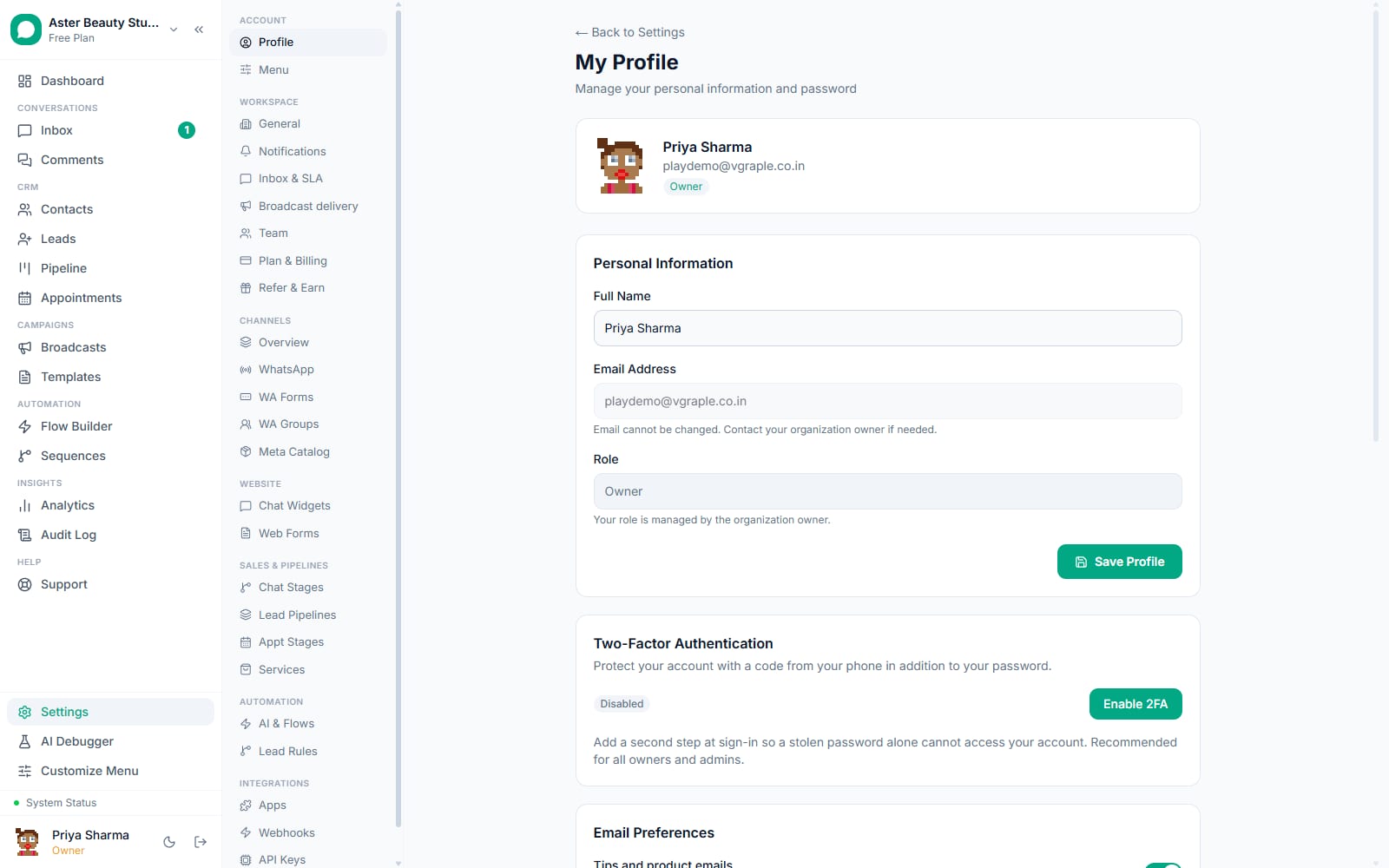
Turn on two-factor authentication. From Settings > Profile, enable 2FA, scan the QR code with an authenticator app, and confirm a code. Eight backup codes are shown once at setup for safekeeping outside the app.
Review active sessions from your own profile. Settings > Profile lists every device and browser currently signed in to your account, with "This device" marked, an IP address and last-active time per session, and a Revoke or Revoke All Others control.
The Owner reviews the audit log. Every data-affecting action, a settings change, a template deletion, a member's role change, a broadcast send, is recorded with the acting user, the action, its target, and a timestamp, visible to the Owner from the Audit page.
A locked-out member gets reset, not stuck. If a member loses both their authenticator app and their backup codes, the Owner resets their 2FA from the team page; the member is emailed, and the reset itself is written to the audit log.
What can each role actually do?
Permissions are checked server-side on every request against a fixed set per system role, or against a per-module matrix for a custom role; nothing is enforced only by hiding a button in the interface.
| Role | Team management | Settings | Flows | Broadcasts | Templates | Contacts | Inbox | Analytics | Audit log | Leads | Appointments | Catalog | Org-level (delete, ownership) |
|---|---|---|---|---|---|---|---|---|---|---|---|---|---|
| Owner | Full | Full | Full | Full | Full | Full | Full (view all, assign) | View | View | Full | Full | Full | Full |
| Admin | Full (below Owner) | Full | Full | Full | Full | Full | Full (view all, assign) | View | No access | Full | Full | Full | No access |
| Supervisor | No access | Pipeline only | View, toggle | View only | View, toggle | View, create, edit, block | Full (view all, assign) | View | No access | Full | View, create, edit | View | No access |
| Agent | No access | No access | No access | No access | No access | View, create, edit, block | Send, resolve (assigned/unassigned) | No access | No access | View, edit | View, create, edit | View | No access |
| Viewer | No access | No access | No access | No access | No access | View only | View all (read-only) | View | No access | View only | View only | View only | No access |
Note
A custom role's access to each of the 12 modules is set independently as None, View, Edit or Full, so the table above describes the five system roles' fixed defaults, not the full range a custom role can express. An agency analyst, for example, can be set to View on Analytics and None on every other module.
Why is editing a template a separately grantable permission from creating one?
Editing an already-approved template resubmits it to Meta for review and pauses every broadcast, flow or sequence currently using it while that review is pending; deleting a template reserves its name for 30 days so a hasty resubmission cannot immediately reuse the same name. Both actions carry more operational weight than simply creating a new template, so templates:edit, templates:delete and templates:toggle are distinct, separately grantable permissions from templates:create, letting a Supervisor toggle a template's active state without also being able to trigger a Meta resubmission or reserve a name.
Example
A clinic gives its front-desk Supervisor permission to toggle templates on and off (pausing a seasonal reminder template outside flu season) without granting edit access, so an accidental wording change that would trigger Meta re-review cannot happen from that role.
How does encryption at rest actually work?
Contact PII (names, phone numbers, emails) and sensitive credentials (WhatsApp access tokens, Stripe and Cashfree keys, webhook secrets, AI provider keys) are encrypted with AES-256-GCM before they are written to the database, using a server-side key that never reaches client-side code. Each encrypted value stores its own initialisation vector and authentication tag alongside the ciphertext, so a decryption failure (a key rotation gone wrong, a corrupted row) is detected explicitly rather than silently returning garbage data.
Because an encrypted phone number cannot be matched with a plain SQL WHERE clause, a separate deterministic shadow column is maintained specifically for search and lookup, so finding a contact by phone number does not require decrypting and comparing every row in the table. This is the same searchable-encryption pattern used by any SaaS product that both encrypts PII at rest and needs to look it up quickly.
Who can actually see a secret value?
Credentials, API keys, WhatsApp access tokens, payment gateway keys, webhook signing secrets, are restricted to the organisation Owner and the platform's super admin, deliberately narrower than the general permission system. An Admin can edit almost every organisation setting, but cannot view a secret's raw value, even though they might be the one configuring the integration that uses it; the secret itself stays visible only to the Owner.
Watch out
If your organisation's Owner account changes hands (an employee leaves, a role is reassigned), rotate every secret an outgoing Owner had visibility into, API keys, webhook secrets, connected payment gateway keys, since visibility, not just role membership, is what determines who has seen a given value.
What does the session policy actually do, and why does it differ by platform?
A web (cookie-based) session is treated as expired if it has gone 24 hours without any request, active use never triggers this, only genuine inactivity does, and an active session's underlying token is rotated every 6 hours as a rolling security measure that happens invisibly in the background. The Android app uses a different model entirely: a 30-day rolling bearer session that extends itself on active use and is never subject to the 24-hour idle rule, because a phone's own lock screen and secure keystore are the trusted factor there, and the app has no way to silently re-authenticate the way a browser holding a fresh cookie can.
Note
Two-factor authentication, where enabled, applies identically on both platforms at login; the difference is only in how long an already-authenticated session is allowed to sit idle before it needs to happen again.
What does the audit log actually capture?
Every data-affecting action across the platform, contact creation, edits, deletion, merges and imports; conversation lifecycle events (start, resolve, reopen, assign, snooze); message sends including templates, media and CTA links; every broadcast lifecycle event (create, send, retry, cancel, clone, retarget, export); flow and template changes; member invites, role changes and removals; settings changes including CAPI, payments and inbox configuration; API key creation, rotation and revocation; channel connect and disconnect; and organisation-level events (deactivation, reactivation, ownership transfer). Each entry records the acting user, the specific action, its target, and a timestamp, and the log itself is append-only, visible to the Owner from the Audit page.
With VGraple CRM vs a typical WhatsApp CRM's access controls
| Typical WhatsApp CRM | VGraple CRM | |
|---|---|---|
| Roles | Often a flat Admin/Agent split | Five built-in roles, granular by design (Owner, Admin, Supervisor, Agent, Viewer) |
| Custom permissions | Rarely available, or an enterprise add-on | Full per-module custom roles on every plan |
| Two-factor authentication | Often missing or email-code only | TOTP standard, backup codes, owner-assisted reset |
| Audit trail | Frequently absent | Every write action logged, actor and target recorded |
| Secret visibility | Often visible to any admin-level user | Owner and super admin only, a narrower gate than general permissions |
| PII encryption | Rarely stated plainly | AES-256-GCM at rest, with a search-compatible shadow column |
| Session policy | A single fixed timeout for every client | 24h idle timeout with rotation on web; a 30-day rolling session tuned for mobile |
Who uses it
Coaching institutes give an external marketing agency a custom role limited to Analytics view-only, so performance data is visible without any risk to student conversations or contact data. See WhatsApp CRM for coaching institutes.
Clinics rely on the Agent role's narrow permission set (send, resolve, view leads and appointments, no settings or broadcast access) so front-desk staff can do their job without ever touching template approval or channel configuration. See WhatsApp CRM for clinics.
Real-estate agencies use the Supervisor role to let a team lead reassign conversations and manage the pipeline without handing over settings access that could affect the whole agency's WhatsApp number. See WhatsApp CRM for real estate.
D2C stores use the audit log after a seasonal hiring spike to confirm which new agent account made a specific bulk contact change, closing the loop faster than reconstructing it from memory. See WhatsApp CRM for D2C.
What Meta allows
Plans and limits
Every security and role feature described on this page, five built-in roles, unlimited custom roles, two-factor authentication, the audit log, and PII encryption, ships on every plan, including Free. There is no plan gate on any part of the access control or security system; the only plan-based limits anywhere in VGraple CRM are the counts of agent seats, stored contacts, WhatsApp numbers, chat widgets and custom fields, plus Analytics (Starter and above). Conversations are unlimited on every plan.
Recent improvements
- 2026-08-22: Payments security review closed three priority findings identified in a dedicated audit, tightening how gateway credentials are handled end to end.
- 2026-06-12: A round of 16 security fixes shipped from a full platform audit; PII field encryption, a WAF in front of the application, and continuous point-in-time-recovery database backups all went live in the same programme.
- 2026-06-12: Multi-tenant isolation (every query scoped to organisation id) was verified with automated tests across every API route, not just spot-checked.