On this page
Too long? Read this
- A comment on your Instagram or Facebook post can trigger a public reply and a private DM automatically, on keywords or on any comment
- The DM opens a conversation in your inbox where a flow qualifies the person, shares the link or price, and offers to continue on WhatsApp
- Meta allows the private reply once per comment within 7 days; anything after that follows normal messaging rules
- Setup in VGraple CRM, five rule examples, moderation, and the numbers to watch
An Instagram comment is an enquiry with no phone number. Comment-to-DM automation fixes that: when someone comments on your post ("price?", "link please", or anything at all), a rule posts a public reply and sends a private DM within seconds, the DM opens a conversation in your shared inbox, a flow delivers what they asked for and offers the next step, and, if you want the relationship on WhatsApp, a link or a "share your number" question moves it there with consent. Meta permits one private reply per comment within 7 days; everything else follows normal messaging rules. This guide covers the setup in VGraple CRM, five rule examples, the wording, moderation, and the numbers to watch.
How it works
- A person comments on a post on your connected Instagram account or Facebook Page.
- A rule matches: any comment, or specific keywords (PRICE, LINK, DM, INFO), optionally excluding your own replies and a block list.
- The rule posts a public reply ("Sent you a DM!") and a private message to the commenter.
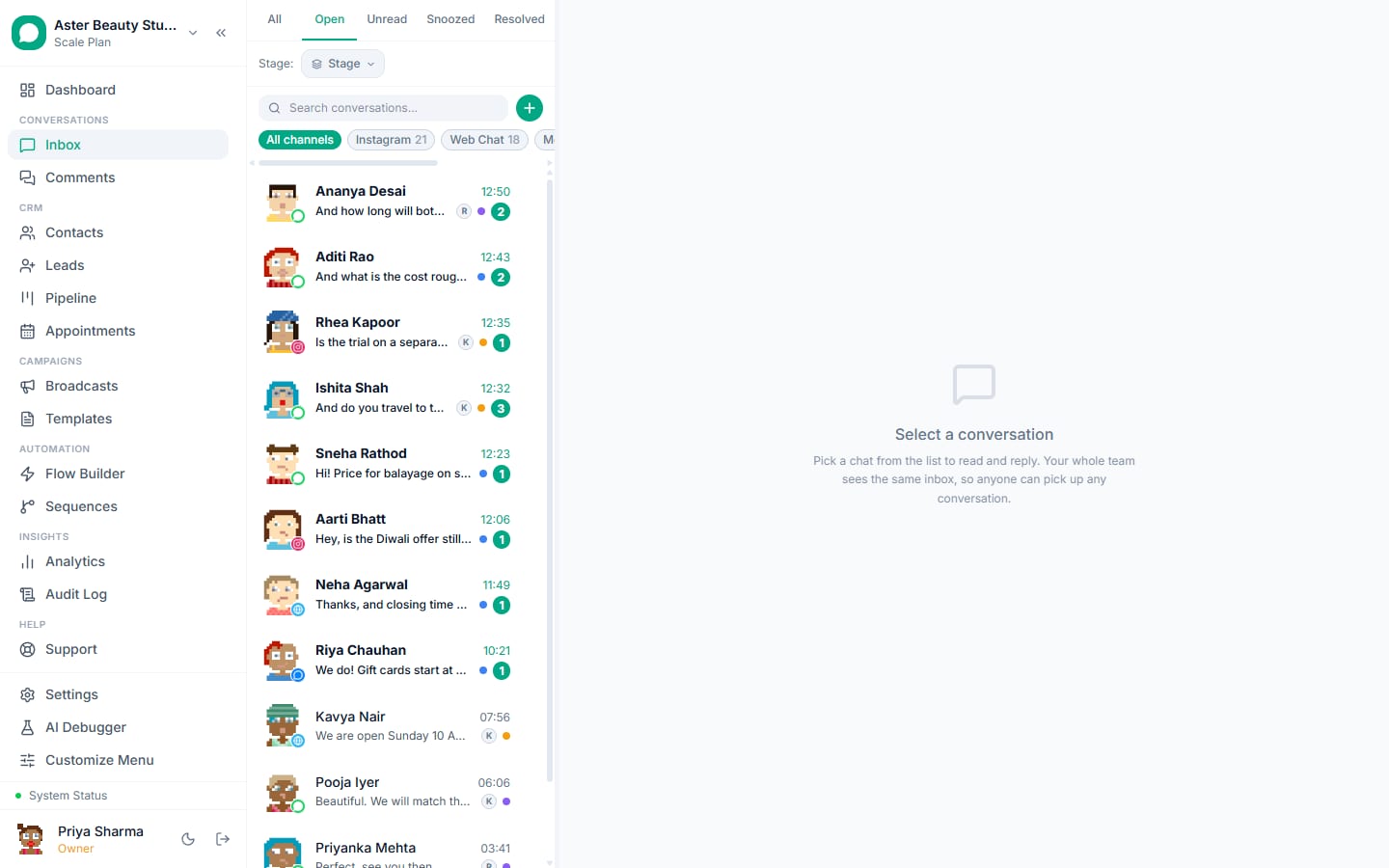
- The private message opens a conversation in the inbox; a flow can run inside it (deliver the link, ask a qualifying question, offer WhatsApp).
- Replies land in the inbox with the post and comment attached; agents take over when needed.
Setup in VGraple CRM
- Connect the accounts. Settings, Channels, Connect Messenger, Instagram or Lead Ads; log in to Facebook, grant the Page and Instagram permissions. Instagram must be a professional account linked to the Page.
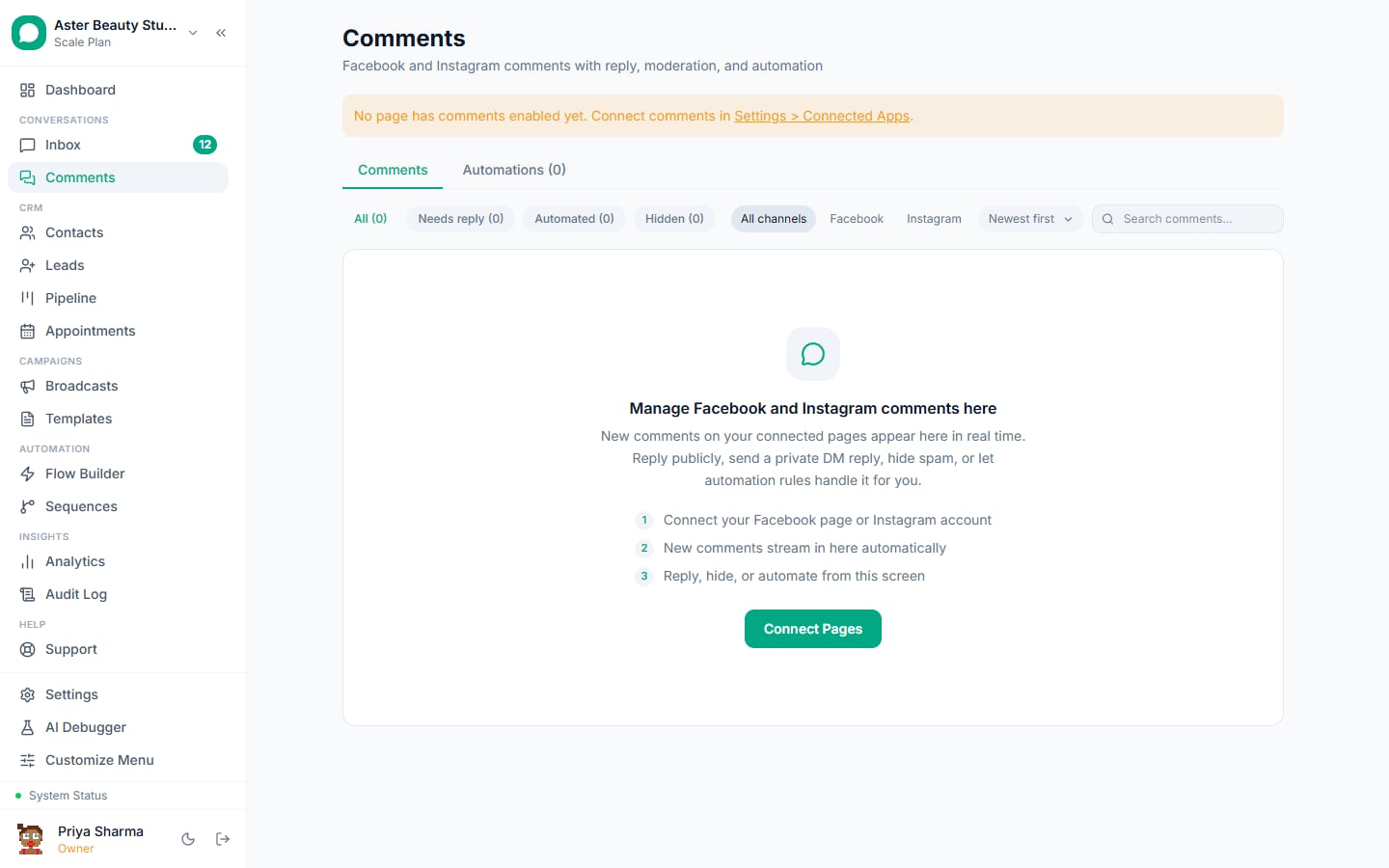
- Open Comments. The Comments view lists recent comments per post and the automation rules.
- Create a rule. Choose posts (all, or specific), trigger (any comment, or keywords), public reply text, private message text (or a flow), exclusions (your own account, block list).
- Test. Comment on a post from another account; the public reply and DM should arrive within seconds and the conversation should appear in the inbox.
- Add the WhatsApp step. In the DM flow, add a button or a question that moves the person to WhatsApp: a wa.me link with a prefilled message, or "share your WhatsApp number" saved to the contact.
Step-by-step with screenshots: automate Facebook and Instagram comments.
Five rule examples
- Price on a product reel. Keywords: price, cost, rate. Public: "Sent you the price in DM." DM: "The Linen Midi Dress is Rs 2,399, sizes S to XL. Shop: https://kavyaapparel.in/p/linen-midi. Want it on WhatsApp for size help? Tap: https://wa.me/91XXXXXXXXXX?text=Linen%20Midi"
- Link on an educational post. Keywords: link, guide. Public: "DM sent." DM: "Here is the guide: {{link}}. Reply with your question if you need more."
- Giveaway entries. Any comment. Public: "You are in! Check your DM." DM: "Entry confirmed. Winners announced Sunday. Reply YES to get the result on WhatsApp too."
- Appointment interest on a before-and-after post. Keywords: book, appointment, slot. DM flow: service list with buttons, then a WhatsApp handoff for booking.
- Support on a launch post. Keywords: issue, problem, not working. DM: "Sorry about that. Tell me what happened and I will fix it here." Assign to support.
Wording that gets replies
Deliver first (the link, the price), then one next step (a button, a WhatsApp link, a question). Keep the public reply short and friendly; it is visible to everyone and signals responsiveness. Do not use the DM to pitch something they did not ask about; the comment told you what they want.
Moving the conversation to WhatsApp
Instagram DMs are fine for a first exchange; WhatsApp is where bookings, payments and follow-ups live. Two ways: a wa.me link with a prefilled message (their tap starts a WhatsApp conversation, which is the opt-in and opens a free window), or a question in the DM flow that saves their number to the contact for a later utility template. Match by phone so the Instagram thread and the WhatsApp thread belong to one contact in the inbox.
Worked example: a salon reel that filled a week
Aster Beauty Studio posted a before-and-after reel with "comment BOOK for slots". Rule: keyword BOOK, public reply "Sent you our slots!", DM flow with three services as buttons, then a WhatsApp link with a prefilled message. 212 comments in two days; 209 matched; 131 replied to the DM; 78 tapped through to WhatsApp, where the booking flow confirmed 54 appointments as utility templates. Meta charges: under Rs 20 (the confirmations); the reel's reach was organic. The desk's only manual work was the eleven people who asked for a service not on the buttons.
Timing and Meta's windows
The private reply must go within 7 days of the comment; automation sends it within seconds, so that is never the constraint. What matters is the follow-up: once the person replies in the DM, Instagram's 24-hour window opens for free-form messages, and beyond it only the Human Agent extension (where Meta has approved it) or a new comment reopens the conversation. Moving to WhatsApp early gives you the template route for later follow-ups; Instagram alone does not have one.
Moderation
Rules can hide comments matching a block list (offensive terms, competitor spam), skip comments from your own account, and require keywords so a "nice" does not trigger a sales DM. Review the Comments view daily in the first week; the false positives tell you which keywords to tighten.
Numbers to watch
| Metric | Healthy | Meaning |
|---|---|---|
| Comments matched | Most of the intent comments | Keywords are right |
| DM reply rate | 30 to 60 percent | The DM delivered something |
| Moved to WhatsApp | 20 to 40 percent of repliers | The handoff is easy |
| Complaints or unfollows | Near zero | The DM is not a pitch |
What VGraple CRM does here
Comment automation for Instagram and Facebook (keyword or any-comment triggers, public reply plus private message, exclusions, block lists), the Comments view, DM flows with WhatsApp handoff, and Instagram and Messenger conversations in the shared inbox are on every plan including Free. Meta App Review approval for these channels is in place.