On this page
Too long? Read this
- Team WhatsApp fails on ownership, not effort: without assignment, notes and roles, messages fall between people
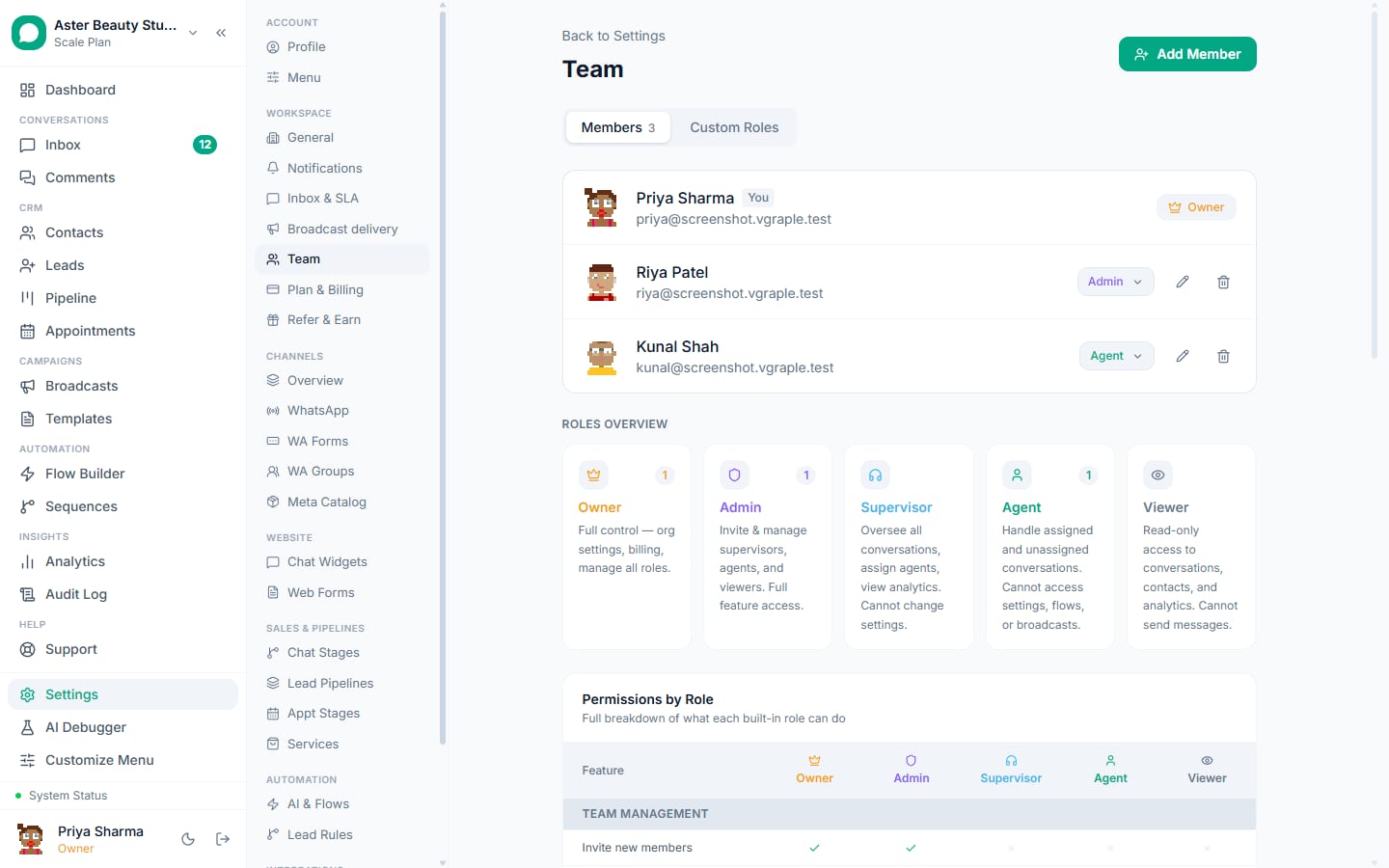
- Roles (Owner, Admin, Agent) decide who can change settings and send campaigns; teams and assignment rules decide who answers what
- Coverage is a rota plus automation: a welcome flow and the AI handle first replies, SLA alerts catch what slips, quiet hours and away rules cover nights
- The owner keeps the phone with coexistence; the team works from the inbox and the Android app
Managing WhatsApp with a team fails on ownership, not effort. One phone passed around, four linked devices, a group chat where staff forward screenshots: messages fall between people, nobody knows who promised what, and the owner cannot go home. The fix is structural: a shared inbox on the WhatsApp Business API where every conversation has an assignee, roles decide who can change what, workflows decide who answers what, automation covers the gaps, and the owner keeps the phone through coexistence. This guide sets out roles, workflows, coverage, the phone question and the weekly review, with the settings that make each one real.
Roles: who can do what
| Role | Conversations | Contacts and leads | Templates and campaigns | Settings, billing, keys |
|---|---|---|---|---|
| Agent | Assigned and team queues | View and edit | Send approved templates | No |
| Admin | All | All | Create, submit, run | Most settings; no billing or secrets |
| Owner | All | All | All | Everything, including billing, API keys, Meta connection |
| Custom | As defined | As defined | As defined | As defined |
Keep Owners to one or two people. Make campaign senders Admins. Everyone else is an Agent; it is not a demotion, it is the role that cannot accidentally send a broadcast to 10,000 people. Two-factor authentication can be required for all. Roles and permissions.
Workflows: who answers what
Teams. Sales, support, bookings, or by branch. An agent belongs to one or more teams; a team has an SLA and an assignment rule.
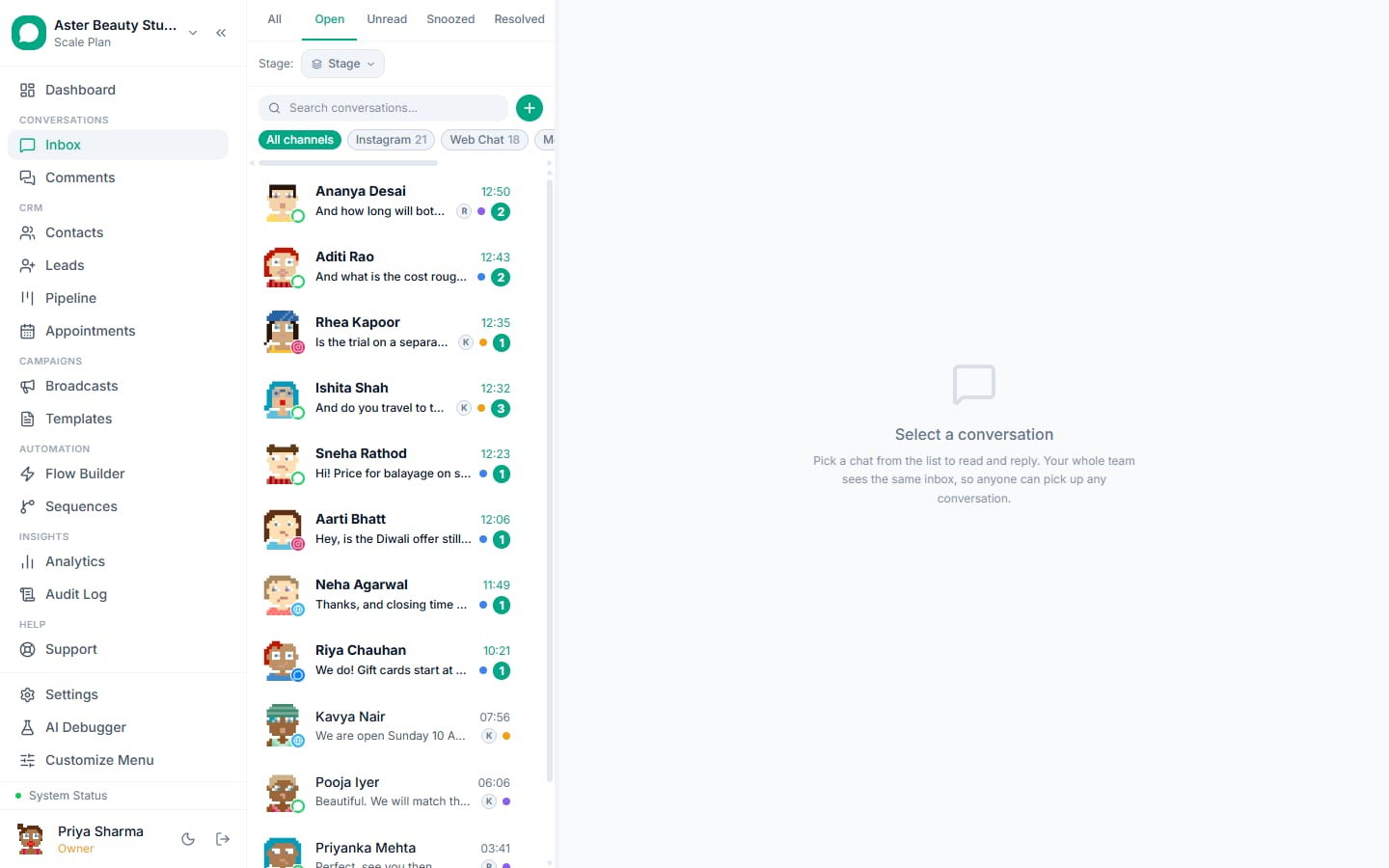
Assignment rules. Round robin across online members; by keyword (price, appointment, complaint); by channel (Instagram to the social team); by campaign (replies to a broadcast go to its owner); by last agent (the customer's previous handler). Unassigned conversations wait in the queue with a timer.
Escalation. Reassign from the header with a note; mention a colleague in an internal note; a rule that routes "complaint" or "refund" to a senior; the AI escalates on its own rules.
Stages. New, In progress, Waiting on customer, Resolved. Setting the stage is what makes the queue and the reports honest.
Coverage: mornings, nights, weekends
| Time | What answers | What catches misses |
|---|---|---|
| Business hours | Assigned agents, SLA 10 minutes (sales) or 30 (support) | SLA alerts to the team lead |
| Lunch and shift change | Round robin to whoever is online | Queue view on the wall |
| Evenings | Welcome flow and AI for first replies; on-call agent on the Android app | SLA alert to the on-call owner |
| Nights | Away rule with the reopening time; AI for FAQs; quiet hours hold campaigns | Morning routine: unassigned, breached, AI escalations |
| Weekends | Reduced rota; the AI covers; templates for confirmations | Same |
The morning routine is ten minutes: unassigned view to zero, breached view reviewed, AI escalations read, stages set on anything left open from yesterday.
The phone problem
Most Indian businesses started with the owner's phone and cannot switch it off. Coexistence solves it: connect the number in coexistence mode, the WhatsApp Business app keeps working on the phone, the inbox sees every message including ones sent from the phone (as echoes), and up to 180 days of history imports once. The owner watches from the app; the team works from the inbox and the Android app. Turn off the app's greeting and away messages once the welcome flow is live so customers do not get two greetings. Coexistence.
Handover that does not lose context
A handover is a reassignment plus a note: what the customer wants, what has been promised, what is next. Conversation summaries (AI) draft the note from the thread. The customer never sees the handover; they see one business number and one continuous conversation. Notes are internal, searchable, and part of the audit trail.
The weekly review
Fifteen minutes on the analytics page with the team lead:
- First response time by agent and by hour: where are the slow hours?
- SLA breaches: which team, which hour, which day?
- Unassigned backlog at end of day: should be zero; if not, the rota or the rule is wrong.
- Resolved per agent: rising, then stable.
- Stages set: above 90 percent, or the reports are fiction.
- AI escalations by reason: which knowledge is missing?
- Blocks and opt-outs: are campaigns hurting the support number?
Growing from two people to twenty
Two people: one Owner, one Agent, one team, round robin, a 30-minute SLA. Five: add an Admin who runs templates and campaigns, split sales and support, add the welcome flow. Ten: teams per function with their own SLAs, the AI for first replies, lead scoring for the sales queue, the Android app for field staff. Twenty: custom roles for supervisors, branch teams, quiet hours per team, the weekly review with analytics exports. Nothing has to be rebuilt at each step; only roles, teams and rules change, and the audit log keeps the history of who changed what.
Mistakes
- Everyone an Admin, because it was easier on day one.
- No teams, so the sales lead sees support noise and vice versa.
- Assignment rules without SLA alerts: misses are invisible until the customer complains.
- Turning off the phone app abruptly instead of using coexistence; the owner reverts within a week.
- Handover without notes.
- No weekly review; problems accumulate silently.
What VGraple CRM does here
Roles with a permission matrix and custom roles, teams, assignment rules, collision detection, SLA timers and alerts, notes, stages, conversation summaries, coexistence, the Android app, the audit log and two-factor authentication are on every plan including Free; the AI chatbot and summaries on Growth and above; analytics on Starter and above.