On this page
Too long? Read this
- Six mechanisms stop broadcasts: unsolicited sending, spam reports and blocks, a falling quality rating, an exhausted messaging tier, a paused template, and app-side bans for bulk-sender tools
- Each has a distinct symptom (error code, status, dashboard signal) and a distinct fix; treating them the same is how numbers end up restricted
- Recovery takes days, not weeks, if you stop the cause, keep utility traffic flowing and rebuild with engaged segments
- Seven fixes, in order, and the platform settings that make most of them automatic
WhatsApp does not block broadcasts for being broadcasts. It blocks them through six separate mechanisms, each with its own symptom and its own fix: messages to people who did not opt in, spam reports and blocks from recipients, a quality rating that falls as a result, a messaging tier that runs out, a template that Meta pauses after sampling complaints, and outright bans of numbers driven by bulk-sender tools on the phone app. Businesses that treat all six as "WhatsApp blocked us" retry into the wall and get restricted. This guide names each mechanism, what it looks like in your dashboard, and the seven fixes in the order that recovers a number in days rather than weeks.
The six mechanisms
| Mechanism | What you see | Root cause |
|---|---|---|
| Unsolicited sending | Blocks and "report spam" within the first hour; quality drops next day | Contacts who did not expect you (bought lists, old numbers, no opt-in) |
| Per-user frequency cap | Error 131049 on marketing messages; delivery 60 to 80 percent instead of 95 | Recipients already saturated with marketing from businesses; cold list |
| Quality rating drop | Number shows Medium (yellow) or Low (red); tier falls; sends slow | Accumulated blocks and reports over 7 days |
| Tier exhausted | Campaign stops partway; "limit reached" or skipped rows | Unique recipients started in 24 hours exceeded the portfolio's tier |
| Template paused | Error 132015 or 132016; campaign parks; template shows Paused | Meta sampled the template and found complaints |
| App-side ban | The WhatsApp Business app number is banned outright | Bulk-sender tools automating the app or WhatsApp Web |
What each looks like, and the fix
1. Unsolicited sending
Symptom: blocks arrive fast, in the first hour of a send, concentrated in one segment or one import. Fix: stop sending to that segment, delete or suppress contacts without a recorded opt-in, and add consent collection at every entry point (forms, ads, QR, "reply YES"). There is no content fix for a list problem.
2. Per-user frequency cap (131049)
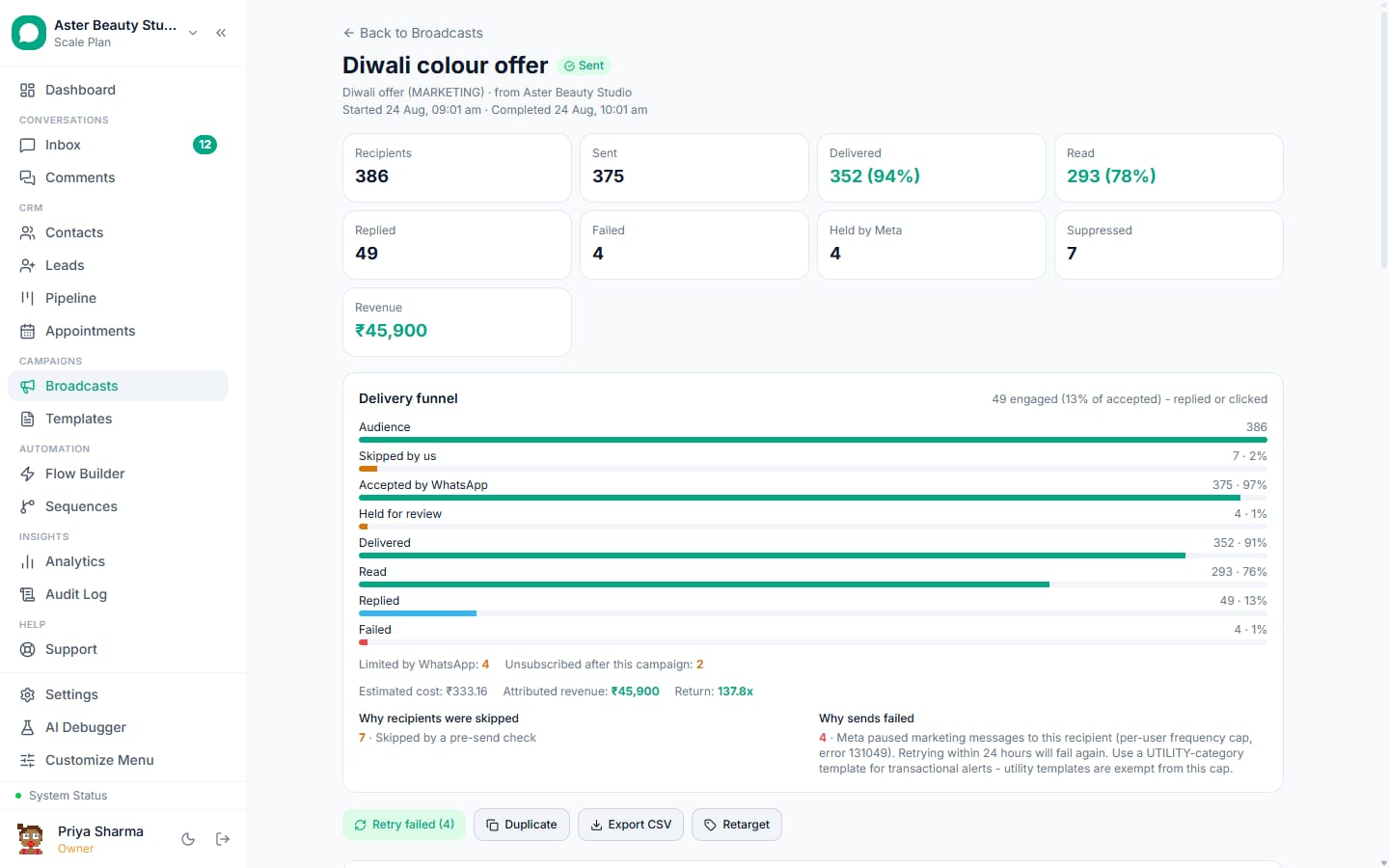
Symptom: a chunk of marketing sends fail with 131049; nothing is wrong with your account. Fix: do not retry those recipients (Meta penalises accounts that do, since April 2026); move transactional content to utility templates, which are never capped; send marketing to engaged segments (recent readers and repliers) where cap rates are lowest. VGraple CRM marks capped recipients as suppressed and keeps them out of "Retry failed" for the suppression window.
3. Quality rating drop
Symptom: the number's rating turns yellow or red in Meta Business Manager and in VGraple CRM's channel card; the tier drops a step; sends slow (VGraple CRM halves the pace on yellow and cuts it to a tenth on red). Fix, in order: stop marketing broadcasts for 3 to 7 days; keep utility messages to engaged customers flowing so Meta sees healthy traffic; find the campaign that caused the blocks (blocks by campaign in analytics) and suppress its segment; resume marketing with a small engaged batch and grow daily. Ratings typically recover within a week once the cause stops.
4. Tier exhausted
Symptom: a campaign sends part of its list and stops, or later rows are skipped; the review screen warned that the send would exceed headroom. Fix: this is not a penalty. Let the campaign park and resume when the 24-hour window reopens (VGraple CRM does this with auto-continue), complete business verification to move past 250, and use at least half of each day's limit with good quality so Meta raises the tier. Do not add numbers to route around it; tiers are per portfolio.
5. Template paused (132015, 132016)
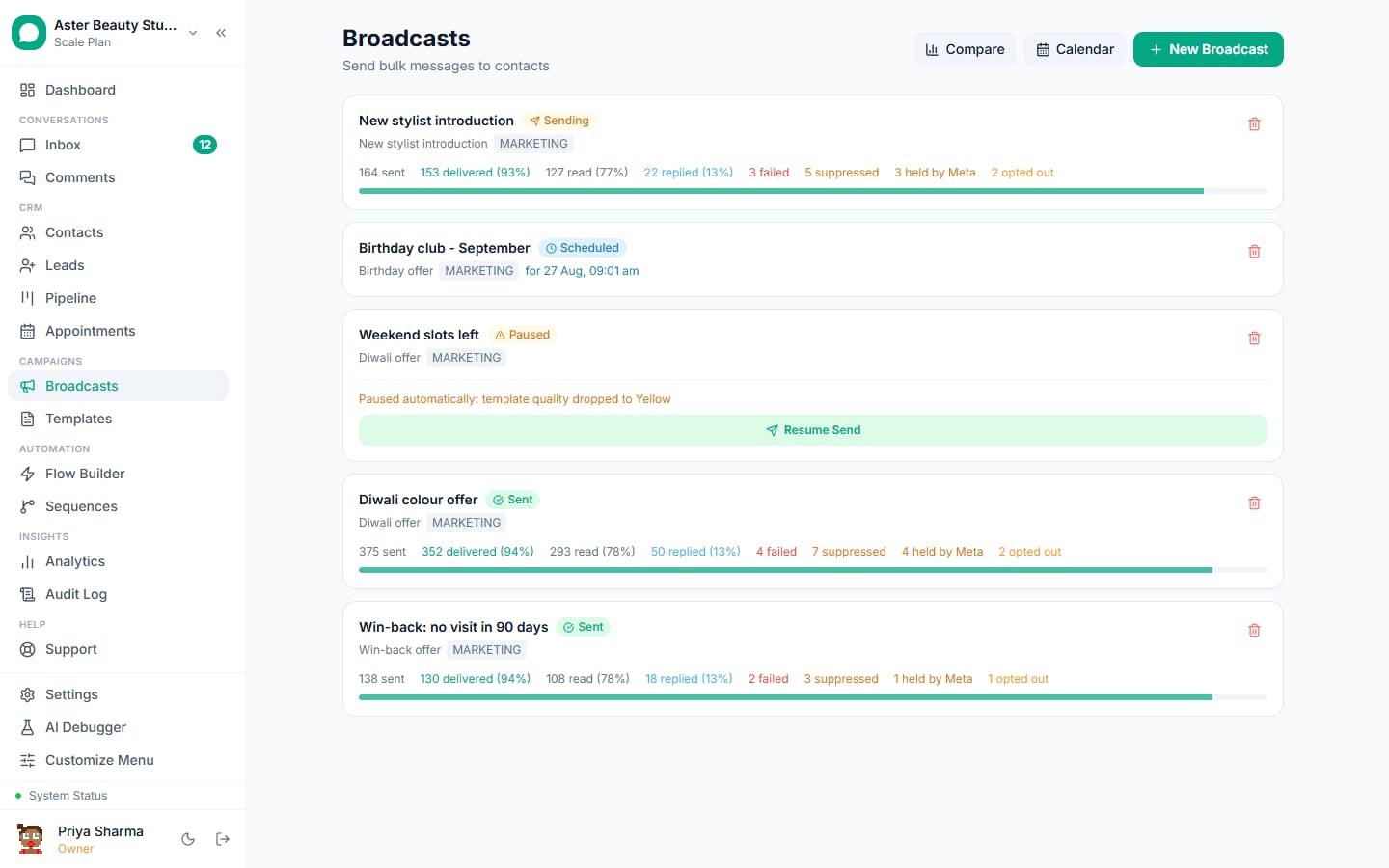
Symptom: the campaign parks with "template paused" as the reason; the template shows Paused in Templates. Fix: let the campaign resume when the pause lifts (automatic in VGraple CRM); meanwhile rewrite the template (clearer value, opt-out line, less urgency) and submit it as a new template rather than editing the paused one; retarget only readers of previous sends with the new version.
6. App-side ban
Symptom: the WhatsApp Business app shows the number as banned; this happens to numbers run through bulk-sender tools that automate the app or WhatsApp Web. Fix: there is often none for that number. Move to the WhatsApp Business API on a clean number, connect it properly, and never run automation through the phone app again.
The seven fixes, in order
- Read the per-recipient statuses before doing anything. Suppressed, failed with 131049, failed with 132015 and skipped-for-quota need four different responses.
- Stop the cause, not the channel. Pause marketing to the offending segment; keep utility messages and inbound replies flowing.
- Never retry suppressed or capped recipients. Retries are the one thing that turns a warning into a restriction.
- Move transactional content to utility templates. Reminders, confirmations and updates should never sit in the marketing category.
- Rebuild with engaged segments. Readers and repliers of the last 30 days first; cold contacts last, in small batches, if at all.
- Set quiet hours and a frequency cap. No sends at night; at most one marketing broadcast per contact per week.
- Verify the business and warm up the tier. Use at least half of each day's limit with clean quality; the tier rises on its own.
Numbers to watch every week
| Signal | Threshold | Action |
|---|---|---|
| Block rate per campaign | Above 0.3 percent | Suppress the segment; review the template |
| 131049 share of marketing sends | Above 10 percent | Switch to engaged segments; more utility |
| Quality rating | Yellow | Halve volume for 3 days |
| Quality rating | Red | Stop marketing 3 to 7 days |
| Read rate | Below 45 percent | Fix send time and first line (not a ban risk by itself) |
| Delivery rate | Below 90 percent | Clean the list; check tier headroom |
A recovery diary: what a week looks like
Day 0: a 6,000-contact promotional send to an imported list produces 90 blocks in an hour (1.5 percent). Day 1: the number turns yellow, the tier drops from 10,000 to 1,000, and 131049 failures appear on the next marketing send. Day 1 action: marketing paused; the imported segment suppressed; utility reminders to existing customers continue (about 400 a day, all delivered). Day 3: rating back to green; a 300-contact marketing send to repliers of the previous month goes out at 11 am with an opt-out line and delivers at 96 percent with 2 blocks. Day 5: 1,000 to readers of that send. Day 8: the tier is back at 10,000 and the block rate is 0.1 percent. The imported list is never used again; the contacts in it get a consent request only if they message first.
Prevention settings worth turning on today
- Quiet hours (Settings, Broadcast delivery): campaigns due at night wait until morning.
- Marketing frequency cap: a contact who already received the set number of marketing broadcasts in the window is left out of the next one.
- Auto-continue on daily limit: a parked campaign resumes when the tier window reopens instead of skipping the remainder.
- Retarget cohorts instead of full-list resends: readers and repliers only.
- Template validator before every submission, so a rejection or a pause does not start with a formatting mistake.
What VGraple CRM does here
Delivery protection handles the mechanical parts: pacing by quality rating, tier budgeting with auto-resume, auto-park on template pause with the reason shown, suppression of opted-out, blocked, marketing-stopped and capped recipients (never retried), quiet hours and a frequency cap, and per-recipient statuses with the Meta error code. The judgement calls (which segment, which wording, when to resume) stay with you, with the data to make them in one screen.