On this page
Too long? Read this
- AI support on WhatsApp is two things: a chatbot that answers from your documents at any hour, and reply suggestions and summaries for the agents who handle the rest
- It works when it is trained on your own material, escalates on rules, waits for the customer to finish typing, and stops the moment a person joins
- AI replies inside the 24-hour window count as replies at Meta; from 1 October 2026 the first 1,000 a month on each number are free, then each costs the utility rate (Rs 0.115 in India)
- Setup, the questions to leave to humans, metrics, and the mistakes that make customers leave
AI in WhatsApp customer support does two jobs. The first is an assistant that answers customers directly, at any hour, from a knowledge base you upload: prices, hours, policies, how-to questions, order or booking status when connected. The second is help for the people who handle the rest: reply suggestions drafted from the thread and summaries of long conversations. It works when it is trained on your own material, escalates on rules you set, waits for the customer to finish typing before replying, and stops the moment a person joins. At Meta, an AI answer is a reply like any other. From 1 October 2026 Meta charges for replies too; the first 1,000 each month on each WhatsApp number are free. After that each reply costs the recipient market's utility rate, Rs 0.115 in India, so an AI that answers fully in one message costs less than one that needs three. This guide covers what to hand to the AI, what to keep for humans, the setup, the metrics, and the mistakes that make customers leave.
What the AI should handle, and what it should not
| Hand to the AI | Keep for a person |
|---|---|
| Prices, hours, location, availability | Complaints and anything with a raised voice |
| Policies: returns, cancellations, warranties | Refunds and exceptions to policy |
| How-to questions your docs answer | Negotiation and custom quotes |
| Order or booking status (when connected) | Anything the AI is unsure about |
| Collecting details before a human joins | Regulated advice (medical, financial, legal) |
| After-hours acknowledgement and triage | The first reply to a VIP or a partner |
The AI's job is to resolve the routine and prepare the rest; the escalation rules draw the line.
How it works in VGraple CRM
Knowledge base. Upload files (PDF, DOCX), paste FAQs, add web pages. The content is chunked and embedded; each answer retrieves the relevant passages and answers from them, with a source. A fallback message you write handles questions with no match.
Escalation rules. Keywords (refund, complaint, manager, human), low confidence, a request for a person, or categories you define. Escalation assigns the conversation to an agent or team with the transcript and a summary.
Debounce. The AI waits until the customer has finished typing (a short pause after the last message) before answering, so a three-message question gets one answer rather than three.
Pause on human reply. The moment an agent replies in a thread, the AI stops in that thread until the conversation is resolved or the agent hands it back.
Reply suggestions and summaries. For human-handled threads, the AI drafts a reply the agent can edit and summarises the conversation so a handover takes seconds.
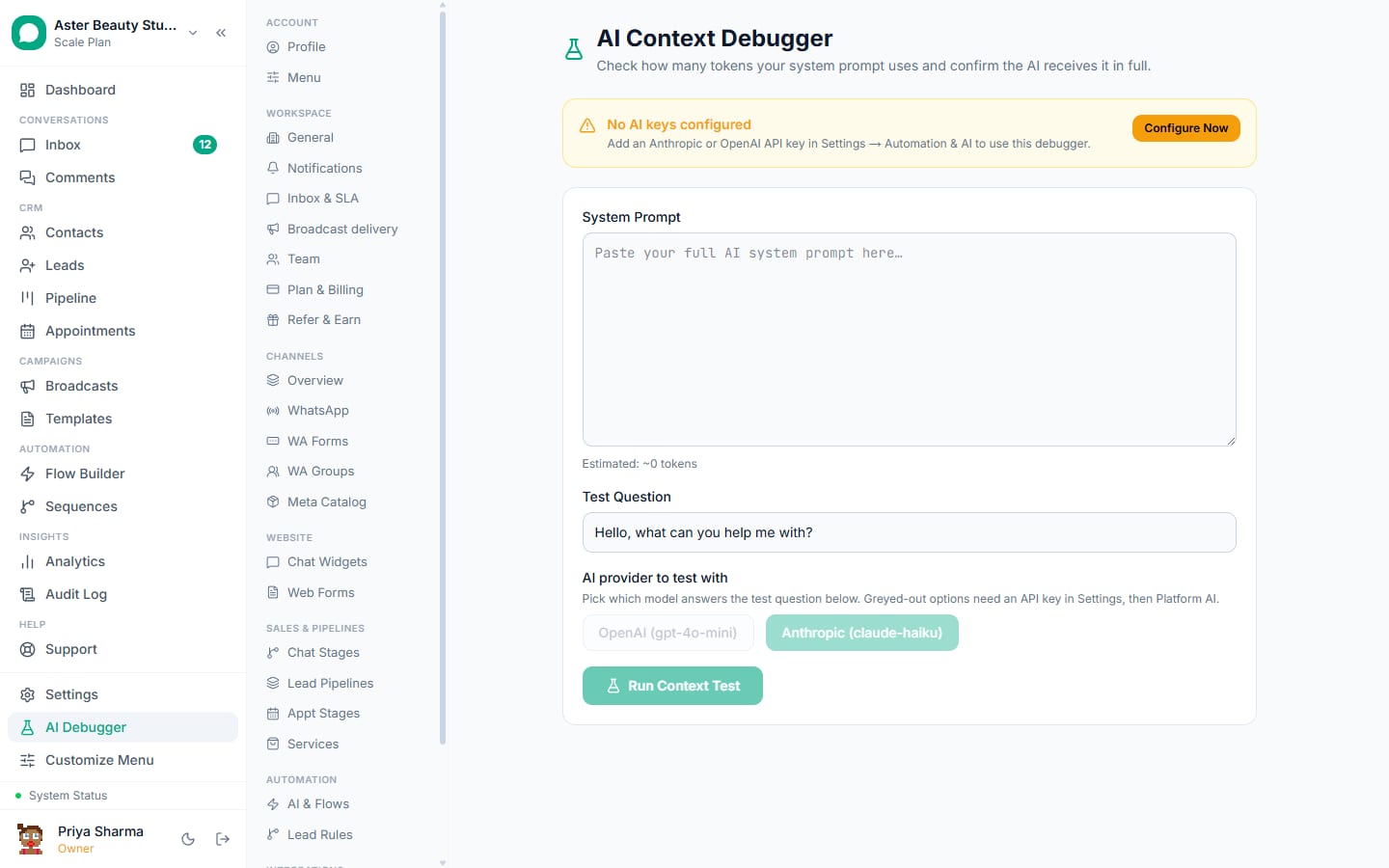
Where it runs. WhatsApp, the website chat widget (with its own knowledge base per widget), and Instagram and Messenger where the channel supports it. The AI debugger shows every decision: the retrieved passages, the confidence, why it escalated.
Setup in an afternoon
- Gather the material: price list, FAQs, policies, a brochure, the ten questions the team answers most. Write the answers the way a good agent would.
- Settings, AI: choose the hosted model or add your own key; upload the knowledge base; write the fallback and the introduction ("I am Aster's assistant; a person is one word away").
- Set escalation rules: the keyword list, low-confidence threshold, business hours for handoff, the team to assign.
- Turn AI on for the WhatsApp channel (and the widget). Test from your own phone with the ten questions, three complaints and a request for a human. Read the debugger.
- Go live on a weekday morning with an agent watching the inbox. Review every AI conversation for the first week; add missing facts to the knowledge base rather than editing prompts.
Guides: set up the AI chatbot, knowledge base sources, escalation.
What it costs
The platform side: the AI assistant (chatbot, reply suggestions, summaries) is on every VGraple CRM plan, including Free, and is paid for in AI credits: 1,000 free each month, 10 credits per AI reply, and packs from Rs 399 for 10,000 credits. With your own OpenAI or Anthropic key (Starter and above) every action costs one fifth of the credits. Flows and keyword rules for scripted answers are on every plan including Free.
Metrics
| Metric | Healthy | Meaning |
|---|---|---|
| Containment | 40 to 70 percent | Resolved without a human |
| Escalation rate | 30 to 60 percent | The rest, arriving with context |
| Time to first reply | Under 5 seconds (AI), under 10 minutes (human) | Speed |
| Customer rating after resolution | Rising | CSAT survey on resolve |
| Unanswered questions per week | Falling | Knowledge base gaps |
| Complaints about the bot | Near zero | Escalation rules are right |
Mistakes that make customers leave
- No human path, or one hidden three menus deep.
- The AI keeps talking after a person joined.
- Pretending to be human.
- Answering from thin documents; the fallback fires constantly.
- Escalating everything (no value) or nothing (no trust); tune the confidence threshold with the debugger.
- Going live on Friday evening with nobody watching.
Writing a knowledge base the AI can use
Write for retrieval, not for reading: one fact per short paragraph, headings that match how customers ask ("Do you accept insurance?" rather than "Payments"), numbers stated plainly with units and dates, and policies in full sentences rather than tables of exceptions. Include the answers to the questions you would rather not get (refund timelines, what you do not offer); the AI escalates better when it knows the boundary. Version the documents by date and replace, do not append; the old price list left in the knowledge base is the most common cause of a wrong answer.
The handoff, from the customer's side
A good escalation reads like a person joining, not a system failing: "I am connecting you to Priya from our team; she has the full conversation and will reply within a few minutes." The agent then sees the transcript and the summary, does not ask the customer to repeat, and the AI stays silent in that thread until the agent resolves it. If nobody is online, the message says when a person will reply and the conversation is queued with an SLA timer; the customer is never told "a human will contact you" without a time.
Industry starting points
- Clinic: hours, doctors, fees, insurance accepted, pre-visit instructions; escalate symptoms and emergencies.
- D2C: sizing, delivery times by pincode, returns, order status; escalate damaged goods and refunds.
- Coaching: batches, fees, syllabus, faculty; escalate scholarship and fee-plan requests.
- Real estate: configurations, prices, amenities, site-visit slots; escalate negotiation.
- SaaS: features, pricing, how-tos from the help centre; escalate bugs and billing disputes.
What VGraple CRM does here
Knowledge-base AI chatbot with escalation rules, typing debounce, automatic pause on human reply, reply suggestions and summaries, a per-widget knowledge base for the website, and the AI debugger are on every plan and use AI credits; bring-your-own-key is on Starter and above; flows, keyword rules, the shared inbox with assignment and the CSAT survey are on every plan including Free.