On this page
An AI chatbot in VGraple CRM answers customer questions using an AI Response node in Flow Builder, or the dedicated chat widget on your website, grounded in a knowledge base you build from your own content. This walkthrough covers turning one on for the first time, from choosing a model to attaching a knowledge base to a specific bot.
AI chatbot: first 5 of 6 steps
- 1Start on VGraple AI, with no key
- 2For WhatsApp, Instagram or Messenger, open Flow
- 3Write the system prompt
- 4Attach a knowledge base, if you have
- 5For a website bot, open Settings, then
Before you start
- The chatbot works without a provider key, on VGraple CRM's hosted model. On Starter and above you can add your own OpenAI or Anthropic key from Settings, then AI, which cuts every AI action to one fifth of the credits.
- The chatbot is on every plan, including Free, and so are the website chat widget's AI, reply suggestions, summaries and the AI debugger. An AI reply to a customer costs 10 AI credits; every workspace gets 1,000 free each month.
- Only Owner and Admin roles can view and edit API keys, since Settings, AI is restricted to roles that can view organisation secrets.
- Decide where the bot needs to live before you start: a WhatsApp/Instagram/Messenger bot is built as an AI Response node inside a Flow Builder flow; a website bot is configured separately under Settings, then Chat Widget.
Steps
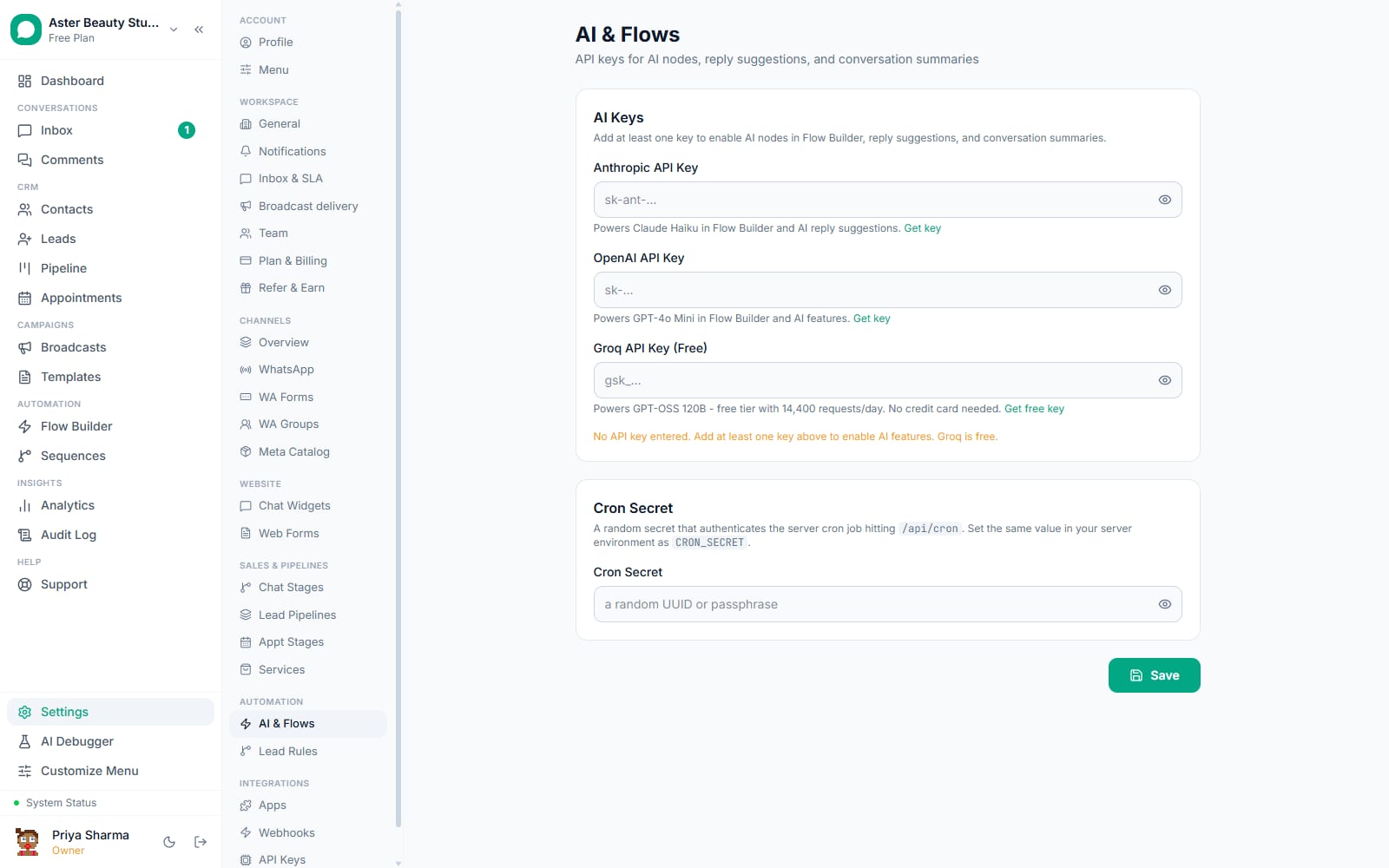
- Start on VGraple AI, with no key to add. Every workspace answers on VGraple AI by default, paid for with AI credits, so nothing needs adding before the bot works. On Starter and above you can optionally add your own OpenAI, Anthropic or Groq key under Settings, then AI; if more than one connection exists, pick a Default AI Model for reply suggestions, summaries, and new AI nodes.
- For WhatsApp, Instagram or Messenger, open Flow Builder. Create or open a flow, set a trigger (a keyword or a catch-all works for a general assistant), and drag an AI Response node onto the canvas.
- Write the system prompt. Click the AI Response node and write instructions describing the business, its scope, and its tone. Keep it specific: what the bot should and should not answer matters more than how politely it is phrased.
- Attach a knowledge base, if you have one. Choose a scope in the node's Knowledge base field: none, a specific source, or all sources shared across the organisation. See adding knowledge base sources if you have not built one yet.
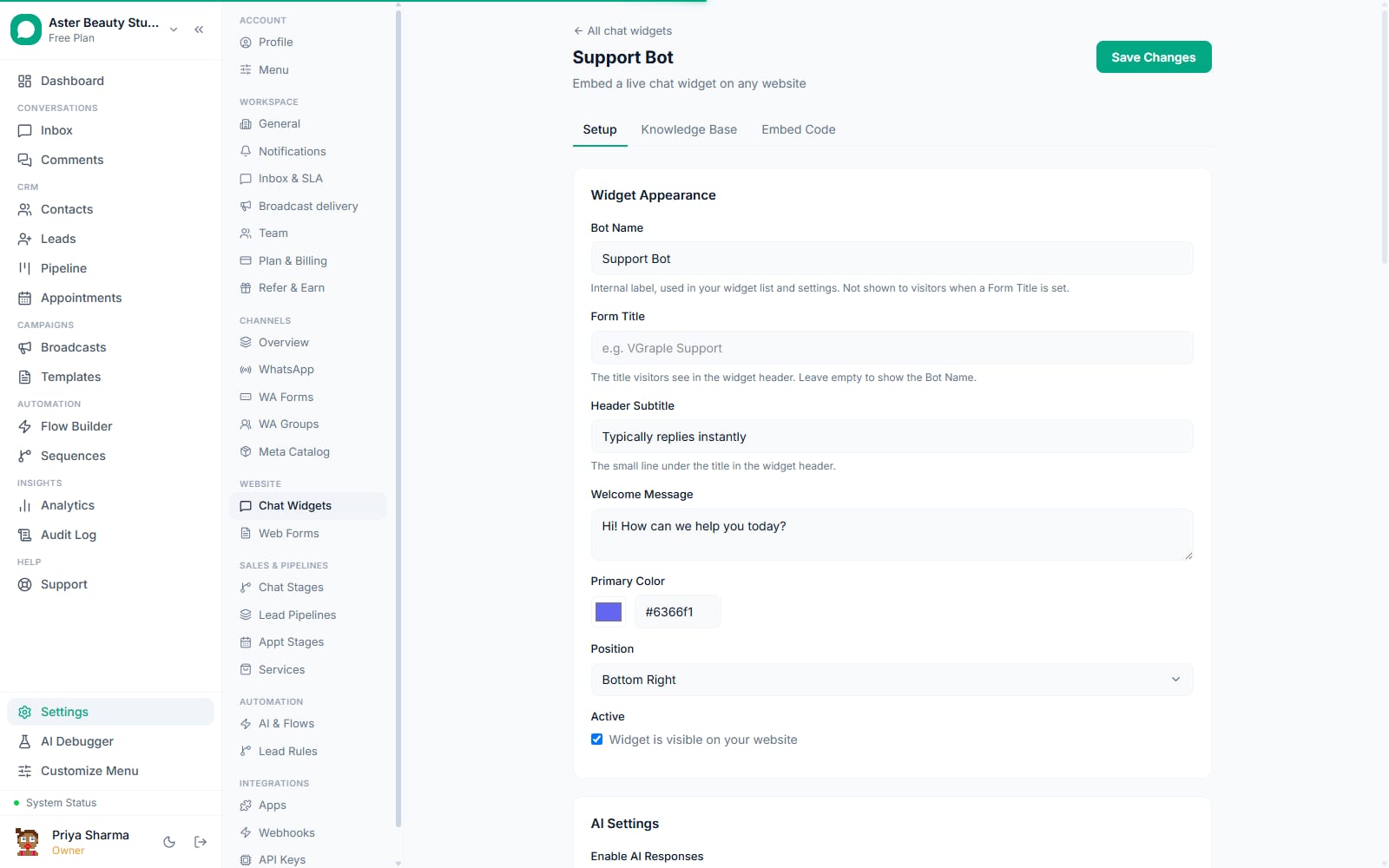
- For a website bot, open Settings, then Chat Widget. Configure the widget's own system prompt, appearance, and AI provider separately from any WhatsApp flow; a website widget's settings do not affect flow-based bots and vice versa.
- Activate and test. Save and activate the flow (for WhatsApp/Instagram/Messenger), or publish the widget (for the website), then message the trigger yourself or open the widget preview to confirm the bot answers as expected.
A salon setting up its first bot, for example, might write a system prompt describing its services and hours, paste its price list as a knowledge base source, and attach that source to a catch-all AI Response node. A customer messaging "do you do gel nails" then gets an answer pulled from the actual price list, not a guess, while a question the price list does not cover gets a polite decline instead of an invented answer.
What you will see
A working AI Response node answers naturally, in the tone your system prompt set, and, if a knowledge base is attached and the question matches something in it, with content grounded in what you actually wrote rather than a generic answer. On WhatsApp, Instagram and Messenger, the reply appears in the conversation thread exactly like any other outbound message. If a human agent sends a manual reply in the same conversation, the bot pauses immediately and stays paused until an agent resumes it from the conversation header.
A bot with no knowledge base attached still answers, using only your system prompt and general conversational ability, which is enough for a simple FAQ-style assistant but will eventually invent an answer to a question it genuinely does not know. Attaching a knowledge base is what keeps replies grounded once customers start asking specific, business-only questions.
Settings and options
| Setting or field | What it does | Default |
|---|---|---|
| AI provider (node) | Anthropic, OpenAI, or Groq; falls back automatically to any other configured key if the saved one is missing | Whichever was selected when the node was created |
| System prompt | Instructions the model follows for every reply from this node | Empty; a generic fallback prompt is used if left blank |
| Knowledge base | None, one specific source, or all sources shared across the organisation | None |
| Conversational mode | Keeps the node active for back-and-forth chat instead of a single reply | Off (single-turn) |
| Booking link | Adds a sales-persona addendum that guides the conversation toward booking a call | Off |
| AI takeover pause | Whether the bot is paused for a given conversation because a human replied | Off, until a human sends a manual reply |
Troubleshooting
| Symptom | Likely cause | Fix |
|---|---|---|
| The AI Response node returns a generic apology instead of answering | Your own key saved on the node was removed or stopped working, or the workspace has no AI credits left | Check the connection and the balance under Settings, then AI; no key is needed, since VGraple AI is the default |
| The bot answers but never mentions anything from the business's own content | No knowledge base is attached to the node, or the attached one has no matching content for that question | Attach a knowledge base in the node's settings, and confirm it actually contains the relevant information; see knowledge base sources |
| The bot stopped replying partway through a conversation | A human agent sent a manual reply in that conversation, which pauses the bot for the rest of it | Resume the bot from the conversation header toggle if the agent is done and wants automation to continue |
| A website widget's bot behaves differently from the WhatsApp bot | They are configured independently; a system prompt or knowledge base change on one does not affect the other | Update both separately, or use the same knowledge base sources unscoped so both draw from shared content |
| The bot sends only its fallback message, on every channel | The workspace has used its AI credits | Wait for the free credits to renew on the 1st, or buy a credit pack; see AI credits |
Related reading
Build out the content the bot answers from in knowledge base sources, and if the bot seems to be on but silent, work through the AI on but not replying checklist rather than guessing at the cause.