On this page
Too long? Read this
- A WhatsApp CRM is software that connects your WhatsApp Business API number to a shared inbox, contact database, campaigns, automation and a sales pipeline, so a team can run WhatsApp the way it would run email and phone
- It differs from a normal CRM (Zoho, HubSpot, Salesforce) in that the conversation is the record, Meta's rules are built in, and messaging is the primary action, not a side channel
- In India it costs a platform fee (Rs 0 to about Rs 10,000 a month for small and mid-size teams) plus Meta's per-message charges; resellers add a markup, Tech Providers do not
- A 30-point checklist covers inbox, automation, campaigns, delivery protection, sales, integrations, security and pricing transparency
A WhatsApp CRM is software that connects your WhatsApp Business API number to the things a team needs around it: a shared inbox everyone can answer from, a contact database with tags and consent, template campaigns, chatbot and AI automation, a sales pipeline, appointments and payments, and reporting on all of it. Where a normal CRM treats WhatsApp as one channel among many, a WhatsApp CRM makes the conversation the customer record and builds Meta's rules (opt-in, templates, the 24-hour window, tiers, quality) into every action. This guide defines the category, lists what a good one does, explains what it costs in India, and gives a checklist for choosing.
Why the category exists
In India the enquiry arrives on WhatsApp, on one phone, answered by whoever holds it. Leads are lost when that person is busy, follow-ups depend on memory, broadcasts from the phone app get numbers banned, and nobody can say which conversation made money. The free WhatsApp Business app solves the smallest version of this (a greeting, an away message, 256-contact broadcast lists). The WhatsApp Business API solves the rest, but it is an API: it needs software around it. That software is the WhatsApp CRM.
What a WhatsApp CRM does
| Area | What it means in practice | Where to read more |
|---|---|---|
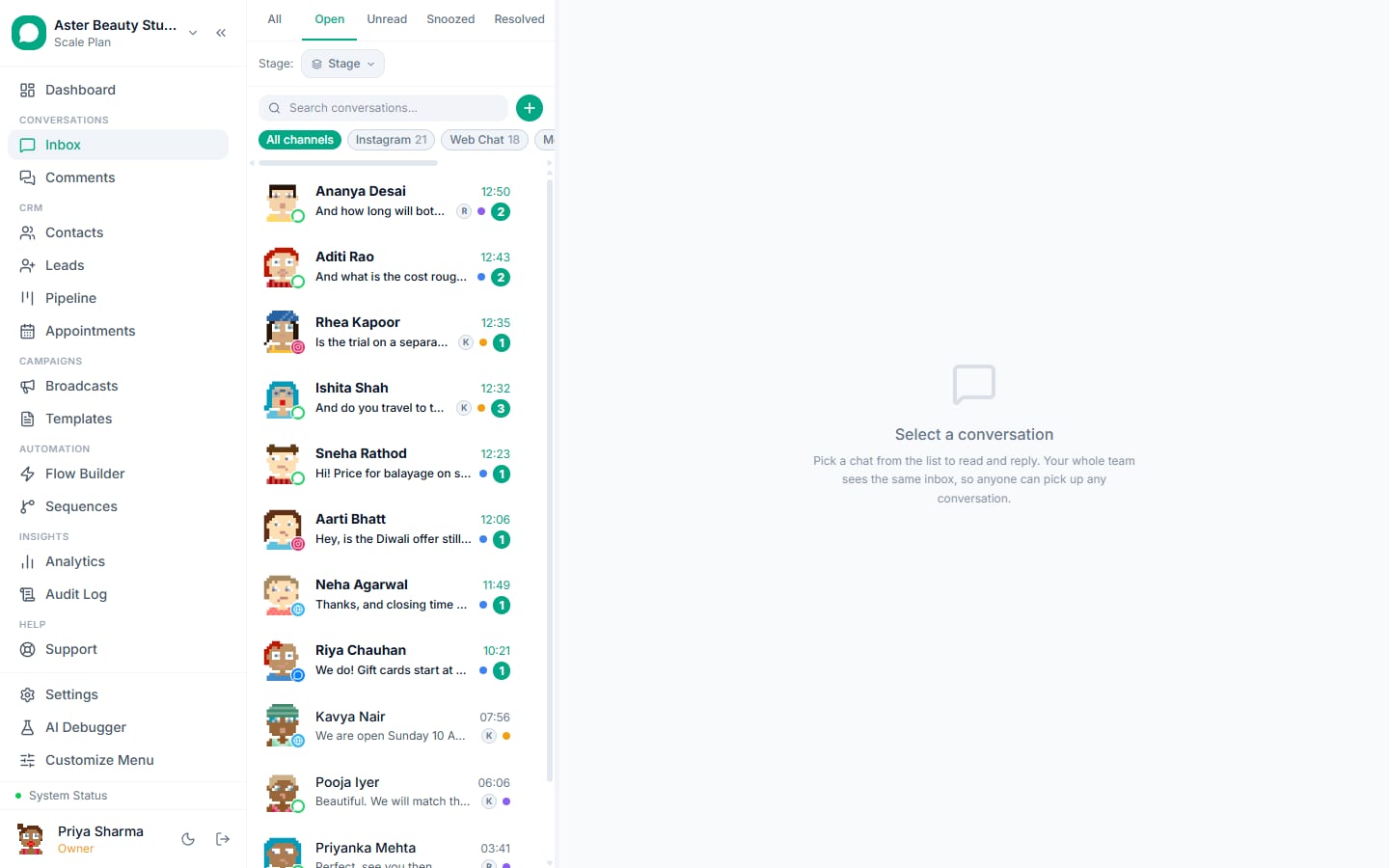
| Shared inbox | One number, every agent, on web and mobile; assignment, notes, tags, stages, SLA timers, collision detection; Instagram and Messenger in the same view | Team inbox |
| Contacts and consent | A database with tags, custom fields, segments, opt-in source, STOP handling, dedupe | Contacts |
| Templates | A builder that submits to Meta, a validator that predicts rejections, a gallery | Templates |
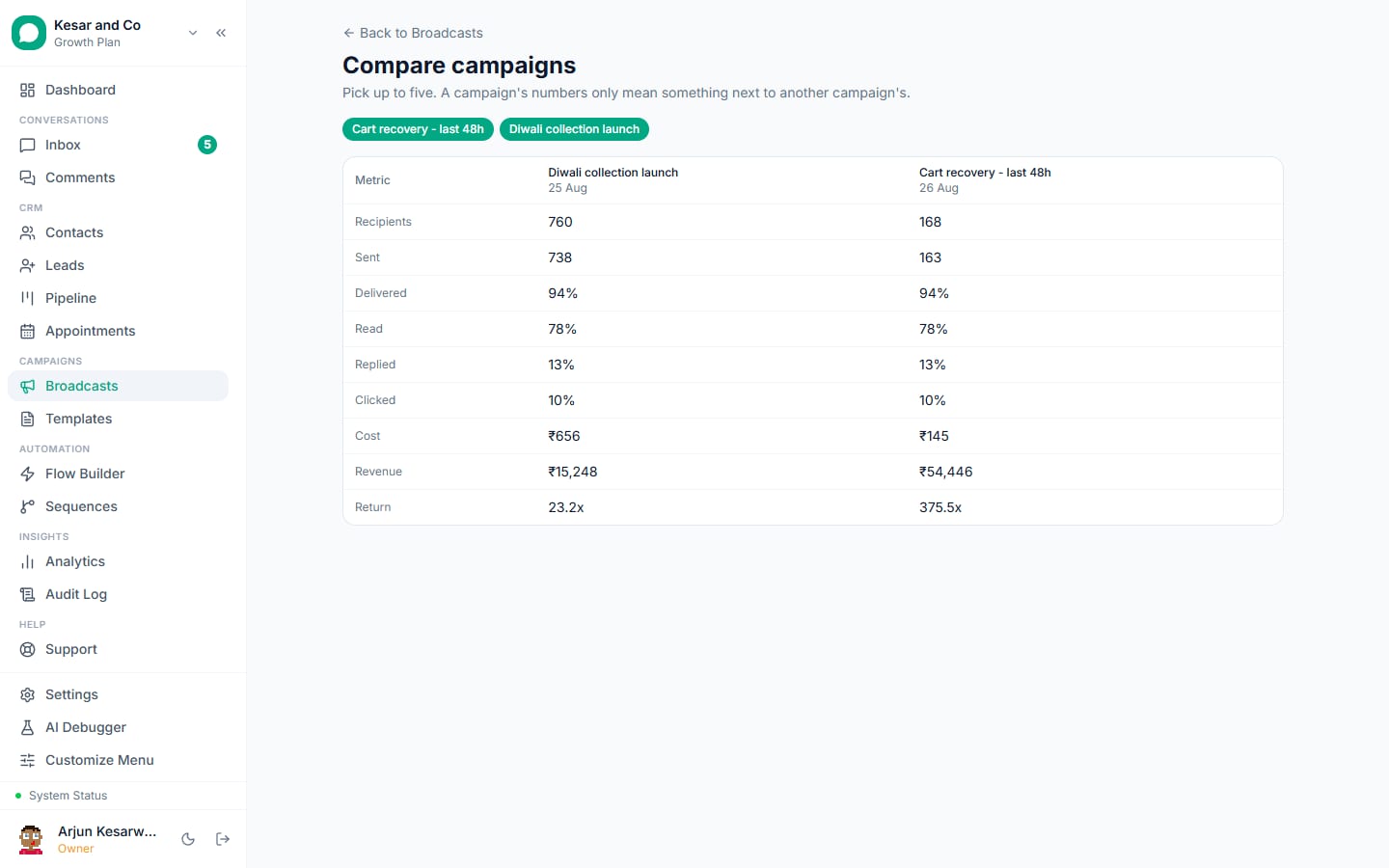
| Broadcasts | Template campaigns to segments with live cost, pacing, tier budgeting, per-recipient status | Broadcasts |
| Delivery protection | Pacing, suppression, auto-pause when Meta pauses a template, quality monitoring | Delivery protection |
| Automation | Keyword rules, chatbot flows, drip sequences, an AI chatbot on a knowledge base | Flow builder, AI chatbot |
| Sales | Leads pipeline, scoring, appointments, catalog messages, payment links | Leads, Payments |
| Ads | Click-to-WhatsApp referral capture, Facebook Lead Ads, Conversions API | Click-to-WhatsApp ads |
| Reporting | Agent, campaign, template and revenue analytics | Analytics, Revenue tracking |
| Integrations | Webhooks, REST API, Zapier, calendar and payment gateways | Integrations |
| Security | Encryption, roles, 2FA, audit log, DPA | Security and roles |
WhatsApp CRM vs a normal CRM
| Normal CRM (Zoho, HubSpot, Salesforce) | WhatsApp CRM | |
|---|---|---|
| The record | A contact or deal; messages are attachments | The conversation; contact and deal hang off it |
| WhatsApp support | Add-on channel, often via a third-party connector | Native: templates, window, tiers and quality built in |
| Who uses it daily | Sales managers, in reports | Agents, in the inbox, all day |
| Automation | Email sequences, task reminders | Chatbot flows, AI replies, template sequences inside Meta's rules |
| Pricing | Per seat, often Rs 1,000 to Rs 5,000 per user | Flat plan with seats included; Meta charges separate |
| Delivery protection | None | Pacing, suppression, auto-pause (varies by vendor) |
| Best for | Long B2B cycles, many channels | Businesses whose customers talk on WhatsApp |
Most businesses that already run Zoho or HubSpot keep it for deals and push WhatsApp contacts into it through Zapier or an API, while agents work in the WhatsApp CRM. WhatsApp CRM vs regular CRM covers the decision in detail.
What it costs in India
Two bills, always.
Meta's message charges, billed by Meta to your Meta Business account, per delivered template message: India, April 2026, marketing Rs 0.8631, utility Rs 0.115, authentication Rs 0.115, replies inside a customer's 24-hour window free. Rates by country.
The platform fee. Two models exist:
| Model | Who | How it charges | Watch for |
|---|---|---|---|
| Reseller (BSP) | Most Indian vendors | Plan fee plus 10 to 25 percent markup on Meta rates, or prepaid credits | Rate cards "on request", expiring credits, per-agent add-ons |
| Tech Provider | VGraple CRM and a few others | Flat plan fee; Meta bills you directly | Whether the free tier connects a real number |
For a 5-agent business sending 5,000 marketing and 3,000 utility messages a month, Meta's charges are about Rs 4,660; the platform fee ranges from Rs 0 to Rs 7,000 depending on the vendor and plan, and a reseller markup adds Rs 500 to Rs 1,200 on top of Meta's number. The pricing page shows worked months; the comparison pages put competitors' totals next to them.
The 30-point checklist
Score any vendor on these. A "no" on the delivery-protection rows is the expensive kind.
Inbox
- Shared inbox with assignment and collision detection
- Instagram DMs and Messenger in the same inbox
- SLA timers and breach alerts
- Notes, tags, stages, quick replies
- Android or iOS app with push notifications
Templates and campaigns 6. Template builder with a pre-submit validator 7. Template gallery by industry 8. Live recipient count and Meta cost estimate before sending 9. Per-recipient status with the Meta error code 10. Retarget cohorts (read, replied, clicked, ignored) 11. A/B testing and send-time optimisation
Delivery protection 12. Pacing that reacts to quality rating 13. Daily-limit budgeting with auto-resume 14. Auto-pause when Meta pauses a template 15. Suppression of opted-out, blocked and capped contacts, never retried 16. Quiet hours and a frequency cap
Automation 17. Keyword and event rules 18. Visual flow builder with human handoff 19. Drip sequences that stop on STOP 20. AI chatbot on your own documents, with escalation and pause on human reply
Sales and revenue 21. Leads pipeline with scoring 22. Appointments with reminders 23. Catalog and payment links in chat 24. Revenue attribution per campaign, agent and ad; Meta Conversions API
Platform 25. Coexistence with the WhatsApp Business app 26. Webhooks, REST API, Zapier 27. Encryption at rest, 2FA, roles, audit log on every plan 28. Published data processing agreement
Pricing honesty 29. No markup on Meta rates (ask: BSP or Tech Provider?) 30. A free plan that connects a real number, and only scale-based gates above it
Who a WhatsApp CRM is for, and who it is not for
It is for any business whose customers already message it on WhatsApp and where more than one person needs to answer, or where answers need to happen when nobody is at the phone: salons, clinics, dental practices, coaching institutes, real estate, D2C stores, travel agencies, restaurants, gyms, jewellers, agencies handling many clients, and B2B teams doing follow-ups. It is not for a solo operator who answers every message within minutes and sends fewer than 256 messages a month; the free WhatsApp Business app is enough there, and a CRM can wait.
How to choose in an afternoon
- Confirm the vendor is a Tech Provider or ask for the exact markup.
- Connect a real number on the free plan or trial and send yourself a template.
- Build one keyword rule and one two-step flow; check the reply lands in the inbox with context.
- Send a 50-contact broadcast to colleagues and read the per-recipient statuses.
- Open the security page and the DPA; check 2FA and the audit log exist on the plan you will buy.
- Read the vendor's own help centre for the error codes 131049 and 132015. If they are not documented, delivery protection is not a priority for them.
What VGraple CRM is
VGraple CRM is a WhatsApp CRM built in India and a Meta Tech Provider: free forever plan that connects a real number, no markup on Meta's rates, every row of the checklist above on the free plan except Analytics (Starter and above) and the AI assistant (Growth and above), coexistence with the WhatsApp Business app, and documentation written from the product code. Every feature, pricing, and comparisons with 27 alternatives are on this site.