On this page
- Every rejection reason and its fix
- The recategorisation rule (not a rejection, but it costs money)
- How to resubmit
- Stop rejections before they happen
- Rejections by vertical: what to watch
- Worked examples: before and after
- When a rejection is actually a business-level review
- Paused is different from rejected
- What VGraple CRM does here
Too long? Read this
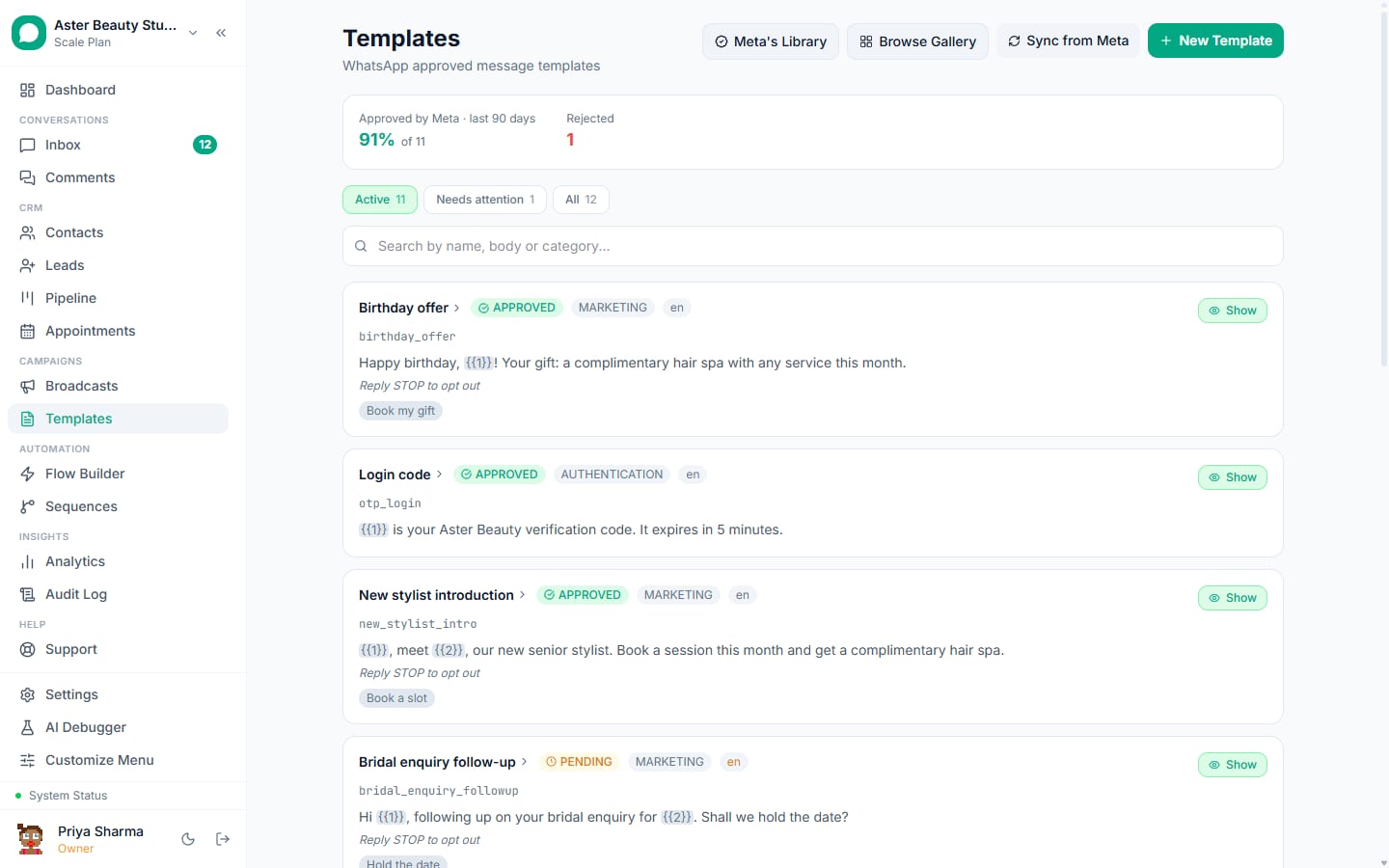
- Meta rejects templates for formatting (variables, samples, names), category mismatch, prohibited or vague content, and duplicates; each comes with a reason you can act on
- Fix the reason, submit as a new template or edit and resubmit; approval after a fix usually lands in minutes to hours
- Since April 2025 a utility template with promotional wording is approved as marketing rather than rejected, which is a cost problem rather than a rejection
- A pre-submit validator catches nearly all formatting rejections; the free template checker on this site runs the same rules
A rejected WhatsApp template is a fixable event, not a verdict. Meta reviews every template under your WhatsApp Business Account against formatting rules, the declared category and its content policies, and returns a reason when it says no. The reasons fall into five families, each with a specific fix, and a corrected template usually approves within minutes to hours. This guide lists every reason Meta gives, what the wording means, the fix, the resubmission steps, the 2025 recategorisation rule that turned one kind of rejection into a cost problem, and the validator habits that stop rejections before submission.
Every rejection reason and its fix
| Meta's reason | What it means in practice | Fix |
|---|---|---|
| Invalid format | A variable at the start or end of the body, two variables next to each other, numbering not sequential from {{1}}, or more variable text than fixed text | Add fixed words around variables, renumber, shorten variables |
| Missing or invalid sample content | Sample values absent, or placeholders like "test", "xxx", "123", or the variable label itself | Give realistic samples: "Priya", "Sat 2:30 PM", "#48213" |
| Invalid template name | Uppercase, spaces, hyphens or special characters | Lowercase letters, numbers and underscores only |
| Category mismatch | Content does not match the declared category | Fix the category, or remove the mismatched content (see recategorisation below) |
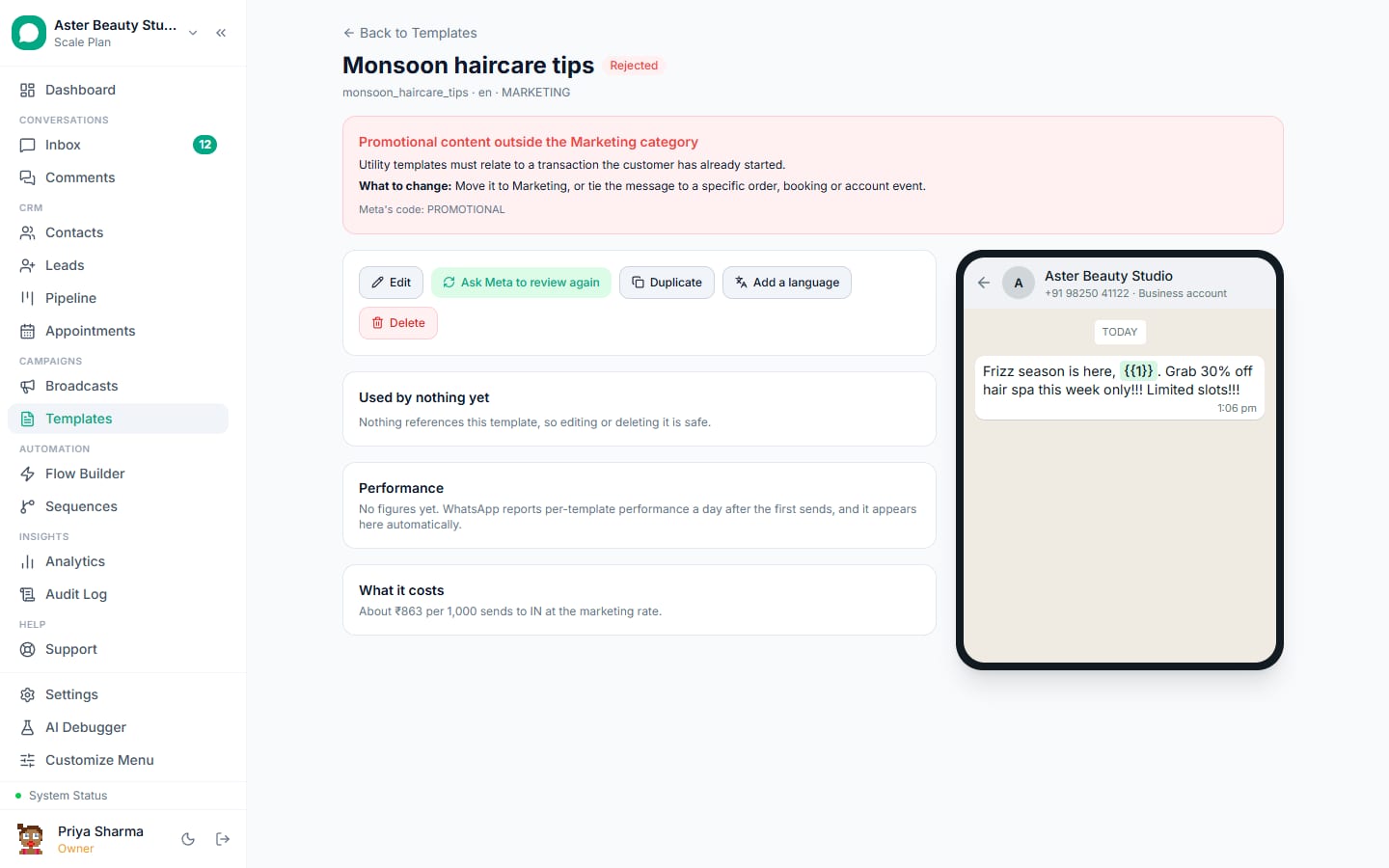
| Promotional content in utility | Offers, discounts, new products in a utility body | Remove promotion or submit as marketing |
| Abusive or prohibited content | Financial guarantees, adult, weapons, gambling, drugs, misleading or deceptive claims | Rewrite; some categories (finance, health) need careful wording and may need Meta pre-approval of the business |
| Vague or generic content | "Hi, click here", "Hello, we have an update" with no context | Say who you are and what the message is about |
| Formatting policy | Excessive emoji, all caps, mostly bold | Plain sentences with light formatting |
| Invalid URL | Shorteners, tracking domains not matching the business, broken links | Full URL on your own domain |
| Duplicate content | Same body as an existing template under a new name | Reuse the existing template or change the content |
| Language mismatch | Body language does not match the language field | Set the field to the body's language |
| Button issues | Too many buttons, mixed button types beyond Meta's rules, quick-reply text over 20 characters | Follow the button limits; the builder enforces them |
| Media header issues | Sample media missing, wrong type, oversized | Provide a sample file of the declared type |
Meta's reason text is terse; VGraple CRM translates it into the row above next to the template and suggests the fix.
The recategorisation rule (not a rejection, but it costs money)
If a template you submitted as utility shows Approved with category Marketing, that is what happened. Edit the body to remove the promotion (offers, discounts, new arrivals, invitations to buy) and resubmit; or accept marketing and use it only where a promotion is intended. VGraple CRM flags the category change when it syncs the template's status from Meta.
How to resubmit
- Open the rejected template in Templates; read the translated reason.
- Fix the cause. For formatting: adjust the body and samples in the builder; the validator confirms before you submit. For category: change the category or the wording. For content: rewrite.
- Submit. Editing an approved template creates a new review while the old version stays live; editing a rejected one replaces it. Creating a fresh template under a new name is cleanest when the old one was paused or disabled.
- Wait: usually minutes to a few hours. The status updates in Templates when Meta's webhook arrives.
Stop rejections before they happen
- Run the validator. The builder checks variables, samples, names, buttons, URLs and category signals before submission; the free template checker applies the same rules without an account.
- Start from the gallery. The 75 templates in the library are written to the rules with realistic samples.
- Declare the honest category. Utility states a fact about the customer's transaction; marketing promotes. Do not try to save Rs 0.75 with a disguised offer.
- Write like a person. Complete sentences, the business name, a clear next step, an opt-out line on marketing.
- One template per job. Do not resubmit the same body under five names; duplicates get rejected and clutter the account.
Rejections by vertical: what to watch
- Finance and lending: no guarantees, no "approved instantly", clear identification of the lender; Meta scrutinises this vertical.
- Healthcare: no diagnosis or treatment promises; appointment and report templates are fine.
- Education: "guaranteed rank" and similar claims are rejected.
- Real estate: price and possession claims should be stated as the customer's own enquiry (utility) or as an offer with an opt-out (marketing).
- E-commerce: cart and order templates are utility only when free of offers.
Worked examples: before and after
Rejected: invalid format. "{{1}}, your order is ready. {{2}}" ends with a variable and starts with one. After: "Hi {{1}}, your order {{2}} at Aurum Jewels is ready for pickup. Store hours 11 AM to 8 PM." Approved.
Rejected: sample content. Samples "name", "date". After: samples "Priya", "Sat 2:30 PM". Approved in eleven minutes.
Approved as marketing (submitted as utility). "Hi {{1}}, your appointment is tomorrow at {{2}}. Also, 20% off all facials this month!" After removing the second sentence: utility, Rs 0.115 per message, no cap.
Rejected: vague content. "Hello! Click here for an update: {{1}}". After: "Hi {{1}}, your {{2}} report from Smile Dental is ready. Download it here: {{3}}." Approved.
Rejected: prohibited content (finance). "Get a guaranteed loan approval in 2 minutes." After: "Hi {{1}}, thanks for your enquiry about a {{2}} loan. Our advisor will call within the hour with eligibility details." Approved as utility.
When a rejection is actually a business-level review
Certain verticals (financial services, healthcare, alcohol, gambling, dating, some supplements) trigger extra scrutiny at the business level, and a run of rejections there may mean Meta wants business verification and a compliant business profile before it approves templates at all. Complete verification in Meta Business Manager, make the display name and website describe a legitimate business in that category, and resubmit templates written to that vertical's rules. VGraple CRM surfaces the account's verification and quality status on the channel card so you can tell an account problem from a template problem.
Paused is different from rejected
An approved marketing template can be paused later (error 132015) after Meta samples complaints: 3 hours, then 6, then disabled (132016). Campaigns using it stop; VGraple CRM parks them with the reason and resumes when the pause lifts. The fix is the same as for a content rejection, done as a new template, plus a look at who was being sent to. Why broadcasts get blocked covers the wider pattern.
What VGraple CRM does here
Template builder with a pre-submit validator, rejection reasons translated with fixes, category-change flags on sync, a 75-template gallery, and status updates from Meta's webhooks are on every plan including Free. Paused templates park their campaigns automatically; the free template checker on this site runs the validator rules for anyone.