On this page
The Zapier integration is VGraple CRM's own app in Zapier: six instant triggers, three actions and a search step that let you move WhatsApp conversations, contacts, leads and form submissions into any of Zapier's thousands of apps, and push data back to send templates or create records. It is native: the triggers ride VGraple CRM's signed outbound webhooks and the actions call the public REST API, authenticated with an API key.
What syncs
| Data | Direction | Timing |
|---|---|---|
| New inbound message (message.received) | VGraple CRM to Zapier | Instant |
| New contact (contact.created) and contact opted out (contact.opted_out) | VGraple CRM to Zapier | Instant |
| New lead (lead.created) and lead stage changed (lead.stage_changed) | VGraple CRM to Zapier | Instant |
| New form submission (form.submitted) | VGraple CRM to Zapier | Instant |
| Send Template Message (approved template with body variables) | Zapier to VGraple CRM | Immediate |
| Create or Update Contact (upsert by phone) and Create Lead (pipeline dropdown) | Zapier to VGraple CRM | Immediate |
| Find Contact by phone | Zapier reads VGraple CRM | On demand within a Zap |
Setup
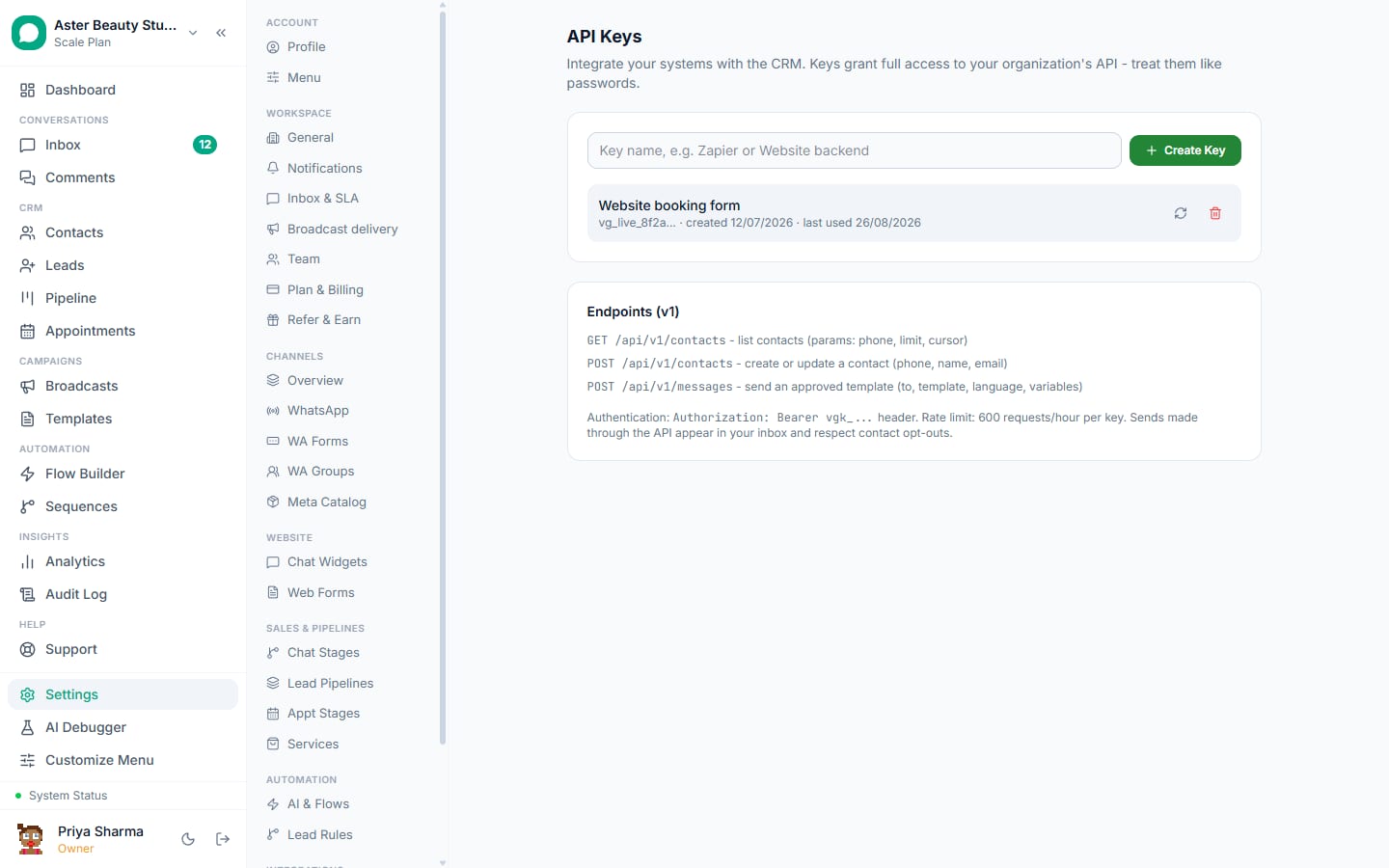
- In VGraple CRM, go to Settings, then API Keys, click Create key, name it "Zapier" and copy the secret (shown once). Owners only.
- In Zapier, create a Zap and search for VGraple CRM as the trigger or action app.
- When asked to connect an account, paste the API key into API Key. Zapier calls
GET /api/v1/meand labels the connection with your organisation name. - Choose the trigger or action and fill its fields; template and pipeline dropdowns load live from your workspace.
- Test the step, then turn the Zap on. Turning on a trigger creates a webhook subscription that appears with a "Zapier" badge under Settings, then Webhooks.
Who uses it
Businesses that already run their operations in tools with Zapier apps (Google Sheets, HubSpot, Zoho, Salesforce, Notion, Airtable, Slack, Shopify, WooCommerce, Typeform, Tally) and want WhatsApp conversations and leads flowing into them, or want those tools to trigger WhatsApp templates, without writing code.
How triggers work behind the scenes
Turning on a Zap with a VGraple CRM trigger calls POST /api/v1/hooks with Zapier's callback URL and the event, which creates an endpoint in the same table as Settings, Webhooks; turning it off calls DELETE /api/v1/hooks/{id}. That is why the endpoint shows a "Zapier" badge and why deleting it from Settings breaks the Zap. Events are delivered as soon as they happen, so a New Lead trigger fires within moments, not on Zapier's polling interval.
Choosing between Zapier, webhooks and the API
Use Zapier when the other app has a Zapier app and you want no code. Use outbound webhooks with Make, Pabbly or n8n when you want lower cost per task or more control over payloads. Use the REST API directly when the other system is your own. All three share the same events and the same send rules, so switching later means moving configuration, not rebuilding logic.
Three recipes
- New Lead -> row in Google Sheets -> Slack message to the sales channel. The founder's morning sheet fills itself; see the Google Sheets guide.
- HubSpot deal moves to "Proposal sent" -> Find Contact -> Send Template Message with the proposal link. Two-way with the HubSpot guide.
- Shopify order created -> Create or Update Contact -> Send Template Message "order confirmed" -> New Inbound Message reply creates a support ticket in Zendesk.
Limits and gotchas
- API keys are owner-only secrets; an admin cannot create one.
- Deleting the "Zapier" endpoint under Settings, Webhooks breaks the Zap until it is turned off and on again.
- Sends from Zapier obey the same rules as any send: approved template, consent, messaging limits, US pause; failures come back in the Zap's run history with the exact error.
- Broadcasts and message listing are not Zap steps yet; use Webhooks by Zapier against the REST API for those.
- Multi-step Zaps require a paid Zapier plan (a Zapier limit).
The Zapier help article documents every field; the REST API quickstart is the next step when you outgrow it.