On this page
The WhatsApp display name is what a customer sees at the top of the chat instead of your phone number, and Meta calls it your "verified name" because every one goes through a review before it takes effect. It is set the first time you connect or register a number and can be changed later, but only through Meta, not from inside VGraple CRM.
Display name rules: first 5 of 6 steps
- 1Enter the name during Embedded Signup or
- 2Meta reviews it before it goes live
- 3The number sends under a placeholder or
- 4Open Meta Business Manager and go to
- 5Submit a new verified name from the
Before you start
- A WhatsApp number connected to VGraple CRM already, or in progress through Embedded Signup, since a display name is always attached to a specific number.
- Access to the Facebook account that manages the WhatsApp Business Account in Meta Business Manager, since changing the name after initial setup happens in WhatsApp Manager, not in VGraple CRM.
- Your final business name decided before you submit, since resubmitting after a rejection restarts the review rather than editing the pending one.
Steps
Setting the display name the first time
Enter the name during Embedded Signup or number registration. Whichever path connects your number, VGraple CRM asks for a business display name and submits it to Meta as part of that flow (see connecting your WhatsApp number).
Meta reviews it before it goes live. The name is not active the instant you submit it; Meta checks it against its naming policy first.
- The number sends under a placeholder or the previously approved name until approval. A first-time submission sends under a temporary state until Meta approves; a subsequent change keeps the last approved name active until the new one clears review, so there is never a gap where the number cannot send.
Changing the display name later
Open Meta Business Manager and go to WhatsApp Manager. From business.facebook.com, navigate to WhatsApp Manager, then Phone numbers, and select the number whose name needs to change.
Submit a new verified name from the number's profile settings. This is the same review process as the initial submission; Meta checks the new name against the same rules.
Wait for Meta's decision, then confirm it in VGraple CRM. Once approved, go to Settings, then Channels, then WhatsApp and click Refresh on the channel card. This re-fetches the current verified name from Meta and updates what is shown alongside your workspace label.
Why does Meta review the name at all?
WhatsApp's naming review exists because the display name is the single strongest trust signal a customer has when a message arrives from a business they have never messaged before; there is no separate "verified" checkmark shown next to it the way some other platforms show a blue check on a handle. If any business could put any name on a number, the display name itself would stop meaning anything, and impersonation (a fake "Bank Support" number, for example) would be trivial. Meta's review checks specifically that the name matches the real business behind the account, not that the business is famous or large; a two-person coaching institute and a national retail chain go through the identical review standard.
Example
A real-estate agency in Ahmedabad first tries "Best Properties" as its display name and gets rejected as too generic. It resubmits as "Patel Realty Ahmedabad," its actual trading name, and the review clears within a day.
What names typically pass and fail?
| Name style | Outcome | Why |
|---|---|---|
| Actual registered or well-established trading name | Usually approved | Matches the real business identity |
| A generic category word ("Salon", "Clinic", "Store") | Usually rejected | Does not identify a specific business |
| A name with an offer or slogan folded in ("XYZ - 20% Off") | Usually rejected | Promotional content does not belong in the identity field |
| A name containing a phone number, email, or URL | Usually rejected | Contact details belong in the business profile, not the name itself |
| A name implying a different or larger entity than the account holder | Usually rejected | Meta treats this as misleading, regardless of intent |
| A short brand name with a location or clarifier ("Aster Beauty Studio") | Usually approved | Specific, accurate, and unambiguous |
What you will see
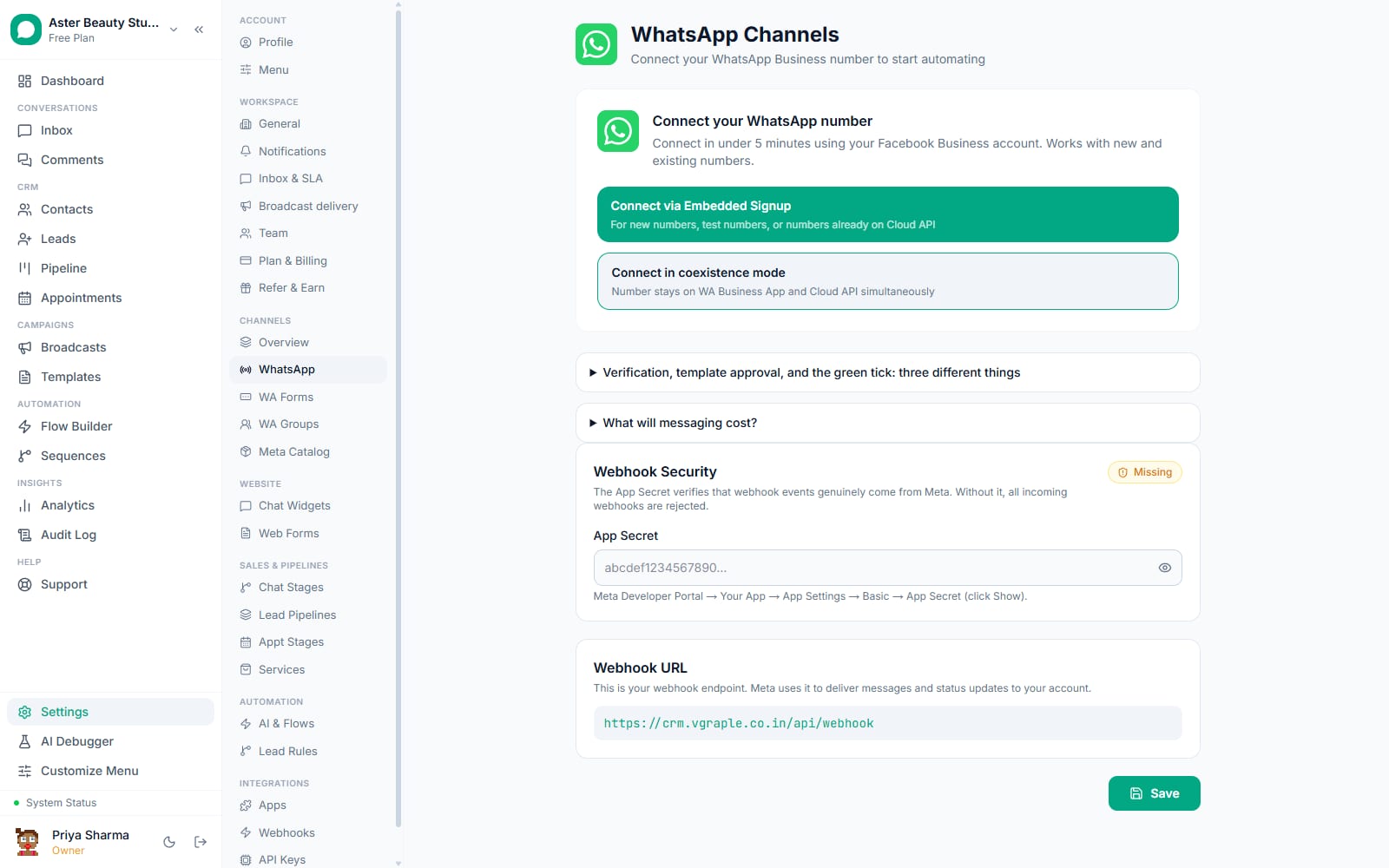
The WhatsApp channel card in Settings, then Channels, then WhatsApp shows two related but different things: the verified name Meta has approved (what a customer sees) and, if you have edited it, a separate workspace label used only inside VGraple CRM. After a successful review, the customer-facing name changes on every new message; conversations already open in a customer's chat history keep their old header until the customer reopens the thread, which is normal WhatsApp client behaviour, not a VGraple CRM delay.
Settings and options
| Setting or field | What it does | Default |
|---|---|---|
| Verified name (Meta) | The name a customer sees; requires Meta review to change | Set during Embedded Signup or number registration |
| Workspace display name (VGraple CRM) | An internal label on the channel card for your own team; editable inline with Edit | Defaults to the verified name at connection time, but does not stay in sync afterward |
| Business category | A related Meta field describing your industry, shown alongside the name in some Meta surfaces | Set in Meta Business Manager, not in VGraple CRM |
Troubleshooting
| Symptom | Likely cause | Fix |
|---|---|---|
| Display name rejected as "not descriptive" or generic | The submitted name is a category term ("Salon", "Clinic") rather than a specific business identity | Resubmit with the actual trading name of the business, for example "Aster Beauty Studio" instead of "Beauty Salon" |
| Display name rejected for contact details in the name | A phone number, email, or URL was included in the name field itself | Remove the contact detail; phone numbers and links belong in your WhatsApp Business profile fields, not the name |
| Name in VGraple CRM does not match what a customer actually sees | The workspace label was edited locally after connection, or Meta approved a newer name than the last refresh | Click Refresh on the channel card to re-pull the current verified name from Meta |
| New name submitted but customers still see the old one | Meta's review has not completed yet, or an already-open chat is showing a cached header | Check WhatsApp Manager for the review status; ask the customer to reopen the chat once approved |
| Cannot find where to change the name after initial setup | Looking in VGraple CRM instead of Meta Business Manager | Go to Meta Business Manager, then WhatsApp Manager, then the number's profile settings; VGraple CRM does not submit name changes on your behalf |
Related reading
A display name is only one part of how customers recognise your number; see claiming a WhatsApp username for the separate wa.me handle, and getting the green tick for the distinct, higher bar of an Official Business Account badge. If your Business Manager has not yet completed business verification, that is also worth doing before spending time perfecting a display name Meta may ask you to adjust anyway once verification runs.