On this page
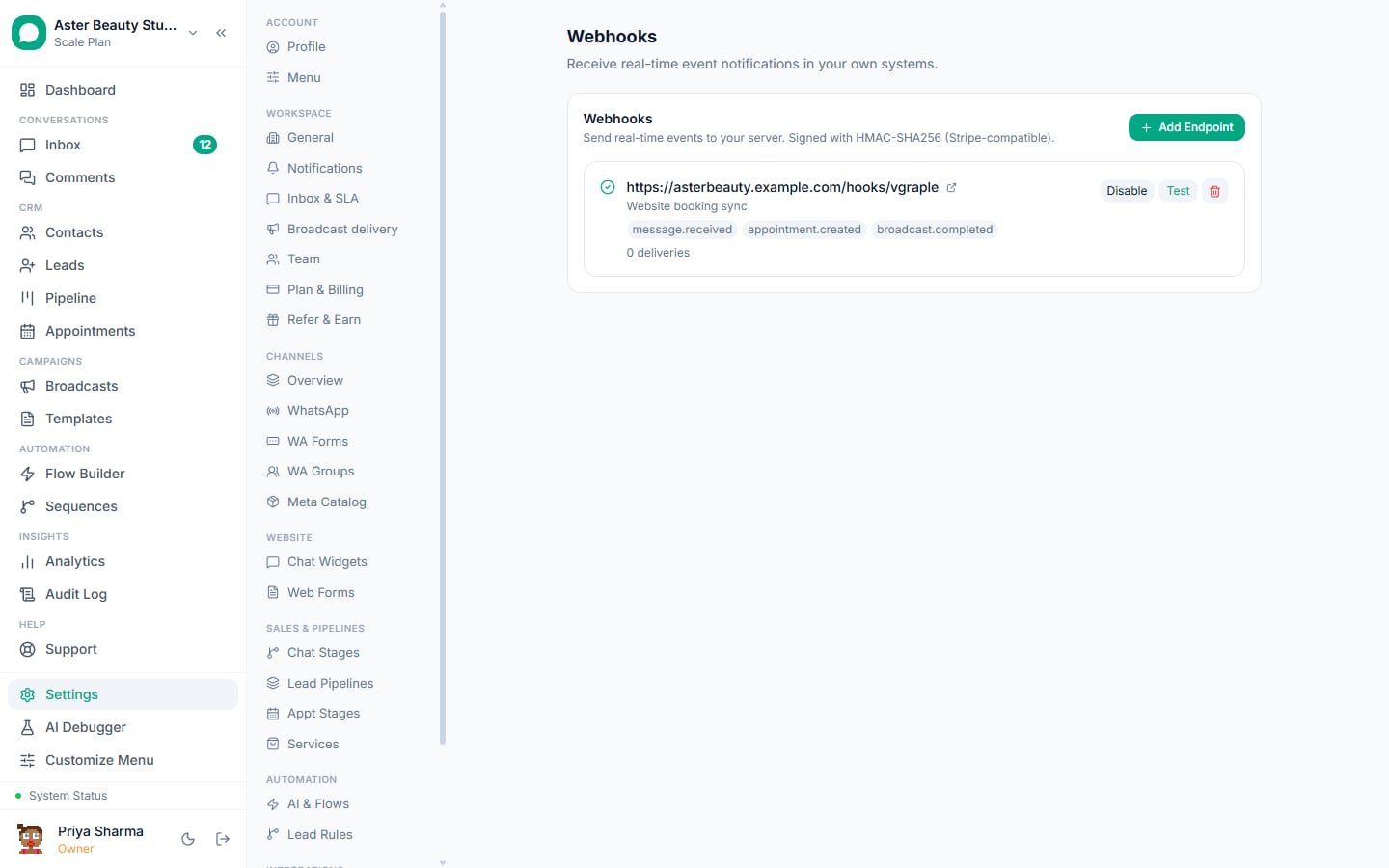
This integration runs on webhooks and the REST API, not a packaged connector: VGraple CRM posts signed events to a n8n webhook trigger, and n8n calls VGraple CRM's REST API with an API key to create contacts and leads or send approved templates. It is the lowest-cost route for high volumes and the most flexible, because you shape every payload.
What syncs
| Data | Direction | Timing |
|---|---|---|
| Any VGraple CRM event | VGraple CRM to n8n | Instant, signed, retried |
| Contact upsert, lead creation, template send, hook management | n8n to VGraple CRM | Immediate via REST API |
| Enrichment from your database or an AI model | Inside n8n | Per workflow |
Setup
- In n8n, add a Webhook node (POST), set it to respond immediately and to pass the raw body, and copy the production URL.
- In VGraple CRM, Settings, then Webhooks, Add Endpoint, paste the URL, tick events, save; copy the secret into an n8n credential.
- Add a Code node that recomputes the HMAC and stops the workflow on mismatch.
- Create an API key under Settings, then API Keys, store it as a Header Auth credential, and add HTTP Request nodes for
/api/v1/...calls. - Click Test in VGraple CRM to capture a sample, build the mapping, and activate the workflow.
How the two directions work
VGraple CRM to n8n. Under Settings, then Webhooks, add an endpoint with the n8n webhook URL and tick the events you need (message.received, message.sent, contact.created, contact.opted_out, lead.created, lead.stage_changed, broadcast.completed, conversation.assigned, conversation.resolved, conversation.reopened, form.submitted; the four broadcast lifecycle events are subscribed through POST /api/v1/hooks). Every delivery is a JSON POST signed with HMAC-SHA256 in the X-Signature-256 header using the endpoint's whsec_ secret, retried on failure and logged with the response.
n8n to VGraple CRM. Create an API key under Settings, then API Keys (Owner only) and use an HTTP module in n8n with Authorization: Bearer <key> against https://crm.vgraple.co.in/api/v1: POST /contacts upserts by phone, POST /leads creates a lead in a pipeline, POST /messages sends an approved template by name and language with variables, GET /templates and GET /pipelines list what you can use. Errors come back as JSON with a code and a plain message, including Meta's code on a template send.
Self-hosting notes
A self-hosted n8n needs a public HTTPS URL for the Webhook node; a reverse proxy with a certificate or a tunnel during development both work. Store the API key and the endpoint secret as n8n credentials rather than in node parameters so they are not exported with workflow JSON. Set the Webhook node to respond immediately with 200 and do the work afterwards; VGraple CRM retries on non-2xx, and a slow synchronous workflow can cause duplicate deliveries that your Code node then has to deduplicate by event ID.
Where n8n beats no-code tools
Enrichment before creating a lead (looking the phone up in your own database), classification with a model node, branching on several conditions, and loops over line items in an order payload are all natural in n8n and awkward elsewhere. The trade-off is that someone has to maintain the instance and the workflows; for a single simple flow, Zapier or Pabbly is faster to set up.
Three recipes
- message.received -> Code (classify intent with a model node) -> IF enquiry -> HTTP POST /api/v1/leads so only real enquiries become leads.
- lead.stage_changed (Won) -> HTTP Request to your ERP -> HTTP POST /api/v1/messages with the invoice template.
- Cron every morning -> HTTP GET /api/v1/messages?direction=inbound -> summarise -> email the overnight digest to the owner.
Limits and gotchas
- Only approved templates can be sent through the API; consent, messaging limits, the US marketing pause and delivery protection apply as in the app.
- Webhook endpoints must be public HTTPS; verify the signature before trusting a payload, and deduplicate on the event ID because retries can arrive after a slow success.
- API keys are Owner-only secrets with a rolling limit of 600 requests per hour per key.
- Phone numbers must be in international format without spaces or a leading zero.
- Payloads contain customer personal data; keep n8n scenarios and their logs inside your data protection scope.
The webhooks guide, the payload reference, the signature guide and the REST API quickstart have the exact fields and code.